Especificaciones
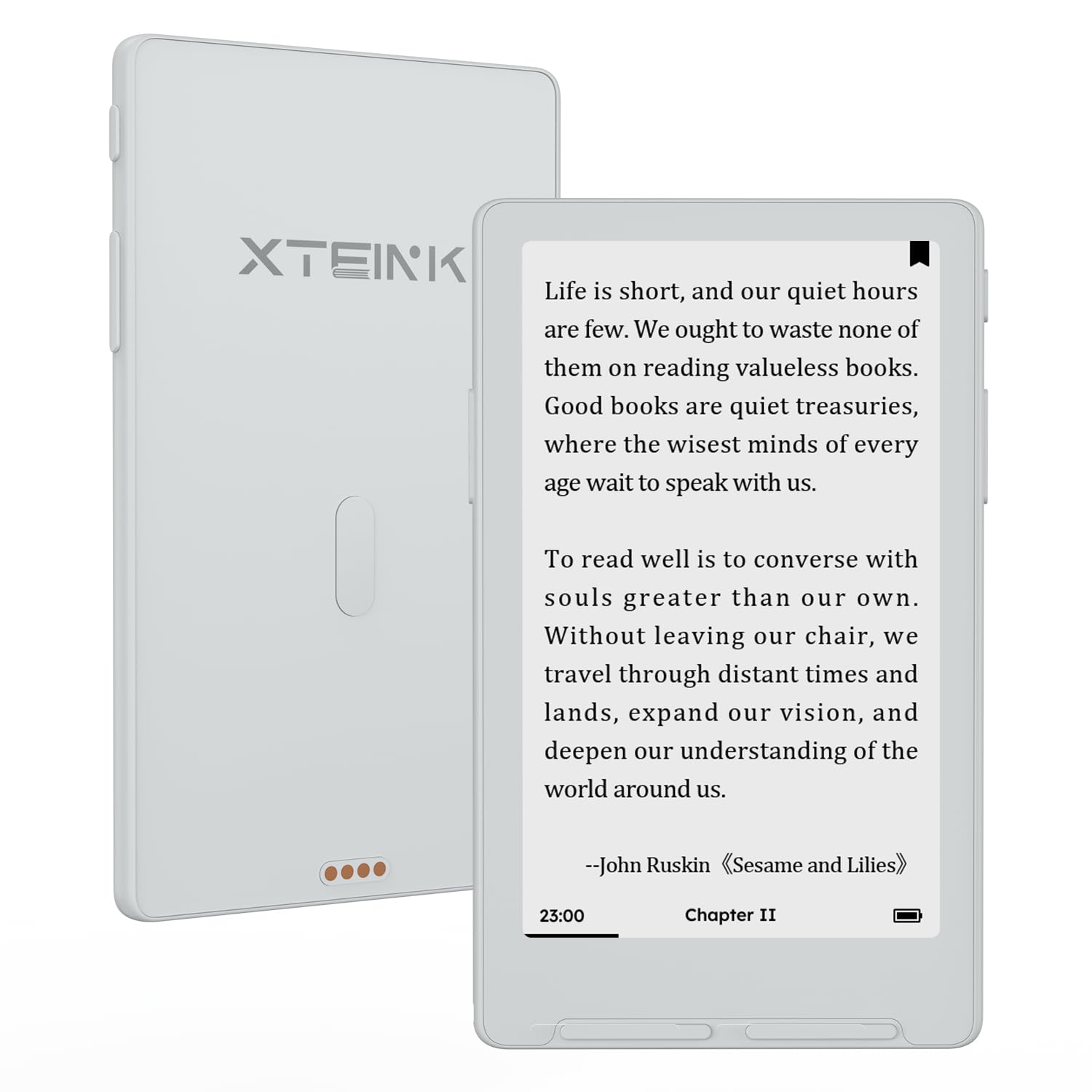
- Display Technology
- Electronic Ink
- Conectividad
- Bluetooth, USB, Wi-Fi
- Tamaño de pantalla
- 4.3 inches
- Almacenamiento
- 16 GB
- Display resolution
- 800x480
- Incluye
- 1x Matte Screen Protector, 1x MicrosD Card, 1x Quick Start Guide, 1x X4 Classic E-Reader, 2x E-Reader Adhesive Metal Ring See more
- Color
- Mist Grey
- Dimensiones
- 4.4"L x 2.72"W x 0.19"Th
- Native Resolution
- 800x480
- File Format
- EPUB, TXT, PDF, MOBI, PNG
- Other Special Features of the Product
- Anti-Glare Screen, Bluetooth, Eye Protection
- Human-Interface Input
- Buttons
- Item Dimensions L x W x Thickness
- 4.4"L x 2.72"W x 0.19"Th
- Peso
- 68 g
- Built-In Media
- 1x Matte Screen Protector, 1x MicrosD Card, 1x Quick Start Guide, 1x X4 Classic E-Reader, 2x E-Reader Adhesive Metal Ring
- Item Highlight
- Ultra Thin 0.19" design, Dual Page Turn button+shake, Magnetic pogo-pin attach, Extended Battery Life, Paper-feel E-Ink
- Fabricante
- XTEINK
- Number of Items
- 1
- Model Number
- X4C
- Mfr Part Number
- XTEINK X4 Classic
- Unit Count
- 1 Count
- Garantía
- 1 year manufacturer
Ver todas las especificacionesVer menos⌄
Calificaciones
Las calificaciones provienen de Amazon.com.
Reading simplified... but not simple
Loved this device for its simplicity and its lack of anything smart phone related. No ads. No interruptions. Just simplified reading easily slipped into a pocket. I loaded up the memory chock full of books that I already own, along with a few others I bought just to read on this device. A quick firmware upgrade to crosspoint (remember to back up the original just in case) and I was off to the reading. Simplified and easy.NOTE: This reader uses open source software and firmware to get the experience you want out of it. It pays to do some homework BEFORE you start monkeying around with how it operates. That being said... the main thing to take away from the review is "simplified but not simple." No touch screen (on this model), a few buttons, and no distractions. Just reading. Make sure you have something like Calibre, or similar ebook software you can comfortably operate to load the books. Doing this from a PC is infinitely easier than cross loading from a phone (you're going to need apps like Koreader or Readest for that). But there are ways to sync this with other devices so you can read cross platform (Phone to XT to PC and back again).If that's something you're into and want a device you can adjust to your liking? Give it a try. If you don't want to learn how to "github" or add an app to an existing program to download books you bought legally, staying with something like a Kindle or a Kobo might be the way to go.I highly recommend a screen protector and a cover if you're going to be stuffing it in your pocket and you're like me, constantly at the end of a leash with a pack of Maligators. It's pretty sturdy but not indestructible.Happy Reading.
Amazing way to read anywhere
I love this little ereader. It’s a great way to get off your phone because you can really bring this anywhere. The battery is amazing so I would totally use this backpacking - you can upgrade the software and store a lot of books on this. The only reason I am giving this 4 stars is because I wish it had a backlight option! Also the current options for cases aren’t great for people like me who have butter fingers. So hopefully the company makes more options that clip onto the device rather than just a thin magnet cover
A very high quality screen protector sized perfectly and made by XTEINK!
I love that XTEINK is making their own high-quality accessories for the X4! I just put this on my X4 yesterday and have to say that I was worried that the matte finish would blur the sharpness of the e-ink text, but it hasn't noticeably made anything worse at all. It is very HQ and has stuck well. It's sized very close to the edges all around so you'll definitely want to make sure to have as much of a dust-free area to work with as you can and a lot of patience. It took me a few tries of lining this thing up before I allowed it all to lay down.Tips: Wash your hands - oil free handling is best. Hold the screen protector over the screen before doing anything so you can see what the margins will be before you expose the adhesive backing. This will tell you how close to the edges it will have to be to "fit" on all sides.Then, after peeling off the back adhesive (in a well lit area), line up the right or left (longest edges) which will tell also tell you if it's 'squared' off better than starting on the bottom or top of the reader. Just barely let that edge touch and then review how straight the protector is along the edge, and then the clearance on the top and bottom next to the button curve. If it's good, use a finger on your opposite hand to gently press down from the center-up and center-down preventing air bubbles as you slowly let the protector down towards the screen (with a slightly bent curve so as not to trap air bubbles) with your other hand.
AAce
26 de septiembre de 2026
fun size eInk reader
fun size, the magnetic design works perfectly with my iPhone, easy to carry without adding to the bulk. The buttons can take some improvements.


 Marca: XTEINK