Especificaciones
- Conectividad
- 3-in-1 USB-C Hybrid Interface, Full-Featured USB-C (Single Cable Connection), Plug and Play, USB-A Power Extension See more
- Pressure Sensitivity
- 16384 levels
- Sistema operativo
- Android 10.0 or later, ChromeOS 88 or later, Linux, Windows 7 or later, macOS 10.13 or later
- Built-In Media
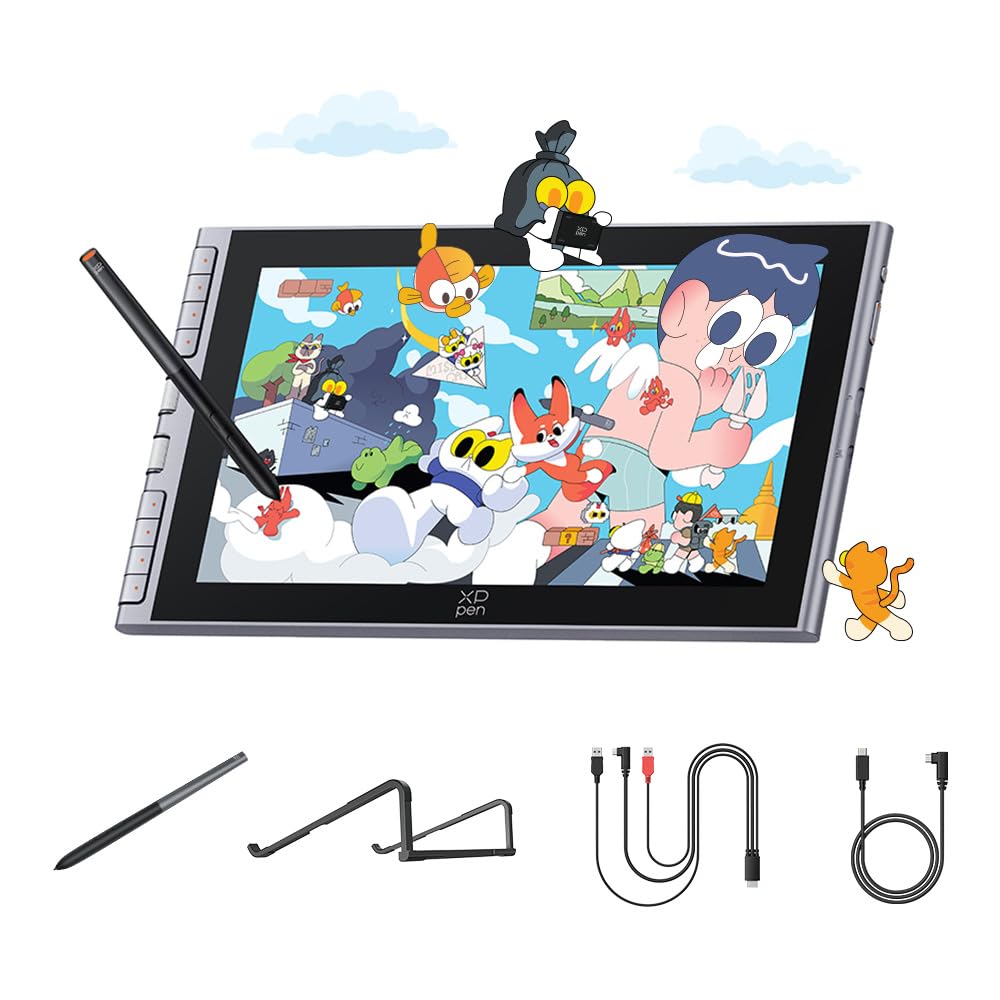
- 3-in-1 Connection Cable, Full-Featured USB-C Cable, Artist 12 3rd Drawing Tablet, Replacement Nibs, Nib Extractor, Cleaning Cloth, Drawing Glove, S20 Foldable Stand, X4 Magnetic Battery-Free Stylus,
- Target Audience
- Art Students (Animation/Illustration), Beginners and Entry-level Digital Artists, Creative Professionals seeking portable secondary screens, Hobbyists transition from Paper to Digital, Online Educators and Students
- Number of Items
- 1
- Fabricante
- XP-Pen
- Unit Count
- 1 Count
- Garantía
- 1 Year Manufacture
- Additional Features
- Customizable Shortcut Keys & Dual Roller Wheels, Full-Laminated Screen (No Parallax), AG+AF Nano-Etched Anti-Glare Glass, Anti-Fingerprint Surface, Industry-leading 16,384 Pressure Sensitivity, X4 Smart Chip Technology, Magnetic Stylus Storage, OSD Color Space Management
- Usos
- Digital Drawing and Illustration, Manga and Animation Design, PDF Annotation and Document Signing, E-learning and Digital Note-taking, 3D Sculpting and Graphic Design, Photo Editing and Retouching, Online Teaching and Video Conferencing
- Native Resolution
- 1920x1080
- Tamaño de pantalla
- 11.9 inches
- Active Surface Area
- 11.9 square inches
- Color
- grey
Ver todas las especificacionesVer menos⌄
Calificaciones
4,4
★★★★★1.048 calificaciones
Las calificaciones provienen de Amazon.com.
Deco 02 by Xp-pen a great wacom alternative.
Where can I start? first off, I like this one, which is going to be my new tablet for my day job. The box looks nice and have that look that you wouldn't' expect to find on a graphic tablet made in China. The box is sturdy, firm and feels like it can withstand almost everything and very well designed by the way. what's on the box is what really matters. A Deco 02 tablet that comes with a ring or roller wheel to set with the last shortcut key and has a lot of built-in functions. This roller wheel will save a lot of time for you because when we artist tend to calibrate sizes of the brush or doing the zoom in and out, this roller wheel comes very handy ( way better than shortcut keys). Also it comes with a sort of lid or cover for the ring made out of rubber, which is nice to the tact and easy to handle. The pen is a passive pen that won't need any charge and very ergonomic and light ; even this time xp pen put an eraser on the pen...that is cool. I remember that the old wacoms had it, not anymore though on the more advanced models. This eraser will save you time since you don't have to use the switch buttoms on the pen to change from brush to eraser. The pen comes with a practical pen holder, very hard and durable, it will old the pen on your desk, also carries the pen nibs and the pen. I wish my artist 15.6 should have had one of those.When it comes to performance, this tablet is way better than my old wacom. It can register 8,192 levels of pressure sensitivity that helps a lot when you are doing digital sketching, painting and inking on many programs, I have tested it with Photoshop, Krita 4.0 and Sketchbook Pro. It works like a charm with all the pressure needed in all of them.The only cons is with Krita, that sometimes start behaving erratic but that is not only with xp-pen, also has been reported with the latest wacom's. I think this tablet is great for everyone who is on graphics with a budget and also for professionals digital artists like me that are looking for something smooth and precise that will perform great and would not put you on a serious debt. As an additional, the pressure sensitivity and the tablet drivers are so easy to calibrate that it works right out of the box on my 12gb old Imac 2011 with OSX High Sierra... Yep this tablet will do its duty very well.
SSydney
3 de agosto de 2026
Good bang for your buck
This has been an amazing drawing tablet. The screen is large and bright. It's a good size and feels good to hold or prop up. The controls are pretty intuitive and can be adjusted if needed. Comes with multiple connection types so it should interface with basically any computer. Supposed to be able to run it off of a phone as well, but mine was not a compatible model so unsure how well that works. I use it with krita and everything interfaces and paints beautifully.
Long time Wacom user, happy to switch to XP
I'm amazed at the quality of this tablet, it is closely comparable to the Intuos Pro.I found the driver installation to be way more easy and straightforward than Wacom drivers.The dial is smooth and comfortable, you can configure it not only for zooming or scrolling up/down but also add specific keys to it, which as an animator I love for scrolling through my timeline. It comes with a detachable rubber pad which you can use if you prefer holding the dial to turn it, you socket it into the hole in the dial, but I don't use it as I feel like it gets in the way.The pen is great too. It might be a little thin for heavy drawing but the material it is made with gives it a good grip. If you have small or medium hands this won't be a big deal. I ordered this model because it seemed like the only one with an eraser attached to the pen, I'm aware that since Wacom patented the eraser, other companies weren't able to put one in their pens. But I'm really impressed at the functionality of this eraser, sure it's not as soft as the Wacom ones, but it has a little bit of pressure which is more than I thought it would be like. My only complaint about the pen is that the side button is hard to press, it is dipped into the pen instead of coming out a little like other brands, so it's hard to feel it to find it and then press it.I'd 100% recommend this tablet to artists of all levels, whether you're a student and are looking for your first drawing tablet to learn, or a professional looking for cheaper yet working options.
KKolika Joyner
25 de mayo de 2019
Good, but Broke Easily (Edited )
I've been digitally drawing for a few years and I had previously only purchased from Huion, so I wanted to give a different company a try when I decided to get a new tablet. It's now broken, which I will touch on at the end.Likes:I like the scroll wheel, but it does take some getting used to. It's a sleek design and I like the type C charger. The hot keys are nice and the size is a good size, not too small or big. I like that the pen doesn't need any batteries or chargers. It was easy to set up, except for one pretty big issue.Dislikes:With my program, which is Clip Studio Paint, so a pretty big program, the eraser didn't work. I tried so many different ways, but it would not work correctly, so I eventually just disabled it. The set up menu was confusing at first, so it took a bit to figure out.Unfortunately, it isn't very durable. I take pretty good care of my tablets, but at some point I tugged on it slightly because the cord got stuck, and that's all it took. It now doesn't plug in properly anymore. It wasn't much force and other tablets survived far more use than that, and even use from my younger cousin who probably doesn't take as good care of them. But all it took was the cord tugging a bit to put it to the point where it only works maybe a quarter of the time it's actually plugged in.EDIT:I sent an email to the service support shortly before this review was written, and I did receive a response. The customer service was really good. They had me send a picture and video of the damage, redirected the conversation to their amazon store and I was offered a full replacement, which was very nice, since I couldn't draw with the other tablet anymore. Because of that I changed the review to four stars, I think it was some of the best customer service I received. I just got my tablet and couldn't be happier.


 Marca: XP-Pen