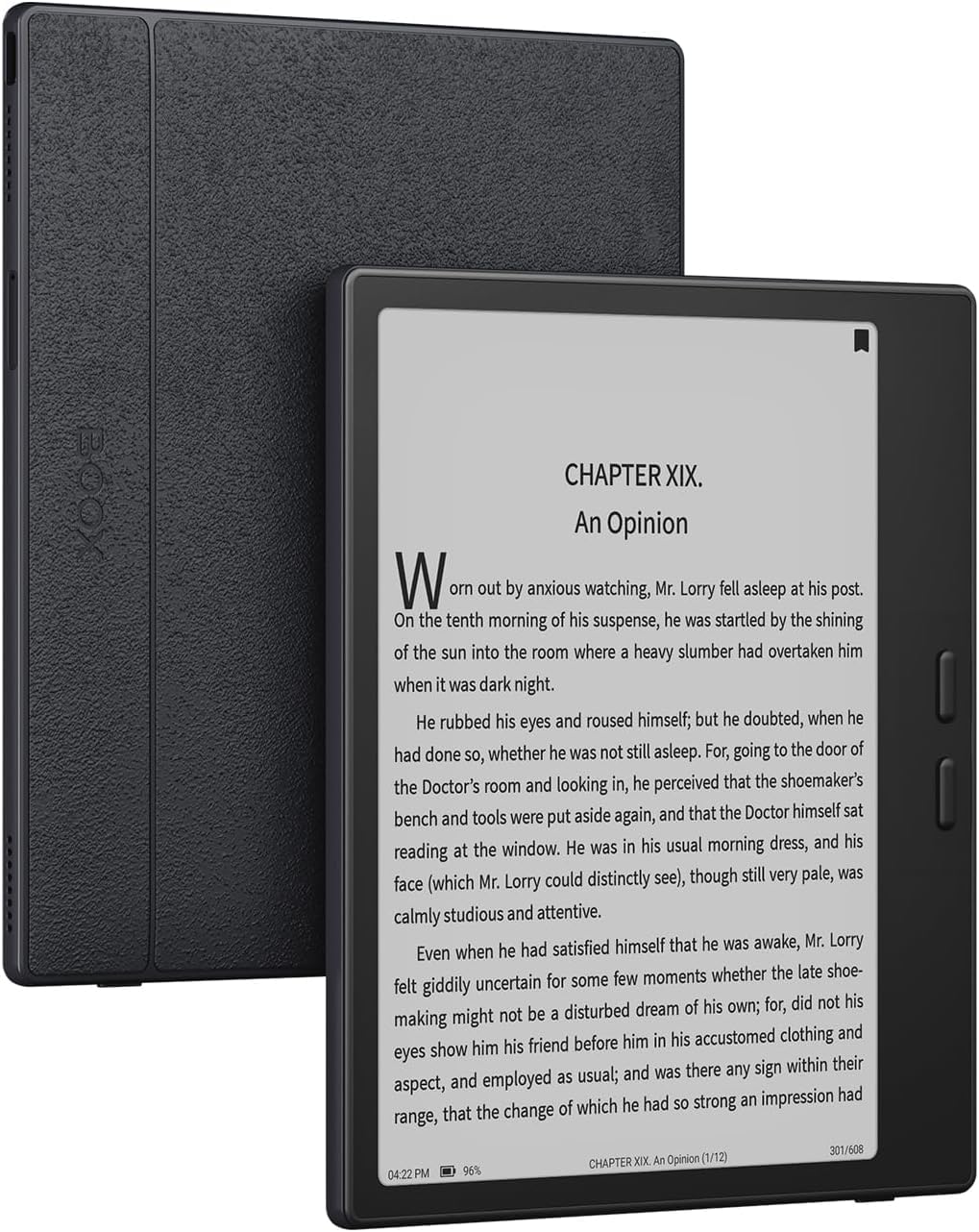
Best Android E-Reader On The Market
I bought both this and Color Go 7, and opted to keep this one due to me preferring the black and white look. If anyone else is like me who was stuck between the two, I still recommend the color, but if you read more BW media I recommend the standard Go 7.Both are easy to set up, the size is a bit big for me since I came from owning an older kindle, but nothing that a phone grip can’t fix. I like how customizable Boox is in general with their settings, running Android OS, and even able to set the powered off and lock screensaver.This E-Reader does run just about every reading app including Kindle so I wouldn’t worry about losing access to any content.
I Do Love It
As someone who's wanted to get back into reading, but didn't want to physically collect a bunch of books I might not like, I knew I needed to get an E-Reader with "options." I wanted the flexibility to add my own epub files, have expandable storage, and be able to side-load apps, and after lot of research I went with this, and honestly I could not be (much) happier. The main reason I wanted to side-load apps is for manga reading through Mihon/Komikku, which is also why I wanted expandable storage, because while epubs are tiny, the entirety of something like One Piece would eat up that internal storage quickly. Adding expandable storage was incredibly easy (didn't even need to format the micro sd card,) and installing my app of choice was as easy as any other Android device. Which wouldn't matter if the reading experience sucked, but my god does it not suck at all. The B/W display works perfectly with non-colorized manga, and while it does have a tiny bit of ghosting at times, it is incredibly quick to do a full screen refresh and get it looking crisp and perfect (as fast as you can blink.) Loading up your own epubs is just as easy, especially if you're on the same wifi network, because you can just type the BOOX's IP address it gives you in your browser, and drag-and-drop the files straight in without needing to configure Bluetooth/find a cable. Lovely. It is also incredibly well designed for holding, with the side buttons perfectly at thumb-level for easy page turning one-handed, and if you want to swap hands just rotate the device 180 degrees and now they're perfect for your other hand. I could gush forever about all the little things I love, but I do need to keep this short enough that someone might read it, and I do need to dock a star for 2 reasons; display quality and technical brainpower. The screen does appear to have 1 stuck pixel, which is fine for me since it is stuck halfway in a sort of grey hue, and with the pixel density I need to squint and get close to the display to notice it, but obviously this means its not a 5/5 Perfect display. The "technical brainpower" is what is needed from you, the buyer. This comes with no manual, outside of telling you what the physical buttons do, but other than that there is nothing telling you what to do in the menus, how screen refresh works, how to set up the dictionary, what "Freeze Settings" even means, etc etc. To be fair, you can (eventually) find a digital manual pre-installed in the device you can read, but the literal first entry was about a feature that had been re-named in an update, so I gave up thinking it would be accurate/any help. If you're like me and you "enjoy" rooting through settings menus to see what can be tweaked and altered, then this isn't the end of the world, but I could never recommend this to people in certain age ranges without some serious help from their younger loved ones. Like I said though I do love this device, since it does everything I wanted it to do, in a very premium and well-thought out manner, I just cannot call it a perfect product given its couple of flaws. If you are tech-savvy, like to tinker, and are looking for an E-reader to take in some non-colored visual content (I would not recommend getting anything smaller than this for manga/comics) then I think its a great choice, and would recommend it, just not as the kind of thing that would be perfect for everyone.
Its great!
I love it! after trying Bigme B6, Boox Go 7 Color Gen 2, Durobo Krono this Boox Go7 BW is my winnerI mainly use it for reading novels online thru the Brave browser, it works great for WTR LabsPros:there is no background graininess that the other e-readers have ,the letters are sharp and crisp,out of the box it feels lightweight and expensive, so much customization options for the buttons and with EinkWise for the looks of the text and colorCons:the size its not something you can just throw in your bag and go,I find the my wrist hurts after using it for long periods of time (maybe because of how I hold it for button use),If you get dizzy a lot its hard to read while scrolling manually in Brave browser because of the way it scrolls (the way I get around it is setting up the button to scroll 20%-50% of the page)Overall I really like itReasons why I did not like the other E-readers: (main use is reading WTRLabs on Brave browser)Bigme B6[feels plasticky, no buttons for scrolling, grainy background texture],Boox Go 7 Color Gen 2[letters are not as sharp and background is not as crisp and clear compared to the B/W version, color is not really that great-if I wanted color I have an ipad for that],Durobo Krono[honestly it was a very hard decision between this one but ultimately Boox won because I like the cleanliness of the background and the sharp and crispness of the letters, If Durobo has the OS of Boox and the EInkWise customization I would totally choose it]