MMelodies Of The Golden Era
23 de junio de 2026
Amazing monitor arms
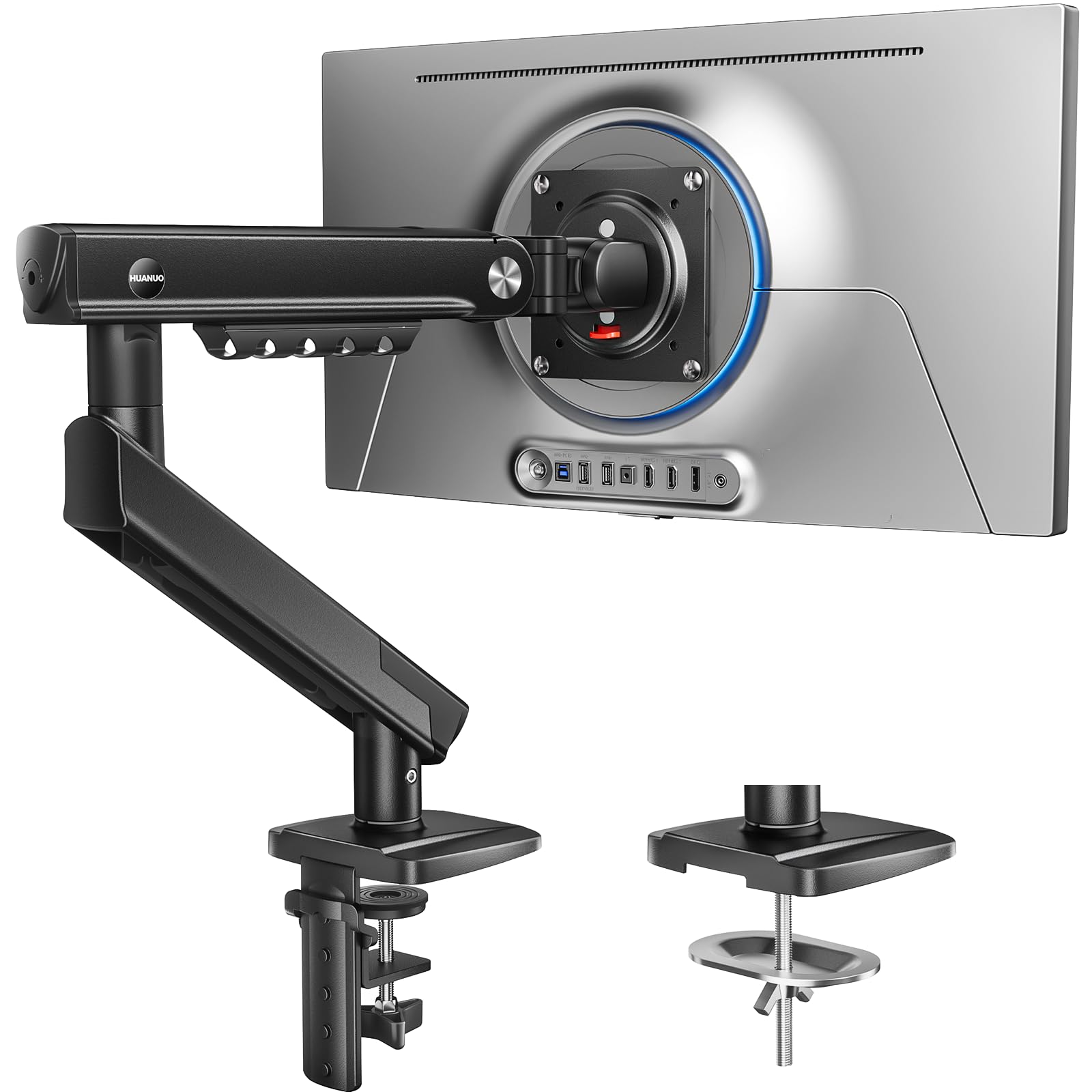
★★★★★ (5/5)I purchased two HUANUO FlowLift Pro monitor arms for about $35 total, and they’ve exceeded my expectations. Installation was straightforward, all the necessary hardware was included, and both arms felt surprisingly sturdy once mounted.The arms hold my monitors securely without sagging and provide plenty of adjustment for height, tilt, swivel, and rotation. Cable management is decent, and they helped free up a lot of desk space compared to using the original monitor stands.For the price, the build quality is excellent. They don’t feel cheap, and movements are smooth once adjusted correctly. Unless you’re using very large or extremely heavy monitors, these arms offer fantastic value.Pros:* Great value for the money* Easy installation* Strong and stable* Smooth adjustments* Frees up desk spaceCons:* Adjustment can take a few minutes to dial in perfectly* Cable management could be a little betterOverall, getting two monitor arms for around $35 was an incredible deal. I would absolutely buy them again and recommend them to anyone looking for an affordable monitor arm setup.
RRevisor
10 de junio de 2026
solid evolution over previous flowlift
So i've had the pleasure to try this new flowlift pro side by side against the the non-pro flowlift, which is basically the previous generation that happens to be the most purchased monitor arm on amazon. In short, this arm is really good, and at ~$30 it is just a no brainer. Here are the changes vs the previous one that are worth being aware of, stuff that you can not derive from marketing talk or pictures:1) new arm has slimmer design, more comfortable to grab onto when adjusting at zero expense to structural rigidity. Non-pro flowlift had this fairly large plastic housing on the top arm, making it seem bulky for no structural benefit.2) new arm has better build quality of the arm itself (not counting the base). Less plastic all around, the plastic that is there feels less flimsy, and the plastic surrounding the up/down tilt mechanism is way less wobbly. For the last point specifically. non-pro flowlift was a complete disaster. This doesnt affect the actual structural rigidity of the mechanisms, more of a picky criticism.3) new arm has a mechanical spring instead of gas spring. from the usability standpoint doesn't feel better or worse, huanuo claims it has better lifespan, i guess i'll take their word for it. All I can say is that at least adjustability smoothness in the new one feels perfectly fine and is not a downgrade despite not being a gas spring.4) Biggest upgrade: up/down tilt mechanism, the one that is closest to the monitor. It seems like this new arm now has an actual spring inside the tilt mechanism, providing constant upwards force in order to negate effects of gravity and making up/down adjustment waaaaaay easier. The older one was a cheap crappy tension only mechanism. When you unscrew it, the monitor would instantly fall down, so you had to somehow hold it in place and screw at the same time. The new one makes this process way smoother. Perhaps if you have a basic light monitor this isn't a big deal, but I had a 32 inch monitor with a protruding vesa mount, creating a large moment arm force, as a result of which old arm was a huge pita to adjust the up/down tilt, while this new arm, while not perfect, is perfectly manageable. One small criticism I have for the new arm's up/down tilt mechanism is that it needs a bit too much force to tighten it for it to be fully fixed in place.5) all metal across both the arm and the base is now matte, while previous one was glossy. I would consider this an upgrade since it doesn't collect fingerprints, and the scratches over years of usage will be less visible.5) they redesigned the base of the monitor. Old one used to be a single solid black painted metal piece with 4 rubber feet, the new one is slightly larger in the surface area, which is a good thing, but it's also bare unpainted metal hidden under plastic housing. Feet on the new base are made out of continuous foam strip as opposed to 4 rubber feet on the old one. Old one felt slightly better quality.6) New arm uses a single L wrench to tighten every hole, while old one had 2 separate wrenches with 2 different sets of holes, very annoying, big win for the flowlift pro. Also new one does not come with screw driver for the vesa screws, old did, not a big deal but keep in mind.
Stable, holds larger, heavier monitors securely, with a couple areas for improvement
I used this product to mount a 32" LQ and a 34 Wide Screen Asus monitor. The larger one (right) weighs almost exactly 20 lbs. These are holding very nicely, and I can move the monitors around with relative ease. This was a good purchase. I gave 5 stars with reservations, though. Here's why:1. You have to cinch these down very tightly if you are using them on anything other than metal or very hard wood. Doing so WILL likely damage the surface underneath. For that reason, they really should come with or provide an option to include some sort of heavy-duty, metal plating to go on the top and the bottom of the mount surface. I bought some separately that include very thin layer of rubberized padding to further protect the mounting surface. Before that, the mount felt at times like it was going to fall over, and it did slightly scar the surface of a different wooden table top I used during a test assembly.Definitely pair this purchase with something to protect the surface unless your desk is made of granite or thick metal, etc. (I chose this one, and am happy with it: https://www.amazon.com/dp/B093F95VTC?psc=1&ref=ppx_yo2ov_dt_b_product_details )2. Every part of this feels well-made except for one - the plastic cable management panel that snaps into place on the underside of one piece of the monitor arm. I lost track of how many times it popped out. My dog was covering here ears to avoid the profanity this little piece of nuisance caused to come out of my mouth. The rest of the monitor arm feels like a heavy-duty tool. This piece feels like a toy, and not a well-made toy at that. Still, it's purpose is primarily aesthetic, and there are ways around it (tape, augmenting with cable ties, mounting that part of the arm such that the plastic cover is on top. I thought maybe that's what the designers intended, but according to the drawing in the installation instructions, no, they envisioned it on the bottom like I have it here. Bad design but of a less-significant part.Lastly, this is finicky to adjust - to get all the moving parts to move relatively easily when you want them to, but hold steady when you don't. Watch the video, read the instructions, read some of the other explanations in people's reviews here, and you should be able to make it work well.
SSpencer
6 de julio de 2026
Grst for the price! Fiddly to adjust.
Super compact, super simple, super cheap. What more can you ask for. It's awesome to be able to adjust my monitor for racing and flight sims, and then put it right back away super easily.However I have to adjust the tilt roll of the monitor whenever I move it forward and back to make sure it's level (which may have a bit to do with my not perfectly sturdy setup). This can be a bit annoying as that roll adjustment is not as smooth as all the other adjustments and can take some fiddling to get level. The other hinges all feel very smooth and are very adjustable with hex key screws for resistance. I do wish the arm lifted a bit higher though!For the price, I am thrilled with the versatility!


 Marca: HUANUO