Especificaciones
- Color
- Grey
- Hardware Interface
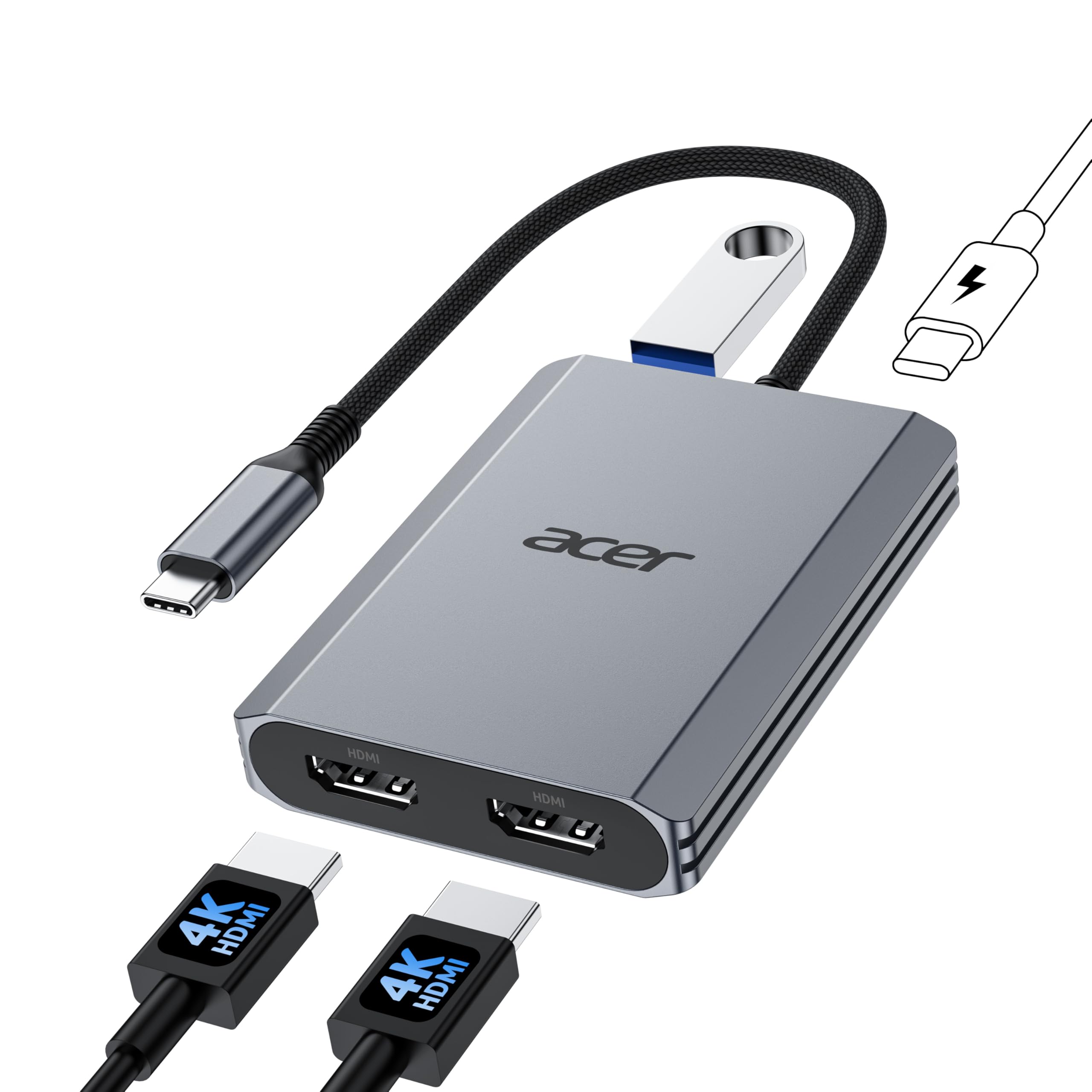
- HDMI, USB 3.0, USB Type C
- Additional Features
- Fast Data Transfer, Lightweight, Plug and Play, Portable
- Total Usb Ports
- 4
- Data Transfer Rate
- 5 gigabits_per_second
- Number of Ports
- 4
- Minimum Required Operating System Version
- Mac OS 14 Sonoma, Windows 11
- Sistema operativo
- Windows, macOS
- Enclosure Material
- Plastic
- EU Spare Part Availability Duration
- 7 years
- Item Highlight
- HDMI Splitter for Dual Monitors with 100W PD Port, USB 3.0, Dual Monitor Adapter for USB C Devices with DP Alt Mode (0.65FT)
- Fabricante
- acer
- Number of Items
- 1
- Unit Count
- 1 Count
- Model Number
- ODK540
- Garantía
- 1 Year Manufacturer
Ver todas las especificacionesVer menos⌄
Calificaciones
Las calificaciones provienen de Amazon.com.
DDean W. Face
30 de agosto de 2026
Great Adapter for Dell XPS-14 with Two External Monitors
Works great with my 2026 Dell XPS 14 laptop using two external monitors. Be aware that the power delivered to the laptop will be reduced from that provided by the power supply. In my case, the 100 Watt power supply is reduced to 90 Watts at the laptop after passing through the adapter. This generates a caution message about a low power adapter when booting up the system but that nagging message can be easily disabled in the BIOS if needed. 90 Watts is more than sufficient for most applications and for charging the battery so this feature should not be a problem for most users.
MMRagland
23 de junio de 2026
Works better than expected and very cost effective for the features
I bought this to replace my previous Acer version USB C to HDMI converter as the old one was causing issues with my laptop. I am so glad I did replace it with this version. I not only does USB C to HDMI, but it has dual HDMI and a USB A port and USB C power in port. This thing works much better than expected and worth the upgrade. It is a little largert than the older version, but again you get more ports. Very pleased with this product after using it for almost a month with zero issues on my laptop.
AAmazon Customer
9 de octubre de 2026
Works well for dual monitor
Has worked well to connect a dual monitor. Plug and play. Make sure the monitors power is plugged directly to the wall for proper functioning.
LLilCutie;)
11 de mayo de 2026
HDMI ports don't work (UPDATED!!!!!!)
I have a usb 3.2 gen 2 type-c port on my laptop. I've checked my drivers to make sure they were up to date as well.The USB C port on the adapter works, the cursor for my mouse works just fine. The HDMI ports? No. I used the same cord that came with my monitor that I've been using with my laptop thus far. Monitor to laptop straight connection? Works great. Monitor to game system? Works great. Monitor to laptop via this adapter? Doesn't work.All I wanted was to get a second monitor set up without having to shell out a bunch of money for a desktop tower.I don't know if mine is defective in anyway. I've tried both HMDI ports.UPDATE!!!!!!Turns out my laptop is NOT compatible with this product.My laptop’s use guide does NOT state “video output” but Google said the 3.2 gen 2 type-c port IS. Trust your user guide more than Google


 Marca: Acer