Especificaciones
- Controller Type
- Joystick
- Conectividad
- USB C
- Additional Features
- Wireless
- Button Quantity
- 12
- Hardware Platform
- PC, Xbox, Xbox One, Xbox Series X
- Alimentación
- Battery Powered
- Compatible Video Game Console Models
- Microsoft Xbox One, Microsoft Xbox SERIES S, Microsoft Xbox SERIES X
- Peso
- 9.6 ounces
- Dimensiones
- 2.28 x 5.98 x 4.09 inches
- Item Dimensions D x W x H
- 5.98"D x 2.3"W x 4"H
- Brand Name
- GameSir
- Fabricante
- GameSir
- Model Number
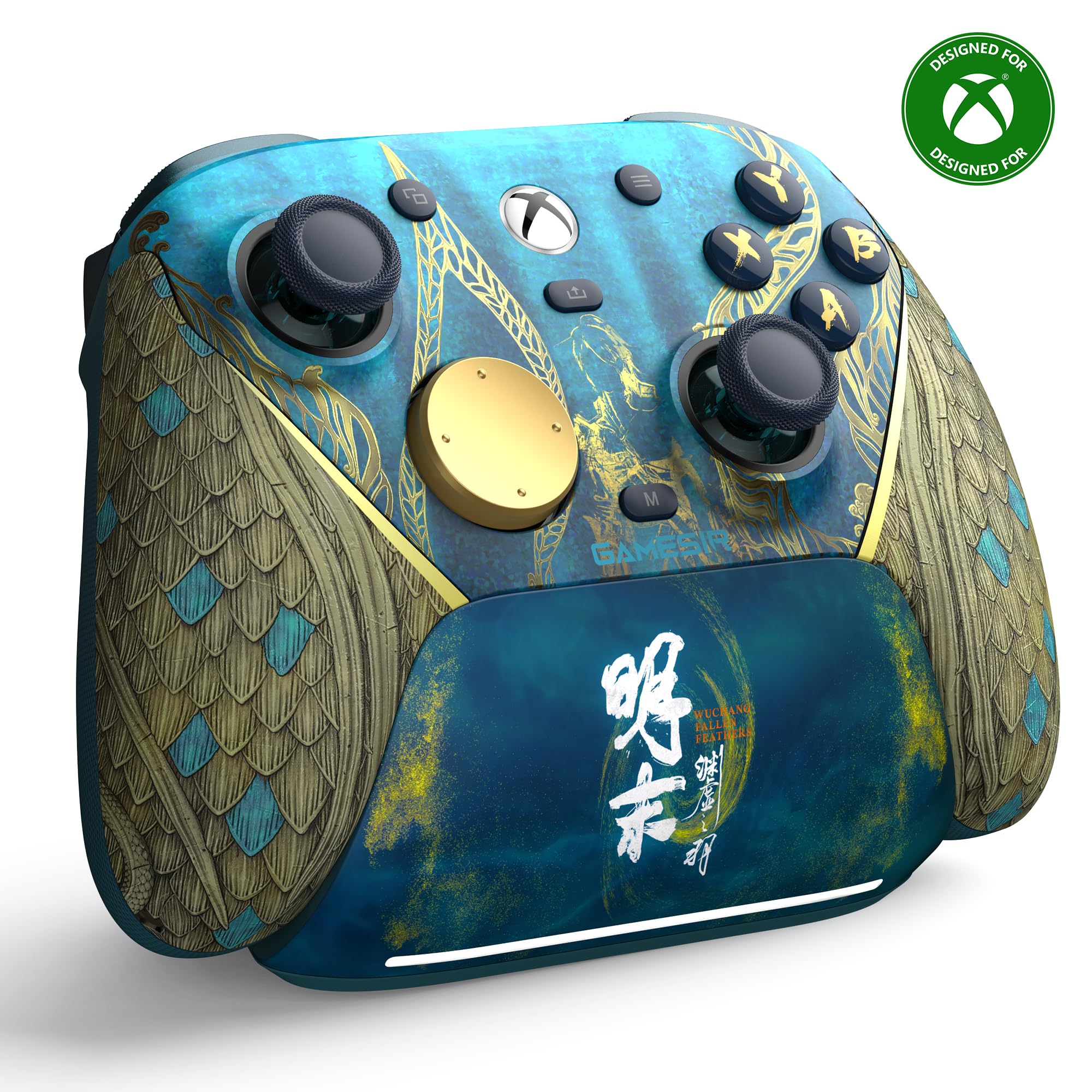
- GameSir G7 Pro: Wuchang
- Color
- G7 Pro: WUCHANG
Ver todas las especificacionesVer menos⌄
Calificaciones
Las calificaciones provienen de Amazon.com.
SSandra Hayward
23 de junio de 2026
Long Time Gamer Review
⭐⭐⭐⭐⭐ Best Controller I’ve Used in Nearly 20 Years of GamingI’ve been an online gamer since 2007, and the GameSir G7 Pro Wireless Gaming Controller for Xbox Series X|S has genuinely impressed me more than any controller I’ve owned — including the premium ones.I purchased it on March 28, 2026, and since then I’ve used it for several hours every single day. It hasn’t missed a beat.What Stands OutBuild Quality: Easily on par with the Xbox Elite line — and in some ways better. The buttons feel crisp, the sticks are smooth, and the overall construction feels solid and premium.Price: The value is incredible. You’re getting Elite‑level performance at a much lower cost.Battery Life: The battery lasts through long gaming sessions without needing constant recharging.Zero Drift: This is a huge deal for me. Controller drift is an instant deal breaker, and after months of heavy daily use, I’ve had zero drift issues.Comfort: The ergonomics are excellent. Even after hours of play, it still feels great in the hands.Final ThoughtsIf you want a controller that delivers top‑tier performance without the Elite‑tier price, the G7 Pro is absolutely worth it. After months of daily use, I can confidently say it’s the best controller I’ve ever used.
FFix it Felix
1 de agosto de 2026
Controller so nice I bought it twice
This is hands down the best controller ive owned. I game religiously and have gone thru several controllers 2 of them recently being of the elite series. I frequently experience stick drift, delayed input, trigger jamming, and sometimes cracks. This gamesir g7 pro tho, truly lives up to the hype. The buttons are crisp, response time is on point (solid connectivity), handles great, ergonomic, premium quality feel, the customization and user friendliness is great and its grippy. My only regret is not purchasing it sooner.
Current 2026 Favorite
--- Pros ---Premium build quality.3 different connections (Wired-USB, Bluetooth, included 2.4 dongle).4 rumble motors (2 in triggers, 2 in handle).Magnetic faceplate for custom designs.LT/RT can be toggled between analog or microswitch.L4/R4 can be toggled between enabled or disabled.Smooth joysticks.Headphone jack.Dedicated microphone mute button.2.4Ghz dongle storage in dock.--- Cons ---Mechanical buttons on D-Pad and ABXY needs getting used to.Controller is a bit hefty (measured 266 grams)--- Thoughts ---Solid feel, nice grip texture on the back and on the grip faceplates.Has some weight to it, but comfortable to hold and use.Joysticks feel smooth with no deadspace found when playing ZZZ or HSR; D-pad buttons and ABXY buttons requires more strength to activate than expected, need time to get used to the feeling.Barely any latency noticed with the 2.4Ghz dongle. Really appreciate how the charging dock has a internal USB port for the dongle.Battery life is solid, over 10 hours of gameplay without recharging.Works out of box for many PC games that support controllers, use GameSir Nexus remapping software for more customization.Works on Android and iOS games as well, although remapping may be required using the GameSir app.Overall a solid controller for daily gaming and pro-level competitions.
Very satisfied
Beautiful design with some 3D texturing. Much better quality than my Microsoft controller that came with my Xbox Series X. Comes with four additional mappable buttons which are extremely easy to map using the app from the Microsoft Store directly on Xbox. And from reading the instructions it looks like you could even map them without using an app or if you are using this with a PC, you can map it using a PC installable app also in the Microsoft Store. Using it wirelessly with the provided 2.4 GHz adapter. So far working flawlessly. Would definitely buy again. Ps. I bought this too. Resolve some joystick centering issues that I was having with my Microsoft controller. The joystick centering was dead on with this controller.


 Marca: GameSir