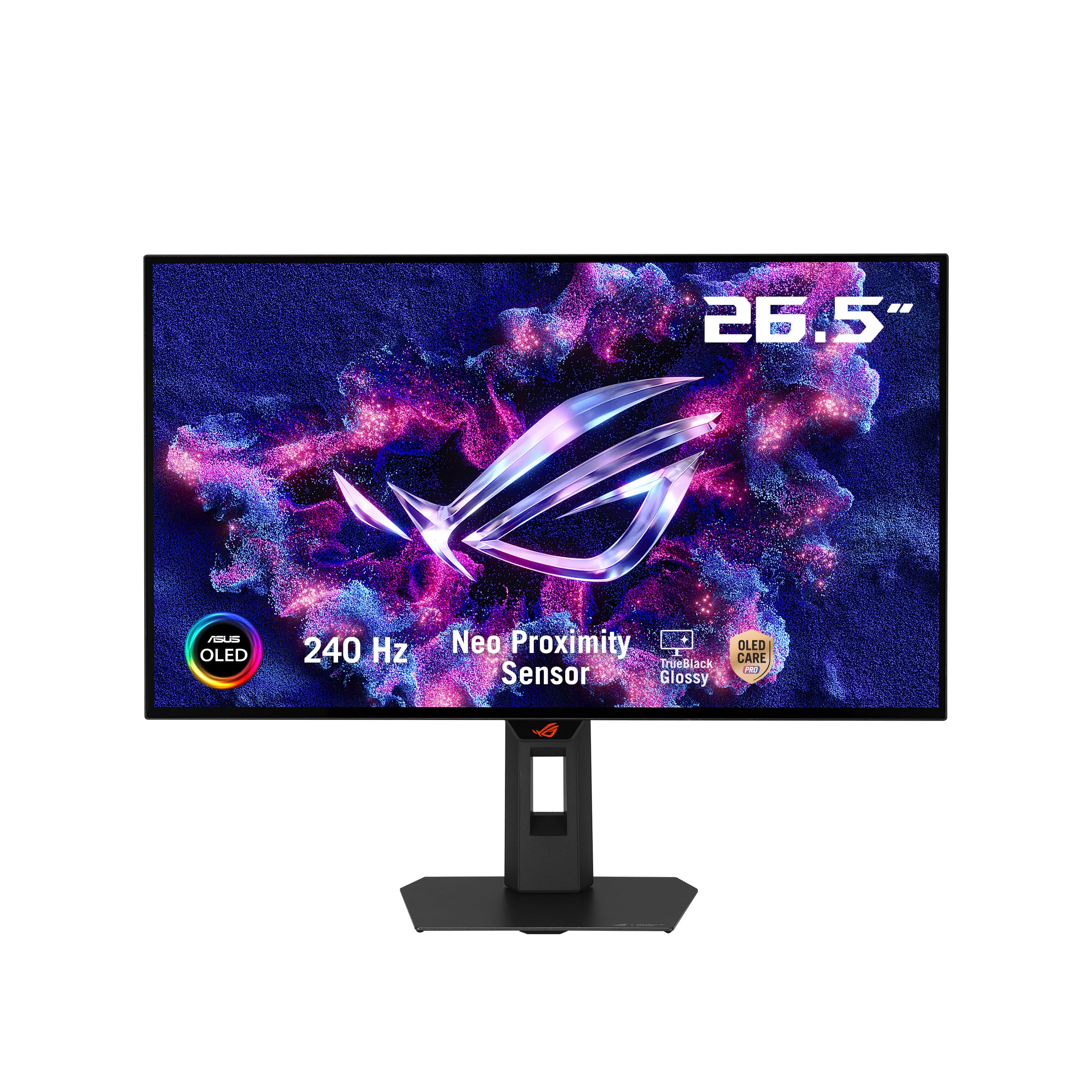
ASUS ROG XG27AQDMGR 27 Inch 1440p 240Hz Glossy OLED HDR Gaming Monitor
Más de 400 compradas el mes pasado
-37%US$379.00
Antes: US$599.00
Precio en USD + envío por peso real. Llega en 5 a 10 días hábiles con Envi Express. Pagá en línea con tarjeta.
Más de 400 compradas el mes pasado
-37%US$379.00
Antes: US$599.00
Precio en USD + envío por peso real. Llega en 5 a 10 días hábiles con Envi Express. Pagá en línea con tarjeta.
The ROG Strix OLED XG27AQDMGR is a 27 inch QHD gaming monitor with a 240Hz TrueBlack Glossy OLED panel, 0.03ms response time, and 99% DCI P3 color. Built in OLED Care Pro and Neo Proximity Sensor help protect the panel for long term performance
4,6
112 calificaciones
Las calificaciones provienen de Amazon.com.
Kayden
Upgrade to the ASUS XG27AQDMG
*DETAILED REVIEW INCOMING *It’s a great looking monitor. I have experience with my OLED LGC9 as I’ve had it since launch. I have over 15,000 hours on that TV, no burn in. I’ve literally abused that thing. I’ve fallen asleep with it paused on YouTube videos. I’ve left and gone for multiple hours a day leaving it paused on game menus. So I was not concerned about burn in when it came to this monitor.I share my desk with my gaming set up and my job. So I use the monitor for eight hours a day with static mostly white backgrounds. And then game another two hours a day and then do classwork. I game heavily on the weekends. I got this monitor about a week or so ago and I already have 180 hours on it. Colors look amazing. I was able to get this monitor for $550 which is an insane value when OLED monitors were $1200 a couple years ago. The stand that the monitor comes with is great, but I have it mounted to a Huano mounting arm, so I can pull it closer for sim racing.At first, I was worried about the brightness in HDR, but the trick is to turn off HDR up the brightness and then put it back into HDR and it’ll lock at a maximum of 90. It’s not as bright as my VA ASUS. However, it’s plenty bright in the daytime. It’s extremely high-quality and well built.Blacks are deep and inky. Contrast pops. And I truly enjoy being able to walk away from my desk and have the monitor put itself to sleep with its own OLED care settings. It also runs pixel refresher every eight hours. You can turn off that notification in the settings, but I suggest you keep it on to extend the life of your monitor. For me personally I’m not gonna baby this monitor. I’m gonna use it as a workhorse and report back in three years to let everyone know how it did. I’m thinking of getting a second one to replace my other VA monitor.That being said, if I have to dock it for anything as you can tell about one of the photos I included it seems like I have a bit of gray banding. Now I had to crank the exposure on my camera to catch that. I can’t really see it with my naked eye unless I’m looking at it completely gray background. In games and media it’s not noticeable, but I’m very nitpicky and it was bothering me, but not enough to return it so just make sure if you’re very sensitive to that you check your panel.All in all I would highly recommend it especially if you can get it for under $600.
TMattx
Best Monitor ive owned.
This monitor is truly really nice. It came shipped in good condition. The customization in the HUD is also really good. The OLED care section (while I only use screen shift and pixel cleaning) is very good to have available. Brightness is good. It is dimmer than my IPS but that is normal for IPS. Gaming wise? I see no motion blur or input delay for anything. Its good for gaming. The only thing I can say for now is that, out the box it didnt look the best. After a bit of tweaking I got it to be good.Its without a doubt the best looking blacks ive ever seen. The colors are very good too and the HDR works well. Reflections at 100% brightness are not noticeable.Now onto real issue, the text fringe is real and the "Clear Pixel edge" actually makes it worse. So I keep it off. It isnt noticeable all the time but you can see if sometimes.Overall, 4.5/5 monitor.
Johnny
21 de julio de 2026
Beautiful first OLED monitor
The colors are incredible. Its glossy finish and thin bezels make for a fantastic monitor experience.The monitor stand is small, flat, and takes up minimal space; much better than the other weird triangle stands ROG likes to use, which take up WAY too much space due to their awkward shape.Every 8 hours, the monitor suggests pixel cleaning; this can be a little annoying, but I just run it right before shutting down my computer and going to bed. For $450, it is a fantastic deal if you're looking for better image quality and a nicer viewing experience.Definitely worth it for me; I upgraded from an ROG LCD display, and I don't regret a thing.
Paxton Larcher
5 de agosto de 2026
Cool monitor, worth the price.
Amazing monitor. Just make sure to tweak some settings otherwise you might dislike some things like the monitor shutting off and not turning back on.Other than that, this monitor is bright and gorgeous, almost too bright for my eyes. It is an extremely heavy monitor so if you use gas spring arms or any other arms, make sure you tighten the arms. The setup is straight forward, i recommended you leave the plastic cover on the screen to prevent finger prints or use latex gloves. The stand is also really heavy. I dropped in on my foot and you can tell they did more than just die cast aluminum. As for adjustments, yeah its very adjustable, just make sure you adjust from the back of the monitor rather than the screen. Oh yeah, its got cool Asus Lights that you can control through the Asus display software on windows or linux.