CCaptainHappy
27 de enero de 2026
Excellent quality, perfect couch mouse, great for big hand
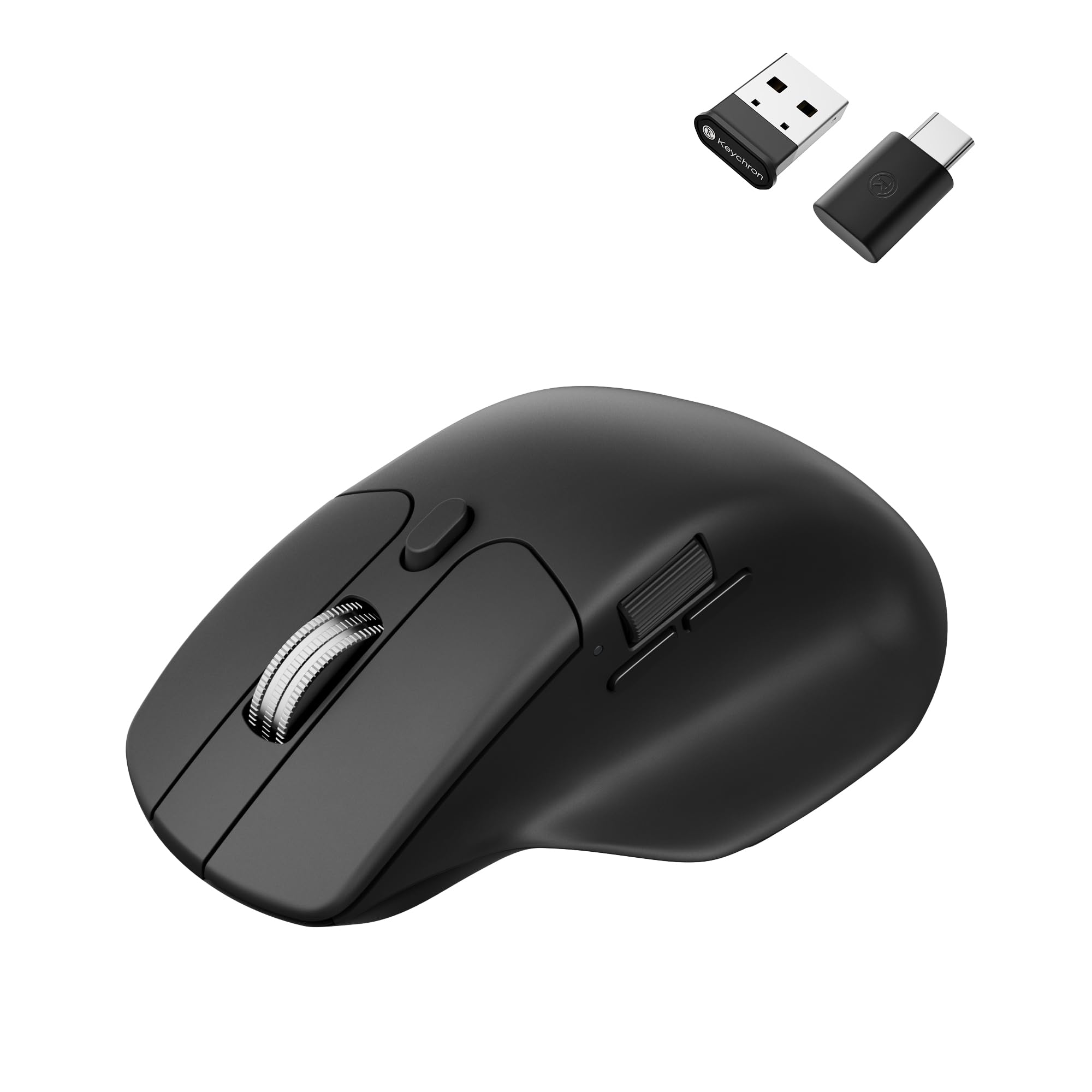
This is an excellent mouse, and I love the hand position. It mixes the best of a standard mouse with some of the benefits of a vertical mouse. I have large hands (19x12 cm, wider than many), and I was pleasantly surprised that this accomodates me so well. I was also very impressed by the detail that Keychron put into this. It's simple, elegant, understated with a polished, thoughtful feeling in all areas.Although the mouse isn't very wide, the tall hump perfectly turns my wrist, so that my first and middle fingers feel like they're on a standard mouse, and my ring and pinky fingers stack perfectly next to the mouse without too much weight on the pinky. This alllows for more precise control than a vertical mouse while retaining a more vertical wrist position. After decades of RSI, this is the first right-hand mouse that doesn't crack my wrist as I move. It's especially useful while mousing on the couch, where more flat mice tend to cramp my wrist.The sensor is flawless on my couch as well. Not a surprise, as the 3311 is still one of the best sensors, despite there being better available.All the controls are well thought out and placed nicely. I love the metal scroll wheel with free-spinning and well notched options, and the machanical switch is pleasant enough. It leans left and right with nice clicks, and has a quality machined, edgy feel. I remapped these clicks to go back and forward, it's very convenient. The thumb rest is excellent, not too big like others. The thumb buttons are where you want them, and they feel nice. The primary clicks feel soft and tactile, and all the clicks are very quiet.Although there isn't local software, the online software is excellent. It's intutive with no stupid gamer clutter or mysterious nonsense. It's a simple, effective, well organized design that never insists on itself. It took me less than a minute to remap the thumb scroll and wheel clicks. If you like gamer precision, you can also set custom dpi settings and multiple profiles. You must use Opera, Edge, or Chrome, so Firefox users are slightly inconvenienced.I've only used bluetooth for regular use (wired for mapping), and it's stronger than several other bluetooth mice I have. If I ever have a problem with the dongles, I'll say so here, but if you're reading this, assume the dongles work as expected. The bluetooth will also seamlessly switch between 3 devices once paired to each.The little details are what really makes me love this thing. The settings buttons are on the bottom. You have 5 dpi settings available, and each one is represented by a different colored light, there's never any confusion. Same with the 3 different polling rates with their own button. The bluetooth switching has its own button, and an honest-to-goodness physical switch chooses bt, dongle, or wired modes. I always switch off the mouse after couch use, and I hate mice that don't have this switch. The settings lights are underneath the mouse with their buttons, and the only visible light when using is a small light next to the thumb: it turns red when charging, blue when pairing, and is off at all other times. Even when on, this light is unintrusive, without distraction.Details continue with the accessories. Both a USB-C and USB-A dongle are included, plus adapters for each, plus a nice braided cable. All with a mouse costing 40 bux! If you like premium packaging, Keychron has that as well. It's a nice, thick walled box with premium finish and foam. It all feels more expensive than it is, and makes more expensive options look miserly.Perhaps the best detail is the finish on the plastic. It's a satin finish plastic with no stupid rubber coatings. It's grippy enough while feeling premium and breathable in hand. The rubber finish on expensive mice is the first thing to get ugly and wear out, and this mouse feels like it will look and feel great for much longer than those. My hand really enjoys the feeling whenever I grip this, you don't need rubber to feel premium.The only cons I can name at this price are not big complaints. There isn't a slot for the dongles, but I'm happy they didn't crowd such a great design with it. The bluetooth is so good the need for a portable dongle is reduced, but if you insist on a dongle slot, look elsewhere. Keychron would do well to sell a carrying case with a dongle pocket.My second complaint is the online-only software. I understand if cloud software is easier, but we really should have a locally installed option. Although the tool works well, insisting on a browser still feels cheap and cumbersome. Still, for 40 bux, I haven't been able to find a better mouse for my needs. My other favorite mouse is the 3DConnexion Cadmouse Pro for its width, angle, middle button and Left hand version, and those cost 120 bux. Even then, the Cadmouse is made for desktop use, and isn't as close to vertical as the M6, so the M6 is just better on the couch.I hope this long-ish review helps. Mice and controllers are like clothes and shoes; very difficult to know if it will fit until you have it in-hand. If you have wide hands, don't be afraid to try this mouse. I almost passed on it, and I'm very glad I tried it.
AAshton B.
2 de marzo de 2026
Your mouse was the problem, not the monitor. But don’t buy this one for its side scroll wheel.
Edit: I’ll leave my original review below but I’m going to keep using this mouse, even with the side scroll wheel problems I was having (read below). In my review, I was comparing this mouse to my rapoo mouse, which I thought was $35 but was actually $50. So yeah, $10 more than this one. You know which one is better? DEFINITELY this mouse. I said I could instantly feel the difference in responsiveness, but that was on the desktop. Yesterday I opened up Minecraft and now it’s not even comparable. I thought I needed a higher refresh rate monitor. No, it was the mouse the whole time. Not to say that a higher refresh rate monitor won’t feel smoother, I've felt 120hz phone screens and there is no doubt they are better, but the difference this mouse made for me was much, much bigger than that.Now I know this is meant to compete with the MX master. I never had one so I don't know if it had this problem. But the side scroll wheel, which is one of the main reasons I chose this mouse and something I find very useful, is too small and embedded in the mouse to be useful. The amount you can move it in one stoke of your thumb makes it useless - you'll only get ~4 "notches" of movement out of it. I want to zoom through things like excel spreadsheets or quickly scan through zoomed in photos.With that said, the rest of the mouse is good. I had a Rapoo mouse before this, but I could just feel the horrible tracking on that mouse and hated it. To confirm my suspicion, and to confirm it wasn't just my computer, I got this mouse. And not only does it track better, but it is _so_ much more responsive, which I now realize was the real reason my other mouse felt off - it wasn't responsive enough to my movement.No problems with the infinity scrolling either, scrolls you to the bottom of a page nearly instantly, just as you would expect. This was something I was missing compared to my much older mouse, before the Rapoo, the logitech M650. While I don't trust logitech now that both times I got that mouse it stopped clicking a few days after the warranty ended, it still had the best scroll wheel I ever used - you could scroll normally, but if you scrolled fast, it would act like infinity scrolling.Onto less important things, I got an ~25ms better reaction time on this mouse, but I don't see that as outside the realm of potential bias from subconsciously wanting this mouse to be better than my old one (which should tell you something about how much better the tracking on this mouse is because I definitely wouldn't say the same about that). Also, it feels slightly better material wise, and is way lighter than my Rapoo mouse. The only complaint on fee is that the side buttons are way too far back. The front one rests exactly where I want the back one to go.I got the online launcher to work, but as of yet it’s a bit lacking. It still let me set mouse wheel tilt to something useful, but game key functionality didn’t work and while I was hoping there was some way to make the side scroll wheel scroll faster, maybe even using something like the macro functionality, but to no avail - macros and game key didn’t support outputting side scrolling actions, just left/middle/right click, forward/back, and keyboard keys. Sad.Final note: despite buying the $40 PixArt 3311 option, mine still had a metal scroll wheel. I don't believe this is the case on the other listing for the same mouse I found on Amazon or, iirc, the Keychron store either. Nice little bonus if you don't care about the side scroll wheel and want this mouse for everything else.


 Marca: Keychron