SSedona
18 de julio de 2026
Amazing
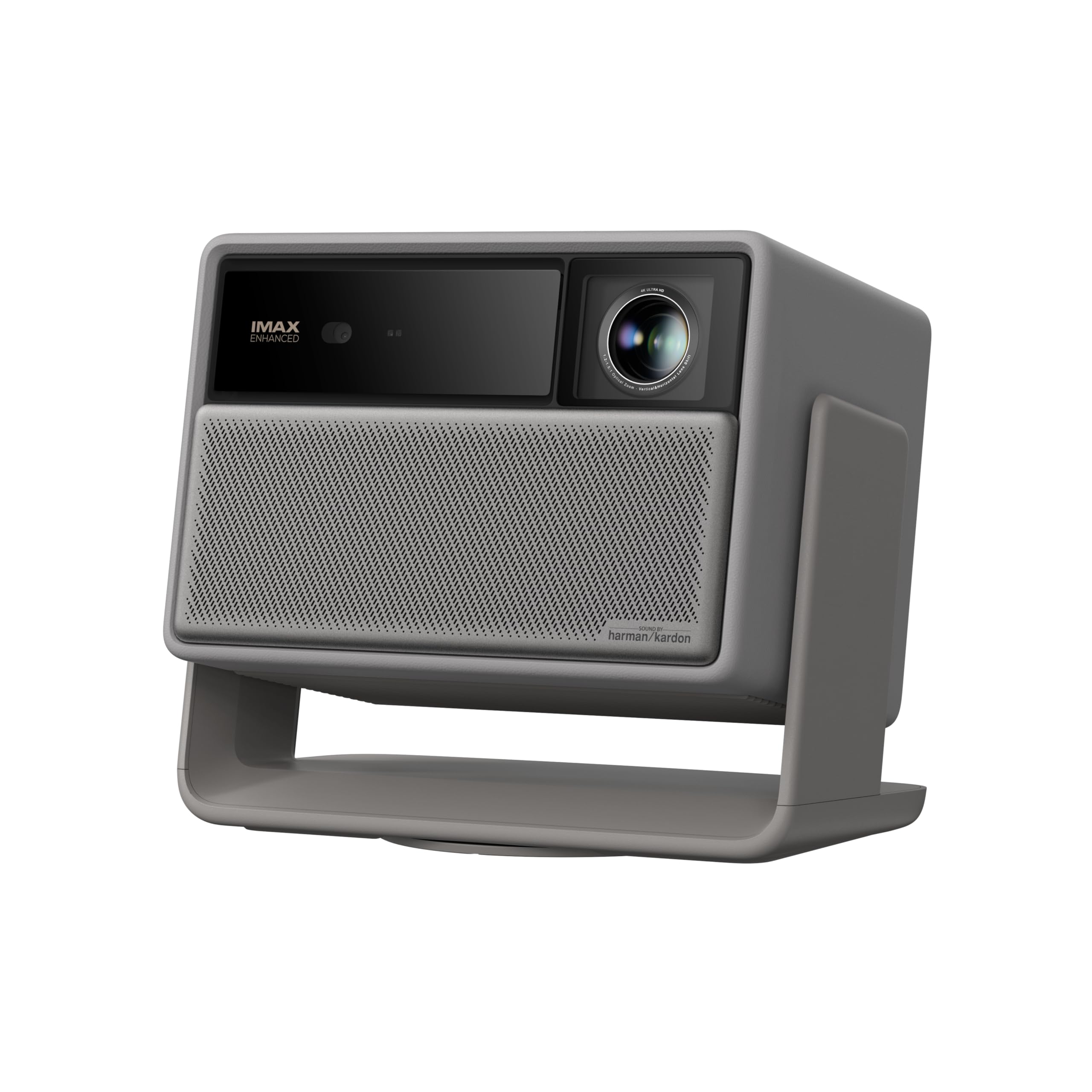
Review for Horizon 20 (base model)I had a lamp-powered Epson for years. It was pretty good, relatively, projecting onto a 120" screen in the man cave with a game console as the only input. The 'iris' mechanism went bad and I had no motivation to repair. It limped along for a while with a significant decay in functionality. I eventually stopped using it regularly.When I started looking for a replacement, I was overwhelmed by the options. $1500 was about my max spend (this unit was on sale). I wanted to get away from lamps that require repetitive replacement. This included getting away from the fan noise produced by high-heat lamps. As a privacy-first technology consumer, I am not interested in 'smart' anything. I used to be. But once one realizes all the 'convenient' tech can be quietly used against us (e.g., Flock cameras, Ring, alexa, siri, Nest, etc.), one sees the Trojan-horse potential in ALL tech to create a 1984 dystopia. Especially Big Tech. So I am certainly not interested in 'google tv' or any 'smart' apps on a device like the XGIMI Horizon. I'll keep WiFi off, and Bluetooth if possible, and will input via cable from a privacy-priority device. That said, if you do love Big Tech like google, that will be the cherry on top for you with this device.Upon receipt, the packaging is a grade above & the product is well protected. The unit is relatively compact and its 'box' form is so different from my old, 'flat' Epson. IMO, It is easily transportable. Remote is solid & slim. IT IS WONDERFULLY QUIET! Boots up fast. Much faster than my Epson. The 360 degree rotating bottom includes a threaded insert for ceiling mount. Which I used. It also pivots 'up & down' (y axis) on a gimbal. On top of the mechanical ease of horizontal/vertical adjustment, the Horizon includes some very cool auto-adjust features that fill a black-bordered screen perfectly. When I hung it from the ceiling, it auto-adjusted & flipped the image. It auto-handles keystone correction & lens shift. It adapts to ambient conditions, including sound. With 'intelligent eye protection,' if a kid walks in front of it, for example, the projection pauses (not what is playing). I use the Horizon 20 audio-out with an amp & external speakers, but the onboard speakers are not shabby. It is very useful to have two HDMI connects and USB connectors. I have not played games on it yet, but I anticipate it will be excellent with a 1 millisecond lag!The ease & functionality of this product has inspired me to buy an inflatable screen (rear or front projection) for the backyard to host movies / sports.I HOPE this product lasts a long while. So far, it meets all my expectations, and then some. Note that I am NOT a videophile and my expectations are mid. On sale, the Horizon 20 may truly be the best deal, hands down, for a budget-sensitive customer who still wants a higher quality projector.Some great features listed from their website:Uninterrupted Auto Keystone CorrectionAuto FocusIntelligent Obstacle AvoidanceIntelligent Screen AlignmentWall Color AdaptationIntelligent Eye Protection
KKasandra M Deutsch
28 de julio de 2026
First Impressions: Great indoor/outdoor projector, perfect for daily use
I just received the XGIMI HORIZON 20 in the mail on Sunday, set it up immediately, and have been playing with it ever since. Right now, it is completely outperforming my expectations. My plan is to use this as a dual-purpose screen like i did with my last projector: running it in my office all day long as a "Work TV/Extra Monitor" for over 10 hours a day, and then packing it up every weekend to bring home for entertainment on my front porch. These are just my initial first impressions, and I will update this review as I get more runtime with it. Using it at work: I don’t even use a projection screen at the office. I just project it straight onto a regular off-white wall that has a standard drywall texture. Right now, I have the projector set up at a sharp angle to the wall, and from that side angle you can see the texture a bit, but the picture still looks like high definition. I am awaiting my stand to get a better position in my office. The picture is so good that when people walk into my office, their actual reaction is just "wow". On the weekends, I plan to take it home for the front porch. Testing it out in the afternoon sun, it does the job much better than expected. It has more than enough brightness to cut right through the ambient daylight and give a great picture. I definitely wouldn't recommend leaving it outside after you're done using it, just for general care and maintenance purposes, but it is perfect for bringing out to watch a movie or the football game. The built-in sound quality is also really good, so I don't expect to mess around with hauling an extra soundbar outside. It isn’t massive, but it is definitely larger than I expected and weighs about 10 lbs. Because of the size and weight, standard projector cases you find online are nowhere near big enough (I'm still on the hunt). Thankfully, it ships inside its own custom case. The issue is that the case is made of a heavy-duty styrofoam. While it protects the projector fine right now for these early paces, I really question how long it’s going to last. Since I will be packing it up every single weekend to travel from work to home, I feel like the styrofoam will start to deteriorate and the latches and hinges are eventually going to wear out. A projector at this price point really should come with a durable fabric or hard-shell travel bag. If you want something you can run for 10+ hours a day at work on a plain wall and then seamlessly use outdoors on a bright afternoon, this thing is perfect out of the box. I am in the early stages of testing this high-rotation routine, but it handles the initial travel like a champ—just be prepared to treat that styrofoam case with extra care. I will update this review after a few weeks of packing it back and forth. Will add more pictures with use.
Excels at gaming on the big screen
The XGIMI Horizon 20 arrived on time and was extremely well packaged by the manufacturer. It appears XGIMI placed some forethought into the packaging. Well done XGIMI.The only real issue that I encountered was that I had a bit of difficulty with the initial pairing the remote to the projector. It seemed the remote wasn't being powered by the supplied batteries. This was easily fixed when I simply installed a different set of batteries into the remote. After that, the remote pairing process worked just fine.As far as the simplicity of the initial setup, the included manual didn't provide much information beyond the remote paring and system upgrade. However, you can set the projector up by simply following the onscreen directions after the initial remote paring. And all the necessary information I was looking for was easily located online.During the initial set up process it is required to have a google account, due to Google TV being the opening screen. A google account can be set up for free online. After the initial set up, I was able to have the projector always start using input from HDMI1 without having to always automatically open on the Google TV screen first.On a scale from one to five the image quality and smoothness is definitely a six. Since I project on my wall instead of using a projector screen, I anticipated a bit of fine tuning to obtain a decent image quality. I've just come to expect this from previously owning other projectors. That was not the case with the XGIMI Horizon 20. The image quality is clean, clear and crisp. It's the best image that I've seen in a projector for a very long time. The built-in lens shift made centering the image in the viewing area easy, and without the hassle of having to make micro adjustments to the projector positioning.The fan noise on the XGIMI Horizon 20 is almost nonexistent. The product advertisements indicate whisper quiet, and they mean it. I haven't noticed any issues with heat management. This projector remains fairly cool even after a couple of movies and games.This projector excels at gaming on the big screen. Again, the image is crisp, clean and clear. Gaming movement is smooth and I have not noticed any negative issues while gaming.Since this is a laser projector, it has a built-in safety feature that helps protect your eyes from accidentally looking into the lamp while projecting. The projector auto dims when the sensor picks up something in front of the projector, this feature can also be disabled in the system menu, if you prefer.I suggest that you can't go wrong with the HGIMI Horizon 20 in a light-controlled room. The projector itself is worthy of a five-star rating.
NNicolas Gonzalez-Pomo
28 de mayo de 2026
Excellent projector
I’ve been using this projector for about two months now and I couldn’t be more pleased.First impression out of the box was that this is a high quality product. Even the remote is well designed and made from aluminum. The image is crisp and the UI intuitive. We often watch TV during daylight hours and the image is plenty bright.We were originally intending on running HDMI through the wall in order to set up surround sound but I haven’t felt the need to do so just yet. The speaker does a great job of projecting sound around the room and rarely do we feel like we’re missing out.Keystone correction is also very straight forward and easy. Our projector is mounted on a shelf to the left of the couch about 3 ft above our heads and 10ft from the screen, and I had no problem getting the image to fit. Having the optical zoom was very helpful though we didn’t need to use the lens shift.Cons: While it doesn’t bother me very much, white images such as subtitles show the separation of colors for a fraction of a second during movement before the image settles. I could easily see how this might bother some and so it gets 4 stars.Overall I recommend this projector to anyone with a desire to get into lifestyle projector market. While the image might frustrate some it is more than enough for us and we remain pleased with our purchase.