NNichole A.
12 de septiembre de 2026
Beyond My Expectations
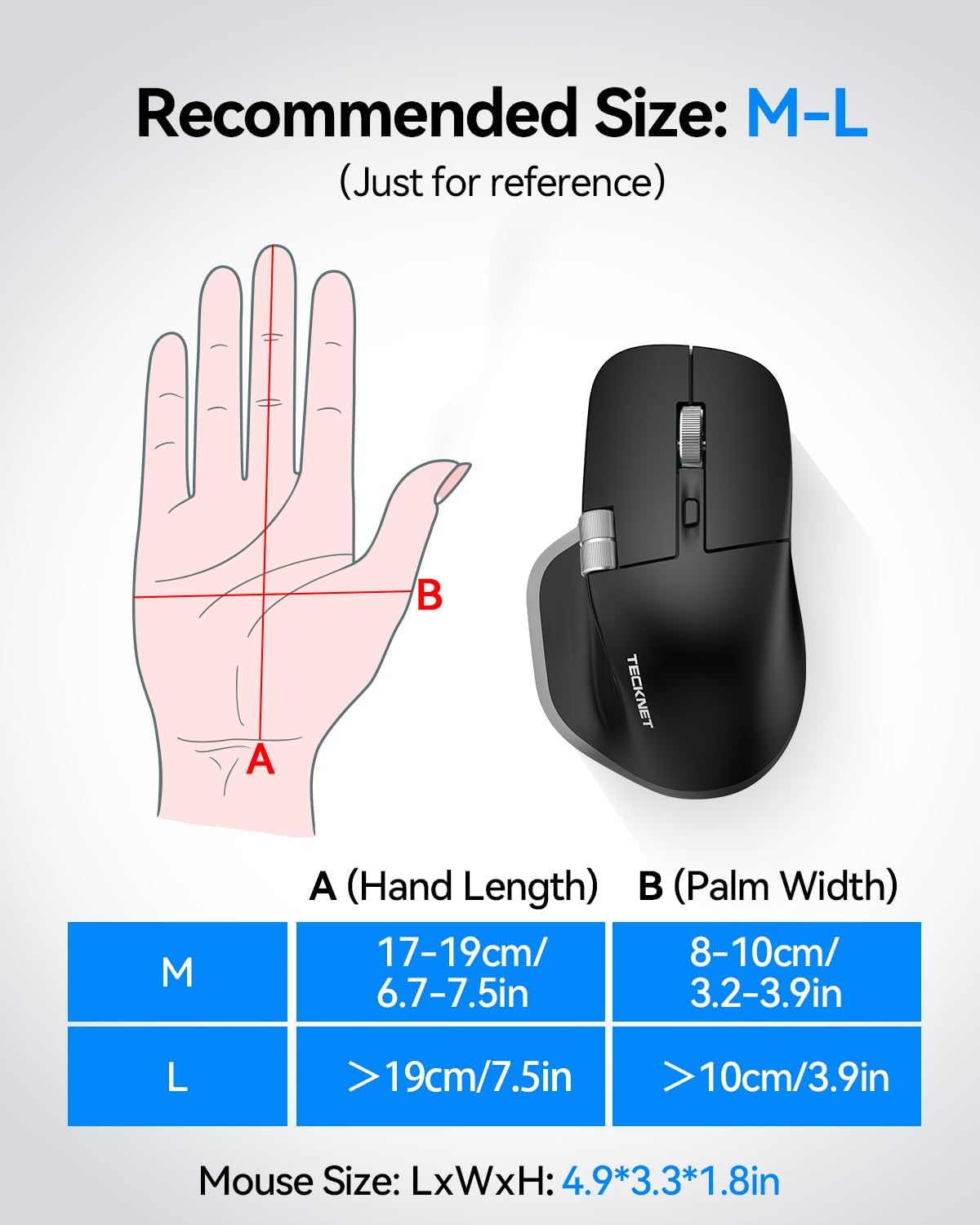
I was looking for a bigger mouse similar to a gaming mouse for work. After scouring amazon for a few days, I decided to give this mouse a try. It fits in my hand perfectly and is comfortable for long term use. Right out of the box battery is ready to go. I have yet to need to plug it in and charge it. It glides smoothly and doesn't catch or get stuck. Scroll wheel also super quick to respond. I had no issues with plugging it in and going; connected right away. I was also wanting a white mouse to match my keyboard and the white/silver was perfect. This mouse has exceeded my expectations.
WWithheld
11 de julio de 2026
The Side Scroll Wheel Is The Feature I Didn’t Know I Was Missing
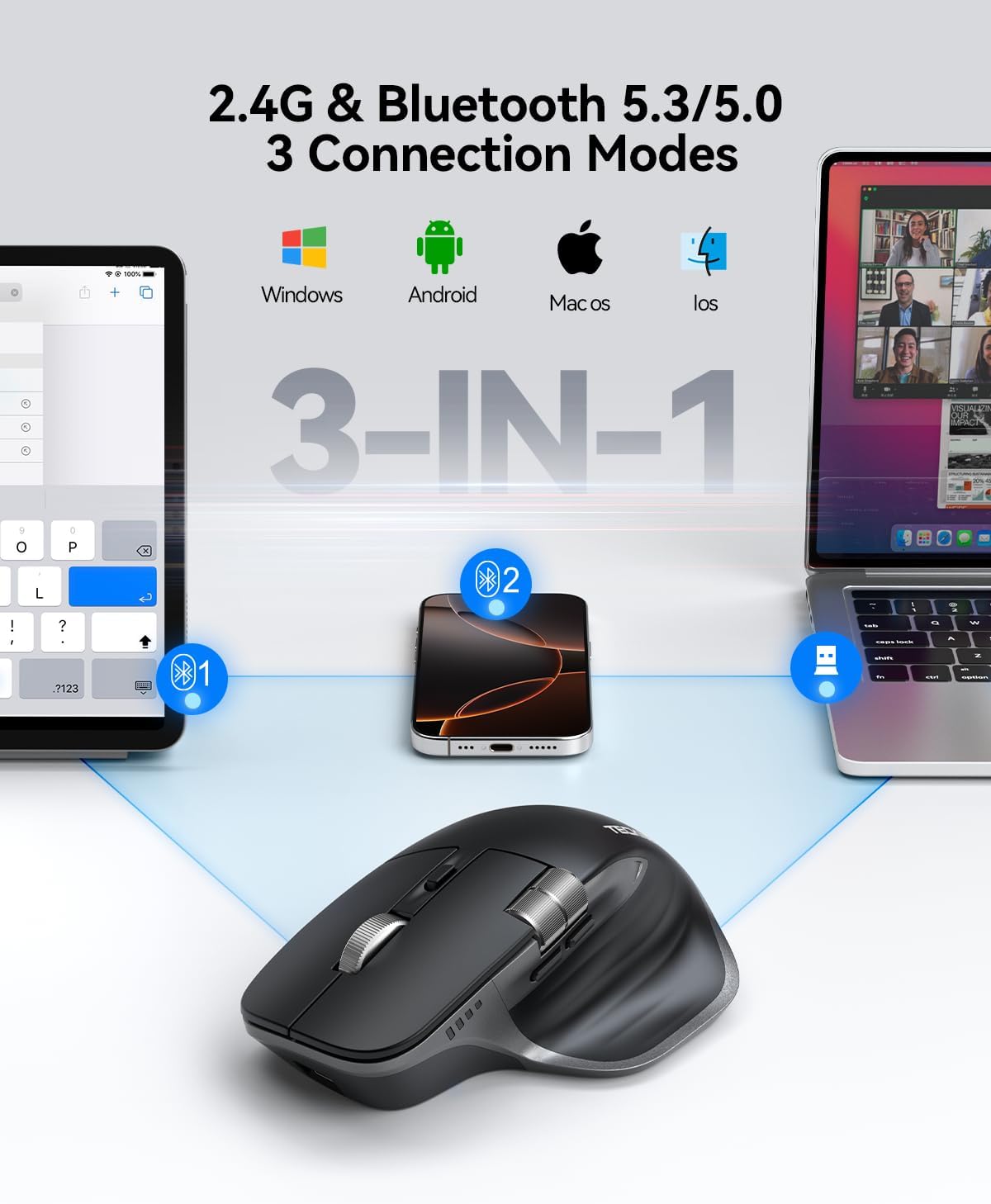
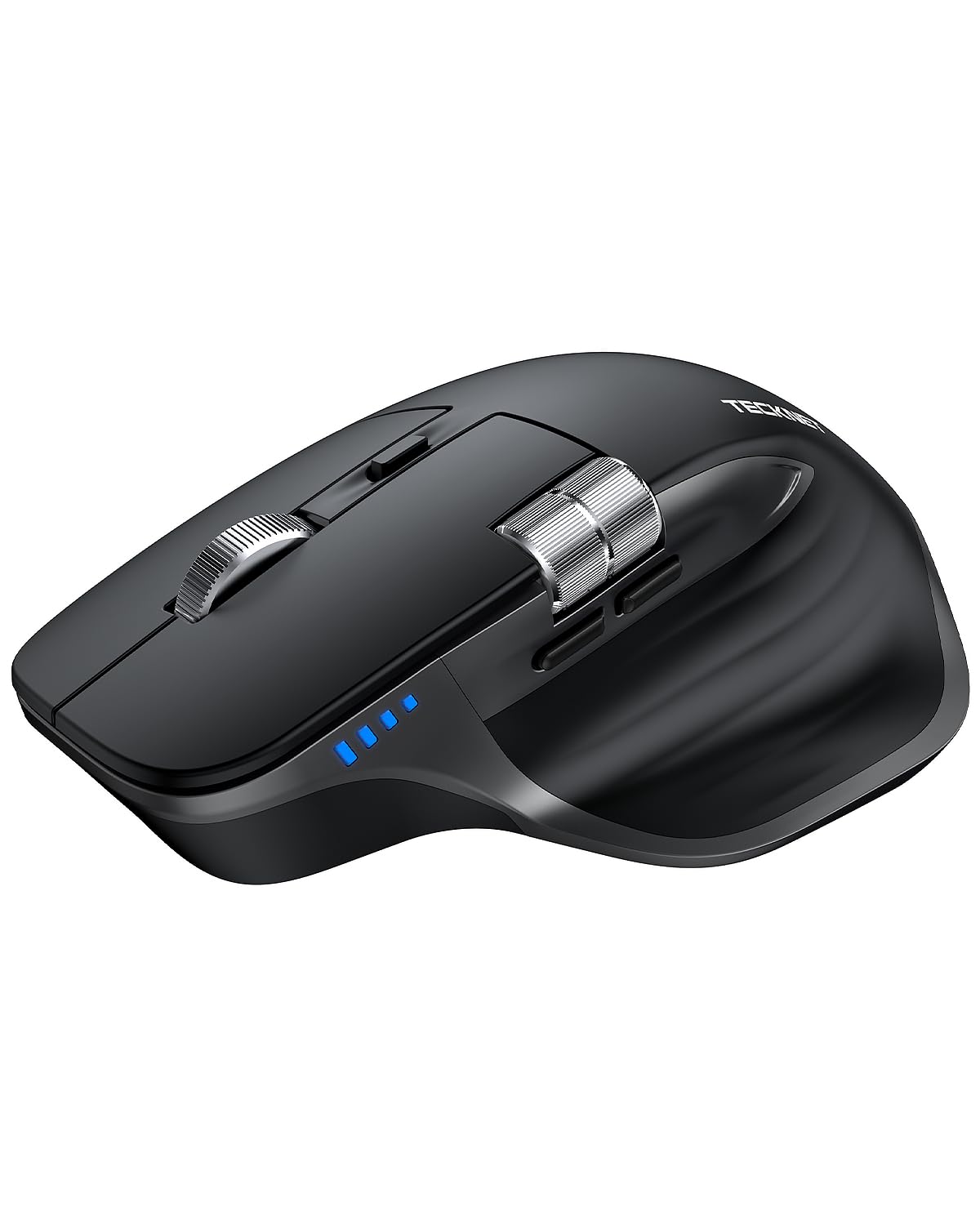
This is a very comfortable and ergonomic mouse that I can use for long periods without any problems. Battery life has been very good, it charges through USB-C, and it offers multiple connection options, including Bluetooth and the small USB wireless receiver.The feature that really surprised me, though, is the side scroll wheel. I didn’t realize how much I was missing this until I had it. When I’m looking at code, oversized webpages, or anything else with a horizontal scroll bar, I would normally have to move the mouse down to the scroll bar, click it, and drag it back and forth. With this mouse, I just spin the side wheel in either direction and move horizontally through the page. It’s one of those small features that, once you get used to having it, you don’t want to give it up.Between the good battery life, comfortable design, multiple connection options, and especially that side scroll wheel, this has been an excellent mouse for everyday use.
CC. O.
24 de febrero de 2026
Good bang for buck, but a few minor gripes
Compared to the Logitech counterpart, this mouse checks almost all the boxes. Its form factor is very similar, and the feel in hand is nearly identical. The connection via BT was easy to obtain, and it never loses signal...even from fair distance from the receiver (6+ feet). There are 3 areas that don't quite meet the completion: Weight, button placement and button feedback.The weight of this mouse is slightly less than an "MX Master 3S". It makes it slightly harder to precisely move the mouse, but not nearly as bad as most "cheaper than the competitor" mice out there. No stars lost here.The button placement for the "page up / page down" thumb buttons is slightly closer to your resting thumb than the Logitech. It is slightly easier to mistakenly hit the "page back" button with your thumb, if you are not aware of this issue. After an hour or so, I got used to it, and avoided unwanted navigation. No stars lost here.The action of those "page up / page down" thumb buttons were a bit more problematic. These two buttons have no "click" feedback to them, and its nearly impossible to tell if you pushed on the button hard enough to send the command. Some feedback should occur to let you know the button has been activated. What I had happen to me quite a few times was that I was on a slow webpage, and I would hit the button multiple times (thinking I had hit the button too lightly) to page back before the website reacted...sending me many pages back, rather than just the one I wanted. Minus 1 star for this.The horizontal scroll wheel would not work in MS Word for me, though it did work on the web. I switched to my 3S, and it worked fine in MS Word. I have found this issue on just about all non-Logitech mice I have used, so slightly disappointed, but no star removed.Be aware that the lowest thumb button on the 3S that lets you see all open windows does not work on this mouse...there is not button down there. As I rarely use this function, it is no real loss for me, so no stars lost.Oh...and the index finger scroll wheel will not free-wheel like the logitech...it only goes by clicks. I do miss that functionality, as I scroll huge documents continually...and now I have to use the scroll bar to quickly work my way down a document. Almost loses a star, but I have never seen a mouse under $50 have this functionality, so I cannot expect it here.Overall, for the 1/3 to 1/4 price of this unit compared to the Logitech, it is a solid entry and probably the best competition I have found for the 3S. It's rechargeable, useable on multiple devices, and very quiet...I do recommend it
IIndiana Jones
17 de enero de 2017
Tecknet M006 2.4 Ghz Mouse works great on OS-X 10.7.5 and performs with flying colors !!
This is a very nice mouse and I am happy it is working out so well. My old USB mouse was on its last legs so this mouse comes in at a good time. These observations are for the TECKNET Model M006 2.4 Ghz Cordless Mouse:The Pros:** A nice large "man size" mouse which fits my large hands quite well. It is comfortable and feels natural.** The 2.4G Wireless USB receiver came stored in the base so taught me right off the bat that this was a good place to keep it when not in use.** Wireless connectivity was instant and seamless. My Apple MACBOOK accepted it without blinking showing me the firmware is user friendly.** I tried several different surfaces to see if I could trick the mouse or affect its operation: I could not. Despite the instructions saying not to use on highly reflective surfaces, I tried it on a marble coffee table which had lots of angular crystals showing through the high polish and could tell no difference in operation from my flat one color mouse pad. And, you really don't need a mouse pad with this. In fact, after a time working, I put the mouse pad up because less effort was required on a hard surface.** One great feature is the side buttons are located on the top ridges of the sides of the mouse so if you tend to exercise your fingers a bit while using a mouse like I do, you will make less mistakes. I like that.** The base of the mouse has a dedicated on/off switch which I like. According to the manual you don't really need it as it has a built in timer and will turn off by itself but I am "old school" and just like to turn things off when I want to.** Battery life is claimed to be 30 months depending on conditions: use of a dark mouse pad draws more energy than a light pad for example. I would assume if you like to sit there and wave the mouse back and forth to make up your mind on something you would use more battery there too. Only time will tell whether this is true or not.** The mouse is programmed for 5 DPI levels that are selectable from the top wheel button: 800/1200/1600/2000/3000 DPI. 2000 is the default. The selection of this can be done by pushing the wheel button down or forgetting to use the mouse for a long time. Not sure why this is this way but perhaps when the mouse goes into its energy saving mode, it has to do this.** Finally, the specifications are listing this mouse as a Windows mouse and warns that use under other operating systems may reduce mouse functionality such as loss of the wheel. I am on an Apple MACBOOK, OS-X 10.7.5 and the mouse takes to my MAC like a duck to water. Am I in a small group? I can only tell you it works fine on 10.7.5.The Cons:The only issue I had was when I initially received the mouse, I opened the package but did not see the Wireless USB plug. It's human nature I think to do a quick inventory when receiving a new product so I wrote the company and reported this. While waiting over the weekend for a reply I took out the mouse, opened the battery cover to verify what size battery and there was the Wireless USB plug, stored in a small slot made for storing it. I now know to look at this for any future mice but I did feel a bit uncomfortable at first.All in all, a pleasant experience and an easy mouse to recommend. If it works this well for my old Apple, it should fly on any Windows machine. The company is responsive and cares about their equipment. I like them and I will keep their products in mind because of this.




 Marca: TECKNET