Especificaciones
- Color
- Phantom Gray
- Hardware Interface
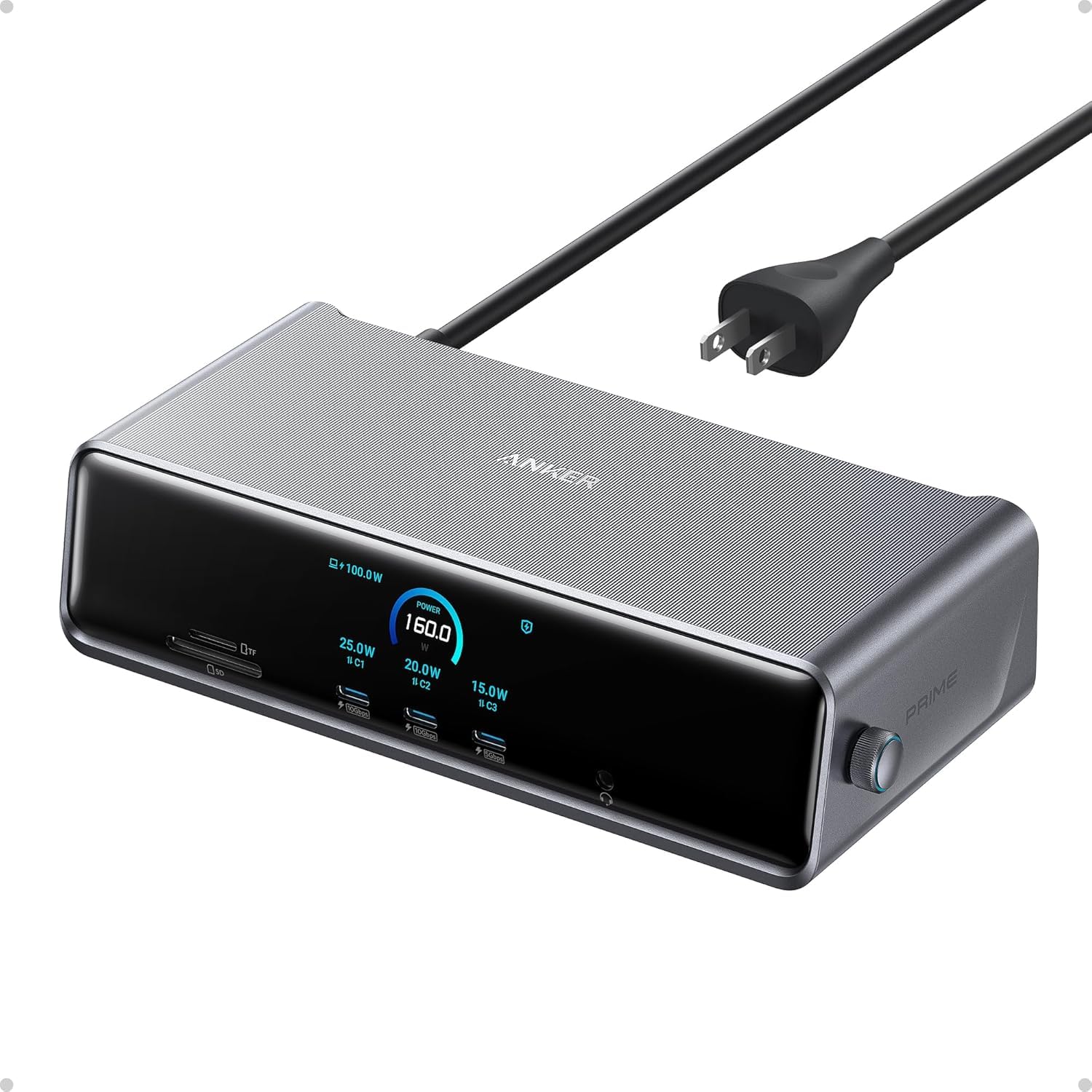
- 3.5mm Audio, DisplayPort, Ethernet, HDMI, MicroSD, USB, USB Type C
- Total USB Ports
- 7
- Dimensiones
- 7.67"L x 3.62"W x 1.89"H
- Number of Ports
- 14
- Peso
- 834.1 g
- Total HDMI Ports
- 2
- Potencia
- 160 watts
- Total Usb Ports
- 7
- Total Number of HDMI Ports
- 2
- Input Voltage
- 240 volts
- Minimum Required Operating System Version
- Windows 10, Windows 11
- Item Dimensions L x W x H
- 7.67"L x 3.62"W x 1.89"H
- Number of Items
- 1
- Number of Packs
- 1
- Unit Count
- 1 Count
- Fabricante
- Anker
- Model Number
- A83B3
- Mfr Part Number
- A83B3
- Garantía
- 18 month
Ver todas las especificacionesVer menos⌄
Calificaciones
Las calificaciones provienen de Amazon.com.
works for me!
I am using a M5 MBA on the latest software. This is the first time I had a docking station that worked with my two external monitors. I have always had a 34" Ultrawide and a 24" regular monitor(that I turn in 180 degrees so I can access more up/down). I had been looking for a solution for 2 external monitors and couldn't find one until now. This dock is super fancy and expensive but it's worth it because it works.When I first got the dock, I was using both HDMI ports and one monitor was working but the other monitor wasn't working. I initially thought immediately about returning the dock because it was so expensive and then I tried using the DP port and into my HDMI and it worked. I guess I bought the wrong cable so I bought the right one however, I did confirm that it worked perfectly.Please make sure you have the proper cables for your monitors before you return this and deem it incompatible because I'm telling you it works on both the M1 MBA and the M5 MBA but I don't know if it'll work previous versions however I don't see why not if you downloaded the Displaylink software.I have not tested this long term but it works for my needs so I'll give it a 5 star. My needs are super basic.6/12/2026: so this dock kick butt. It works on the M1 MBA and the M5 MBA. Apple specs say you can’t use dual display monitors for the M1 but it works just fine with Display Link software. On the M5 it says you can’t use dual monitors only use 2 monitors in clam shell mode. I have tested the M1 MBA and it work just fine. The M5 can be used with 2 monitors and with the MBA opened at the same time so it’s like 3 screens. I don’t know if it’s because of the DL software or not. I would guess it has something to do with it. If I had know it’d work on my M1 I probably wouldn’t have bought the M5 MBA.See photo attached. It’s the M5 MBA.So for me it’s 5 stars. It does everything I want and I like the style because it’s futuristic. lol. It would be cool if it had a built in retractable cable that connects to your MacBook. That would be dope and super packable.So far, no issues with the dock however, it does not work unless DL app is downloaded because it uses your screen sharing feature and emulates the monitors. That being said, apps like Netflix, CrunchyRoll, Peacock, etc,.(mostly streaming services) won't work with DL because it's using a form of screen sharing/screen recording. If you're looking to watch Netflix using this dock then you'll need to download Google Chrome and go on Netflix with that after you go into the Chrome settings and turn off the "hardware acceleration" option. Once you turn that option off you'll be able to run Netflix with no issues but you'll need to use Chrome. Figured this out the hard way.FYI. Will not work on any laptops that doesn't have DL downloaded. I'm using a MBA M5 so this works well for what I need it for.
Powerful Dock for Triple Screens, Just Be Ready for Setup
I’m a big Anker fan and this docking station mostly lives up to what I expect from them. The biggest reason I bought it was to run triple screens off my Mac, and it actually delivers on that, which isn’t always easy to find.Once everything is up and running, it works great. Displays are stable, connection is solid, and it really cleans up my desk with a single cable setup. Build quality feels premium too, like most Anker stuff.The one downside is the driver situation. You do have to download and run software to get full functionality, which isn’t ideal. It’s not hard exactly, but it does add an extra step and I could see less techy people getting a little confused. I had to poke around a bit to get it all working right.After setup though, no real complaints. It does exactly what I need it to do and does it reliably.If you want triple monitors on a Mac and don’t mind a little setup, this is a really solid option.
Its a no for me
I really want to like Anker products, but they strike out for me more than they win. This dock is not great. First, you have to have DisplayLink installed on your computer, which makes no sense because it doesn't do anything different than your built-in display settings. The Ethernet port isn't a true 2.5G. I get download speeds of 700-900, and upload speeds of over 2300 (I have 3 GB). There is a bottleneck somewhere in the download speeds, but Anker claims it is not the dock and that they've tested this with the exact two laptops that I currently use, and they have no issues. When I remove the monitors and just use the dock for Ethernet, the speeds do not change. When I remove the Ethernet cord and plug it into an external 2.5G plug, I get full up and down speeds. The dock itself doesn't seem to fully support two monitors. Intermittently, it will lose monitor connection, and my monitors and the dock will start flashing. I have to then unplug and plug the dock back in to get it to reset itself. All in all, it is NOT worth $200+ and does not do what the specs say it does. It looks sleek, has a good number of ports and charging capabilities, and a decent interface, but my biggest issues are the bottlenecked download speeds and the intermittent connectivity with my monitors.
TTrenton De Leon
4 de enero de 2026
Great upgrade for a multi-monitor desk
I picked this up for my work-from-home setup, and it was mostly plug and play. I did run into a small issue at first where my laptop wouldn’t connect to the monitors, but after updating my laptop software, everything worked as expected.I use this dock to run three monitors, and it’s been reliable with no lag or display issues. The build quality stood out right away—it feels sturdy and well-made, not flimsy like some other docking stations I’ve used. I also appreciate the number of ports available. I regularly plug in my phone and AirPods at my desk, and it’s convenient having everything connected in one place.I picked this up during a Black Friday sale, which made it a great value, and it’s now an essential part of my WFH setup. If you need a solid, well-built dock for a multi-monitor setup, this one has worked well for me.


 Marca: Anker