5★'s Excellent premium AM5 motherboard
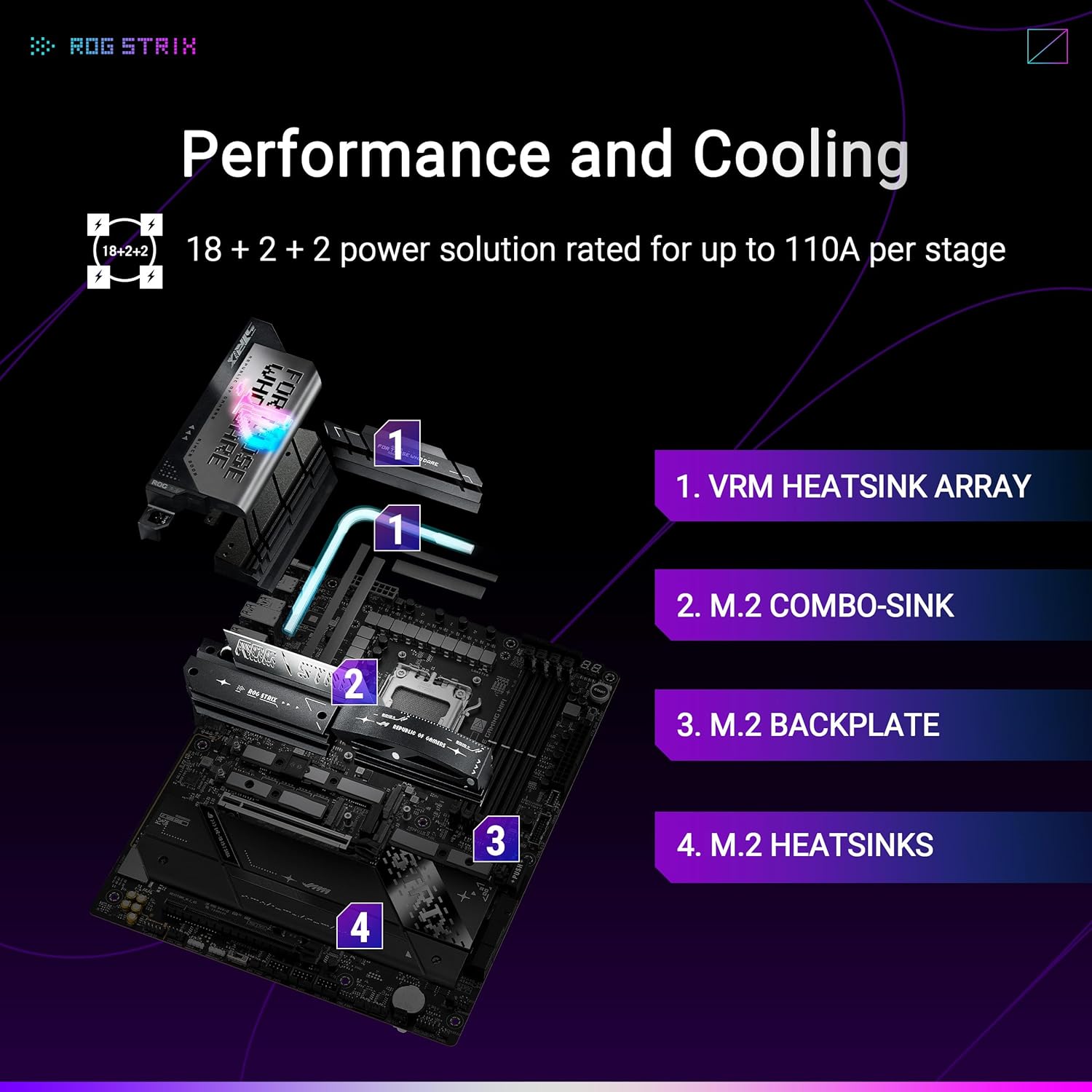
The ASUS ROG Strix X870E-E Gaming WIFI is an excellent motherboard and exactly what I expect from ASUS ROG. The build quality feels premium, the layout is clean, and it has plenty of high end features for a serious gaming PC.The 18+2+2 power stage design is great for AM5 CPUs, and the board has strong support for DDR5, PCIe 5.0, multiple M.2 drives, USB4, WIFI 7, and 10Gb Ethernet. I also really like the ASUS features like Q-Release, BIOS Flash, AI Overclocking, AI Cooling, and the easy setup options that make building and tuning the PC much smoother. Overclocking my Ryzen 7 9800X3D with this board was simple.Overall, this is a powerful, feature-packed motherboard that looks great, performs great, and feels built to last. If you are building a high end AM5 gaming setup, this board is absolutely worth it.
SS. Penning
26 de octubre de 2025
The New AM5 King: Stability, Power, and Future-Proof Connectivity
I recently upgraded my system to AMD's latest X870 platform and chose the ROG Strix X870E-E Gaming WiFi as the foundation for my high-end build. Having worked with several flagship motherboards, I can confidently say this board is an absolute beast and worth every penny for serious builders and overclockers.Unmatched Power Delivery and StabilityThe main selling point of the X870E-E is its power delivery system (VRMs). This board handles the most demanding Ryzen 9 chips with ease. Under heavy synthetic loads and during intensive compiling tasks, the VRM temperatures remained incredibly low—something lesser boards struggle with. For anyone pushing modern CPUs to their limits, this stability is non-negotiable.Furthermore, DDR5 memory stability is rock solid. Initial setup with my 6000MHz EXPO kit was flawless; a quick setting in the UEFI and it booted perfectly with no fuss. This is a huge relief, as DDR5 can sometimes be notoriously finicky on new platforms. The Q-Release PCIe Slot button on the side is a small but brilliant quality-of-life feature that makes GPU removal effortless.Connectivity Built for the Next DecadeASUS didn't skimp on connectivity, making this board genuinely future-proof.Storage: The sheer number of M.2 slots is impressive, including a dedicated PCIe 5.0 M.2 slot. This is essential if you plan on running the fastest NVMe drives available now or in the near future. The quick-release M.2 heatsink design makes installation incredibly fast.Networking: The inclusion of WiFi 7 and 2.5G Ethernet is perfect for low-latency gaming and high-speed local networking. Even if you don't have WiFi 7 infrastructure yet, the capability is there, meaning you won't need an adapter for years.Aesthetics: The subtle but effective $\text{AURA}$ Sync lighting and dark, aggressive heat sinks look phenomenal in an all-black case build. The design feels premium, not overly flashy.Final VerdictIf you are investing in an $\text{AM}5$ CPU (especially a Ryzen $7$ or Ryzen $9$) and intend to keep this system for many years, the ROG Strix X870E-E is the smart choice. It eliminates the guesswork regarding stability and provides all the performance, power, and high-speed I/O you could possibly need. This motherboard is a cornerstone component that delivers confidence and blazing performance. Highly recommended.
SStephanie
21 de febrero de 2026
You should not use most of the fast (Gen V) m.2 slots
ASUS ROG Strix X870E-E Gaming WiFi[EDIT: after reading all of the $1000+ boards' manuals, along with all the other X870 manuals, this board has the best mitigation of limitations of all the boards. To me, it offers the best solution for limited PCIe bandwidth, and keeps every premium feature.]Has great features, but limited functionally.There are 5 nvme slots, 3 are gen 5, and 2 of those share bandwidth with the only pci-ex16 gen 5 slot on the board. This means that if you use either of the shared bandwidth m.2 slots, then the gen 5 pcie gets downgraded to x8.I am only using the independent m.2 slot because of this.There are only 2 pcie slots in total, the other being a pcie x16 4th gen.I haven't tested the USB 4.0 yet, which is why I bought the board, and I easily switched the ai overclocking on. AI overclocking is amazingly effective, and easy to use. I'm overclocking every system component that I can, and I did it all with a few clicks. Amazing performance.----------------------------------------------------------------------------------------------------------------------The major headacheRunning this board with CMK64GX5M2B6000Z30 RAM was a headache and a half. I had to flash the bios with the most recent version, hard reset the board's RAM interactions by removing the power and CMOS battery then holding the power button for 60 seconds, then train an individual stick (the first stick would not train for an hour so I switched them), then add the other stick creating a 2 stick arrangement, and then the other stick was trained.As mentioned, the first stick could not train, so I had to switch the sticks, and luckily the second one trained. It took about 7 minutes for each successful stick training period. I then had to set up my system in the bios again.But I'm overclocking everything with the board's AI overclocking, and everything is extremely fast. I'm very happy with the result.
SSavana
21 de enero de 2026
Best on the market
The ASUS ROG Strix X850E-E is an absolute powerhouse and easily one of the best high-end motherboards I’ve ever used. From build quality to performance and features, it delivers excellence across the board.First, the **build quality and design** are top-tier. The board feels incredibly solid, with premium components, reinforced PCIe slots, and excellent heatsink coverage. The ROG Strix aesthetic is clean and aggressive without being overdone, and the RGB lighting is tasteful and easy to sync with ASUS Aura.**Performance is outstanding.** Power delivery is rock-solid, making it perfect for high-end CPUs and overclocking. Even under heavy workloads or gaming sessions, the system remains stable and cool thanks to the excellent VRM design and thermal management.The **connectivity and features** are where this board truly shines. With PCIe 5.0 support, blazing-fast M.2 slots, USB4/USB-C options, Wi-Fi 7, and 2.5G Ethernet, it’s completely future-proof. ASUS BIOS is intuitive and powerful, making tweaking, tuning, and setup very straightforward—even for users who aren’t hardcore overclockers.Audio quality is also impressive, delivering clear and immersive sound, and the onboard troubleshooting features (Q-Code, BIOS FlashBack, etc.) make building and upgrading stress-free.Overall, the ASUS ROG Strix X850E-E is a **premium motherboard that justifies its price** with exceptional performance, reliability, and cutting-edge features. If you’re building a high-end gaming or workstation PC and want a board that will last for years, this one is an easy recommendation. Thank you for this motherboard



 Marca: ASUS