PPatricio Martinez Jaramillo
21 de mayo de 2026
Amazing affordable USB-C Hub, works with M1 Pro 14, Windows 11 Laptop, and Nintendo Switch 1.
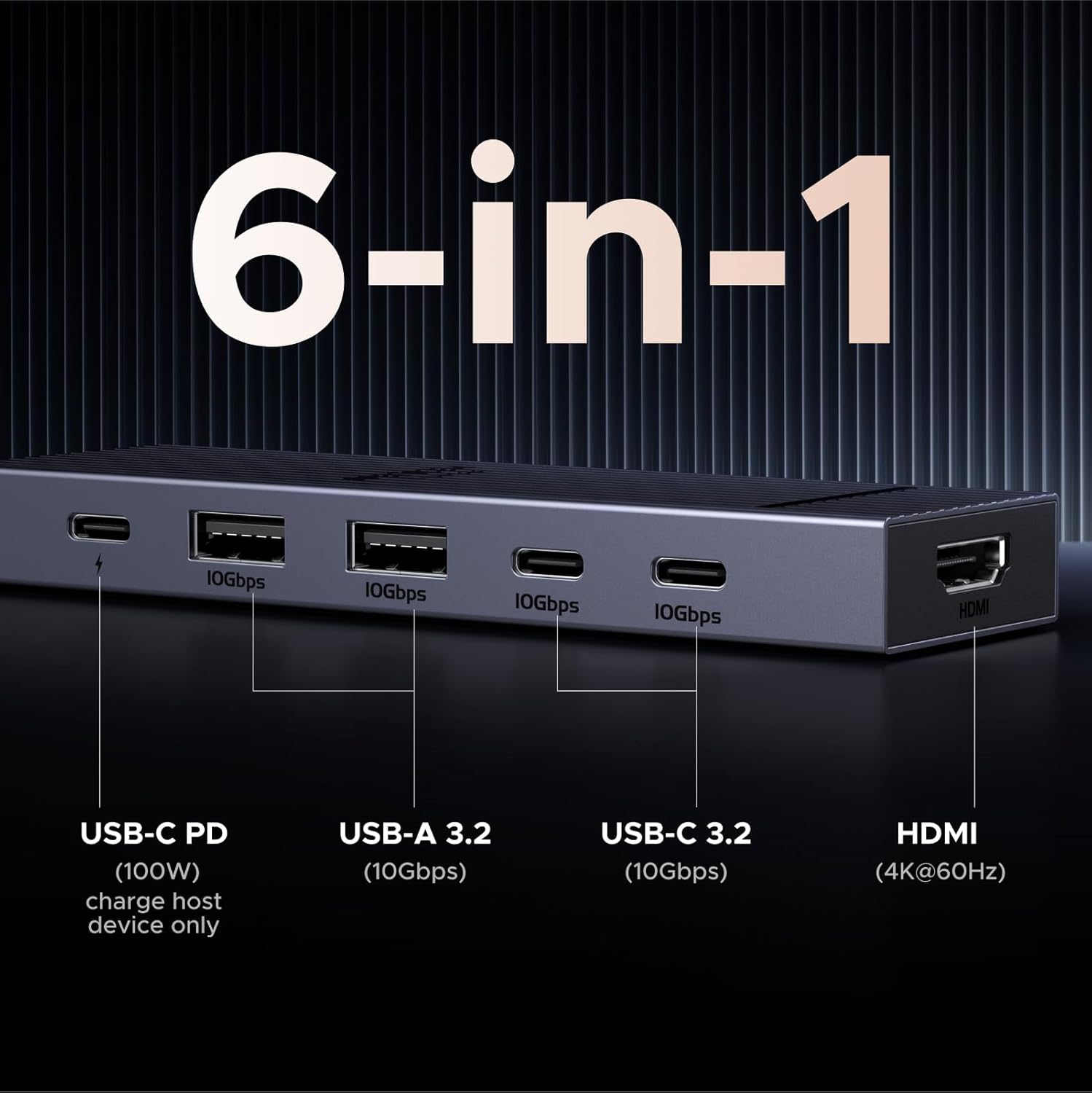
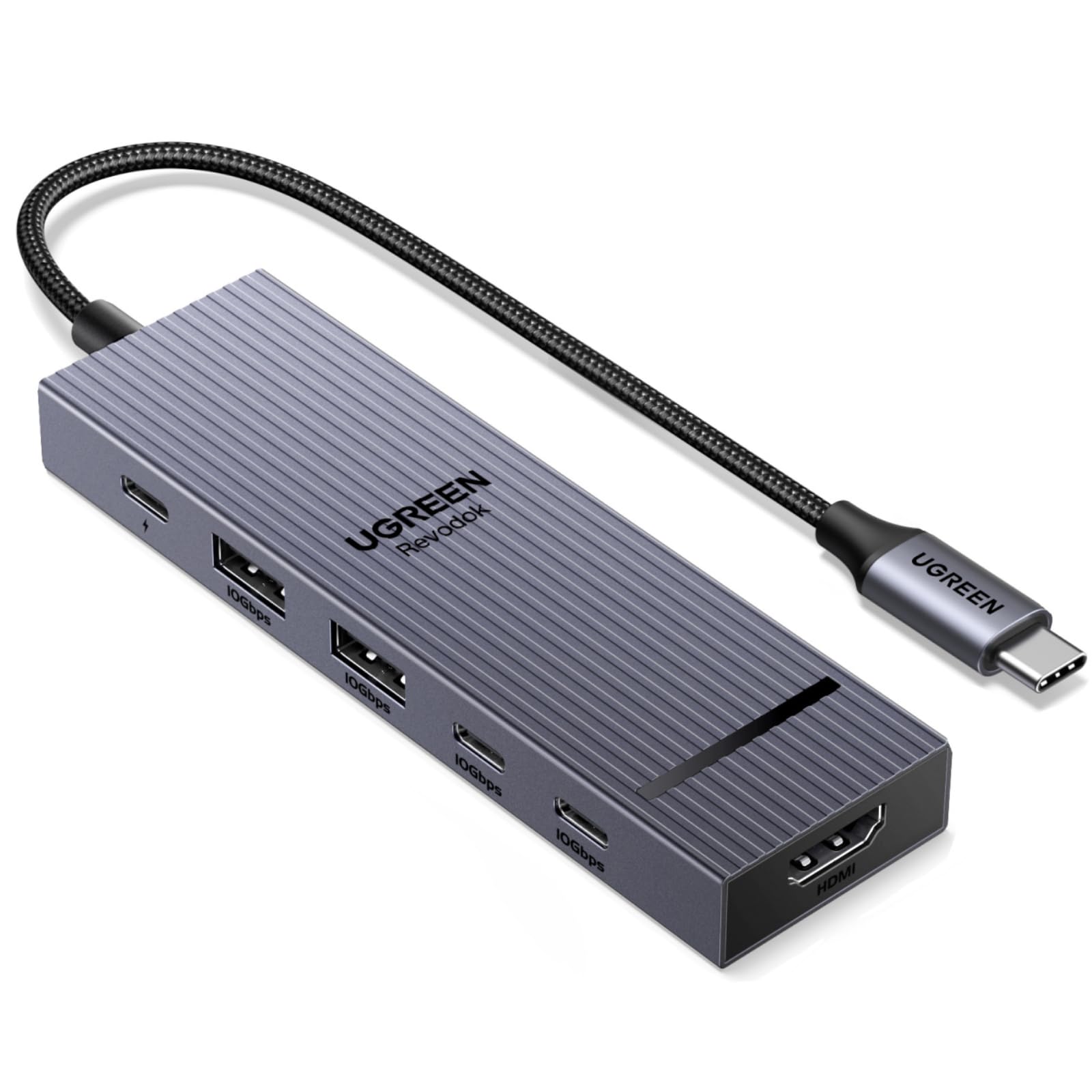
Due to just one problem, I would rate this more of a 4.5/5. Very rarely, I'll have issues with power draw, and the hub won't work while connected. However, after just unplugging and plugging things back in, it fixes the problem fast.Of all USB-C hubs I've looked at, this one is probably the most affordable (I bought at 16 USD) and has the best HDMI, USB-A, and USB-C ports for the price. I've used this on my MacBook M1 Pro 14, my Windows 11 laptop, and what surprised me was that it even worked on my Nintendo Switch 1, for display and power. It's very versatile.Ports:With the single HDMI port, I can connect my 1440p monitor at its max refresh rate (144Hz), and I tested my 4K TV (60Hz) all without problems, unlike some USB-C Hubs that can have stuttering.I've tested the USB-A ports with my keyboard and mouse, which work flawlessly. For my main use, I connect a data cable from the USB Hub (connected to any of my devices) to my KVM switch, so if you want to use it for a KVM setup, I highly recommend it.The USB-C ports also worked really well with my external drives. I do some light video editing, but even 4K video on my editing timeline worked amazingly.Build Quality:The shell itself is nothing spectacular; it's good and gets the job done, absolutely no complaints. The cable actually feels way better than the other USB Hubs I've had. It appears to have a braided cable, but all I know is that it isn't rubber, which is what I prefer. Because of that, I feel confident putting it in a bag without worrying about the cable getting squished, bent, or damaged (though I don't plan to). It's also very light and thin, adding to the portability.Nitpicks:The HDMI port is kind of in an awkward spot (at the end of the Hub rather than next to the USB ports) compared to other USB Hubs I've used; however, it's not a problem at all. Like all USB Hubs, it gets hot; however, it's not been a problem for me, even with all my devices plugged into it. Finally, the power draw issue. I've only had this happen to me twice, usually after changing the USB-C PD plug (right now a 67W charger, but I will upgrade to a 100W), but every time it would fix after unplugging and replugging everything back in, which is mildly annoying.If anything changes, I'll update my review.
KKeith Pearce
13 de junio de 2025
Great for the ROG Ally, does 1440p 144hz, HDR, and 30 watt turbo mode (with 100 watt charger)
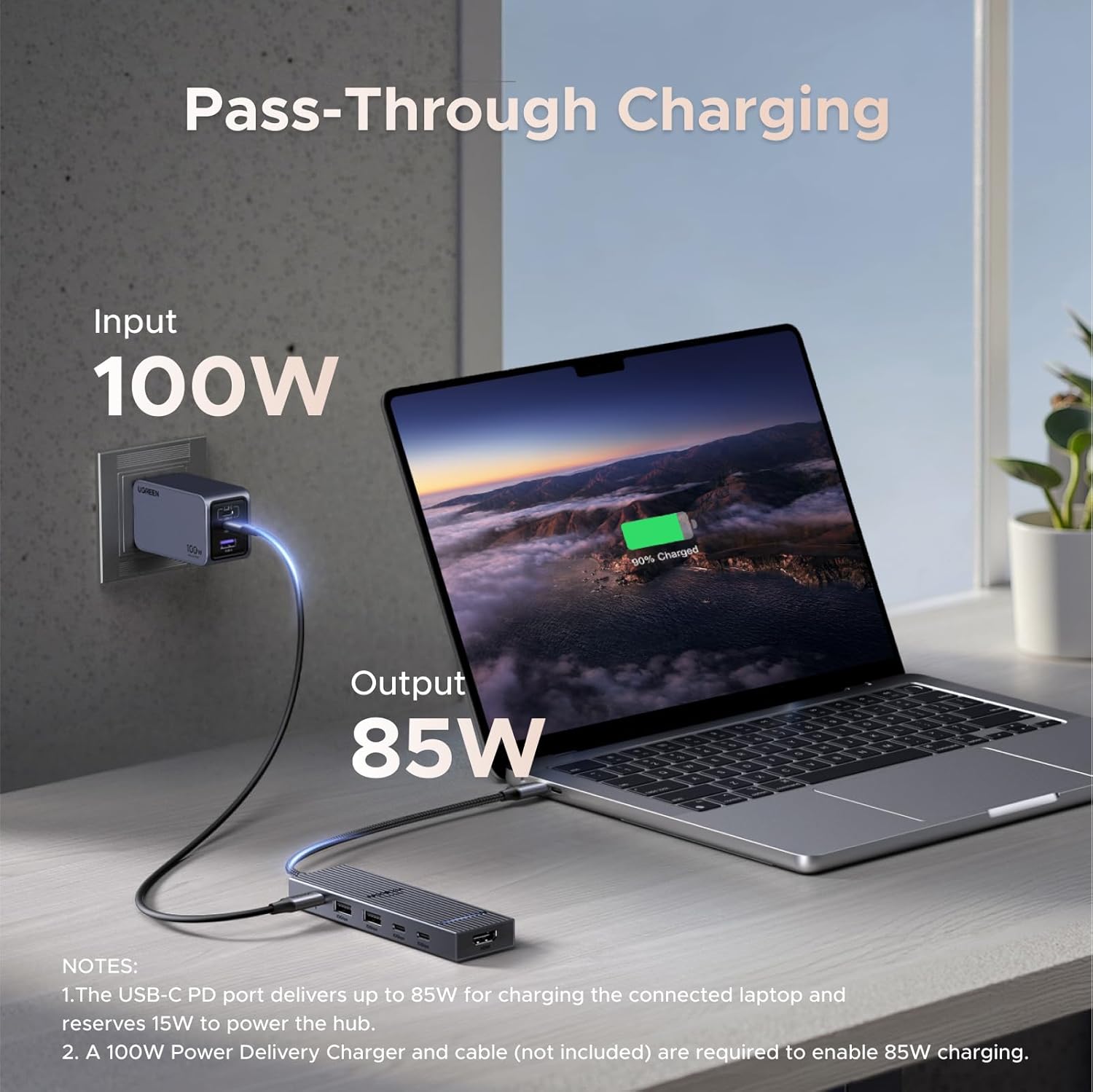
This dock will fully power the ROG Ally in 30 watt turbo mode if you use a 100 watt USB C power supply. Unfortunately the changer that comes with he Ally is not enough when going through the dock for some reason. A 65 watt Amazon basics charger that I have was also not enough. So if you want your Ally to run at max power you will need a 100 watt USB C power supply. I got a cheap $10 EIZLXQ 100W GaN Charger here on Amazon and it has been powering the Ally just fine in 30 watt mode through this dock.Overall the dock works really well, it can handle 1440p 144hz HDR through HDMI while also transferring files over USB at 100+MBs, a mouse with a 1000hz polling rate, and power delivery in 30 watt turbo mode on the ROG Ally all at the same time with no lag. Also no lag while playing games on the external display. In the week that I have been using the new dock I have not encountered a single issue with the display or connectivity. So I am very pleased with the dock for $14 and would highly recommenced it.Really the only minor complaints that I have is that variable refresh rate does not seem to be working through the dock. My display supports freesync and it works on my main computer, but the ROG Ally does not detect it as freesync compatible through this dock. It is possible that is something to do with the Ally or my specific monitor instead of the hub, I can't be sure. Also there are not enough USB A ports, I just do not use USB C data ports very much, but I just got some USB C to A adapters.The $6 BENFEI hub that I was using before this would have occasional lags just with the display running at 60hz (that is all it could do at 1440p) along with a mouse and keyboard. And it had horrible lag to the point of becoming basically unusable when a USB 3 drive was plugged in and pretty much just froze up when transferring data, so this is a massive upgrade over that.
Perfect Port Expander for M1 MacBook Air & M4 Mac Mini – Frees Up Ports Without the Hassle
I own a 2020 MacBook Air M1 (16GB RAM, 256GB storage) for mobile work and a 2024 Mac mini M4 (16GB RAM, 256GB storage) for my home office, and port limitations were driving me nuts, especially on the Air with just two USB-C ports. The UGREEN Revodok 105 5-in-1 hub, snagged for around $25, has been a lifesaver for expanding connectivity while keeping things simple and affordable. It’s plug-and-play on macOS Sequoia for both machines, and it perfectly hits my needs: charging, external displays, and legacy USB-A devices without dongle chaos. Here’s my experience after a week of heavy use.Pros: On the MacBook Air, this hub is a port-freeing champ. It uses one USB-C port and lets me charge via its 100W power delivery port with my 30W Apple adapter, leaving the second USB-C free for a Thunderbolt drive. I connected a 4K Dell monitor via HDMI (3840x2160 at 30Hz, sharp and stable), a USB-A keyboard, and an external HDD to the USB-A 3.0 port, which transferred a 50GB video project in under 5 minutes. No lag or disconnects. On the Mac mini, with its three USB-C and two USB-A ports, the hub adds flexibility. I plugged it into a front USB-C for a second 4K monitor via HDMI, using the native HDMI for my main display, and it handles dual displays like a dream. The USB-A ports ran my old USB stick and printer without issues. The aluminum build feels sturdy, stays cool even with all ports active, and is compact enough to toss in my bag with the Air. Battery life on the Air stays strong at 15+ hours. For the price, it’s a steal compared to Apple’s pricey adapters.Cons: The HDMI is 4K at 30Hz, great for work or editing but not ideal for gaming needing 60Hz—look at Thunderbolt hubs if that’s you. The two USB-A 2.0 ports are slow (480Mbps), so use the 3.0 port for fast drives. No SD card or Ethernet, but I didn’t need those. It warms up slightly under heavy load (charging, HDMI, data), but never hot.Tip: For the Air, connect hub, PD charger, then HDMI for a clean setup; pair a Bluetooth mouse to avoid USB-A clutter. On the Mini, use System Settings to extend displays for dual-monitor productivity.This hub is a must for Apple Silicon users needing more ports on a budget. It’s reliable, sleek, and does exactly what I need. Highly recommend!
Small Hub, Big Performance
I’ve been very impressed with this USB-C hub. The build quality feels premium, the 10Gbps data transfer is fast and reliable, and the 4K 60Hz HDMI output delivers a crisp, smooth display. The 100W Power Delivery keeps my laptop charged while using multiple accessories, making it perfect for a clean, productive setup. UGREEN did an excellent job balancing portability, performance, and value. Highly recommended!




 Marca: UGREEN