Especificaciones
- Color
- Green Purple
- Conectividad
- Bluetooth, USB
- Movement Detection Technology
- Optical
- Additional Features
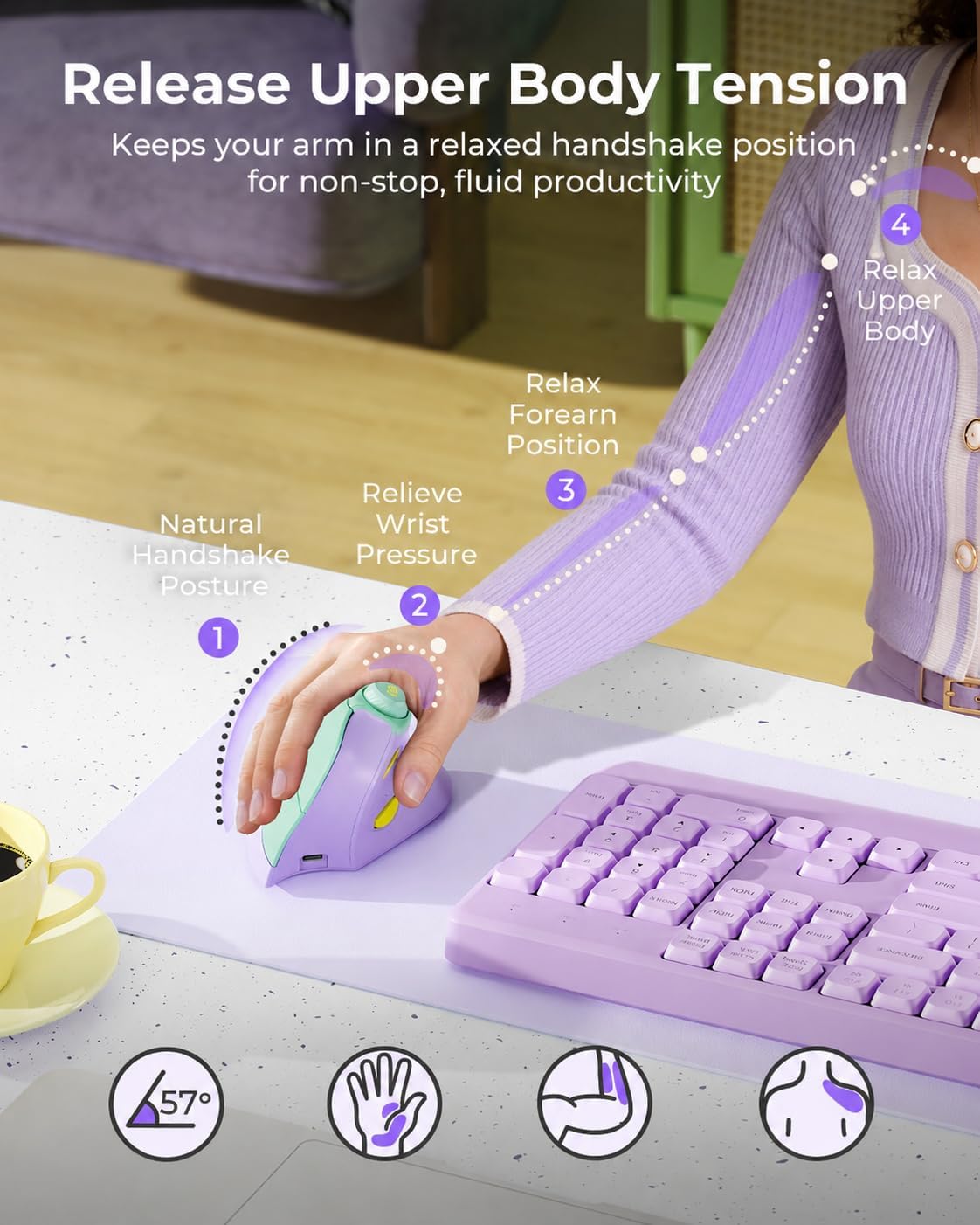
- Vertical Ergonomic Design, Volume Control Knob, 3-Device Connection, Quiet Clicks, USB-C Rechargeable
- Movement Detection
- Optical
- Button Quantity
- 7
- Hand Orientation
- Right
- Sistema operativo
- Windows 7+, macOS 10.12+, iPadOS/iOS 13.0+, Android 4.3+
- Battery Average Life
- 2 months
- Number of Batteries
- 1 AA batteries required. (included)
- Hardware Platform
- Linux, Mac, PC
- Alimentación
- Battery Powered
- Mouse Maximum Sensitivity
- 2400 dots_per_inch
- Minimum Required Operating System Version
- Mac OS 10.12 Sierra, Windows 8, iPadOS 13
- Range
- 5.0 meters
- Peso
- 0.17 kg
- Item Dimensions L x W
- 4.8"L x 2.9"W
- Unit Count
- 1 Count
- Antenna Location
- Office, Home Office, Remote Work, Study, Design Work, Video Calls, Streaming, Shared Workspace
- Model Number
- MOU-302
- Incluye
- Wireless Mouse, USB Receiver, Type-C Charging Cable, User Manual
- Fabricante
- seenda
- Garantía
- 2 year manufaturer
- Style Name
- Modern
- Theme
- Ergonomic Design
- Enclosure Material
- Plastic
- Finish
- Matte
Ver todas las especificacionesVer menos⌄
Calificaciones
4,6
★★★★★1.597 calificaciones
Las calificaciones provienen de Amazon.com.
Quiet, Comfortable, Convenient
I ordered both this mouse and the Proto arc because they are budget friendly and both have good reviews. Not much sets them apart, both are great options! This Seenda is slightly larger which I decided was best for what I need. (Hands 6.5in x 3.5in) Quiet, smooth, similar weight and feel when moving around. Similar control on the screen as well. Both incredibly easy to pair with my Macbook. I ended up choosing this one because I love the colors and I like the knob that turns the volume up and down. They both have buttons that when clicked, go back a page, or go forward a page. I will update my review if it is not durable.
Very nice and comfortable!
I have carpel tunnel syndrome in both hands, and using a regular mouse hurts my hand. My friend told me to buy an ergonomic mouse, so I said sure. I've never used an ergonomic mouse before or one that is turned on the side like this one. However, I bought this one because of its high ratings. I love this mouse! It's comfortable, easy to use, and has high quality. The color is great too for all of you pink lovers.It comes with a USB cord to charge the mouse. All you need to do to charge it is to attach the cord to your mouse and to your laptop and let it charge. You can also use the mouse while charging it. I read someone else’s review. They said that if the mouse isn’t working or communicating for whatever reason, you can still use it with its USB cord, and the mouse still words. It looks like the company put a lot of thought into making this device, and it’s well worth the cost. I'm glad I bought this; my hands don't hurt anymore, and it’s super unique.When I started using this mouse, it took a little time to get used to using it on its side. I couldn’t fully wrap my hand around it, but I’m getting more used to it and it feels great on my hand.The thumb buttons are for going back to the previous page you were on, or going forward to the next page. The button on the very top of the mouse is for the volume. You can also press it down, but I honestly don’t remember what that part is for. The other side of it is the left and right clicks with the scroll wheel. There’s another button above the scroll wheel also called the DPI button that allows you to quickly adjust the mouse sensitivity. You will also find the charging port on the lower part of the mouse where it divides, and there are several other buttons and the USB receiver on under the mouse for connecting the mouse t to your computer. A user manual comes with this device that guides you through the setup.Shipping was on time and packaged nicely. I give this a 5/5 and recommend this product.
Aadriana
31 de julio de 2026
My dog ate my old mouse
So my dog ate my old mouse and I said this was my chance to finally get my ergonomic mouse. I’ve been waiting for a valid reason. I work from home and needed something reliable. This mouse is FANTASTIC. It did take me a little to adjust to the forward and backward page buttons where the thumb rests and I definitely clicked one on accident a few times. But after some time you adjust. It feels good on my wrist and tendons and I have pretty small hands. Easy to get hooked up to my laptop, you just plug in the usb and call it a day. The charge has lasted a long time so far, but I do turn it off when I’m done working. It’s quick and the movement flows very well. Again this is just for work so I can’t speak for anything gaming related but I like it and I love the volume dial. Makes it easy to adjust the volume instead of finding which screen my controls are on.
Responsive and very comfortable!
My goals for a mouse are productivity and development, not gaming. Overall, I’m a really big fan of this mouse and will be keeping it as a primary mouse.This is my first ergonomic mouse. This mouse fits perfectly in my hand and does not strain my wrist or fingers. It’s extremely comfortable to use. It worked out of the box with no additional software, a huge plus as I need it to be usable with my work laptop. The clicks are not very loud, which is great. The battery lasts a very long time. The little thing I love the most is that it came in a cute color, instead of just the standard white and black. It’s a cute, responsive, comfortable, affordable everyday house with no extra software and confirmations needed for it to work. I love it.That being said, it has things to note. The scroll wheel is very basic, no fancy scroll features unfortunately. It’s not loud, but just basic. The volume scroll wheel is a little high, sometimes I hit it by mistake. Neither of these are big deals.If I could change anything about this mouse, it would be swapping the volume scroll wheel to a horizontal scroll. I have 4 ways to change volume across all my desk devices, but 0 ways to scroll horizontally. Finding a vertical mouse that provides horizontal scroll functionality without additional software is nearly impossible. That feature would make this mouse a favorite for productivity IMO.