JJohn Boyer
1 de marzo de 2025
Works as advertised
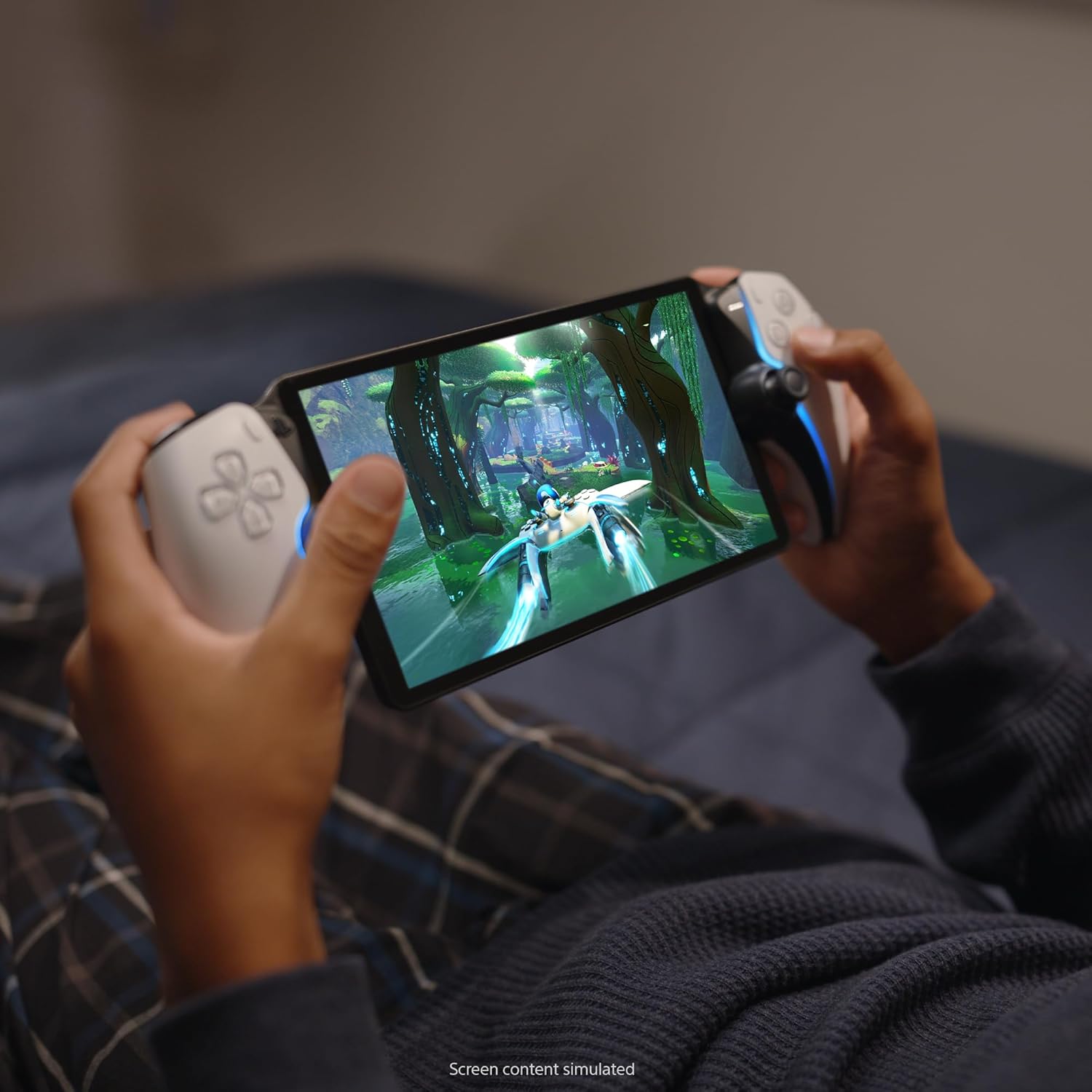
The portal feels lighter than it looks, feels a lot like dualsense PS5 controller. After a firmware update, you no longer are required to own a PS5 to use this product, as long as you have a Playstation plus premium subscription. With the subscription, you're allowed to use the beta feature to stream certain selected games (around 100). The portal functions like a Wii U gamepad essentially & it shows whatever is on your PS5 displayed on the portal screen. The portal will not play cloud streaming games if you try to access them through the PS5, nor will it function with any media apps.I started using my portal by connecting it to my PSN account. Then I made sure I used an ethernet cable for my PS5, because it allows for a smoother experience & lets you use the portal anywhere there's wifi available. I have not tested the quality of this feature, but I have spent dozens of hours playing games at my house when my gf or roommates are using the tv my PS5 is set up with. If several people are using the broadband then the portals connection to the PS5 will become unstable, but I can safely say that this is not a frequent issue.There's a bit of a delay but honestly it's not that much worse than modern wireless controller input delay. I wouldn't think to play games online with my portal but I've played a ton of elden ring on it & it feels great. I love handheld consoles but this isn't really a console, it's mostly an accessory. Despite that, I really enjoy it. It's hard to recommend to people because most people will be content playing their Playstation library on their tv screen, but if you live with several people & don't own several tvs, then it's a nice option for gamers.
AAmazon Customer
14 de marzo de 2024
I love this thing, but not for everyone.
I love the PS Portal. I didn't get it. I still don't. But I love it.Pros:- Can game anywhere in your home wifi network pretty well. Graphics look almost as good as the PS5. It has had a few drop outs while in the bathroom for some reason and it stutters. But generally only has happened a few times.- Works decently on phone hotspot. It's playable, granted it hiccups more than I'd like it too. And the graphics don't look as sharp as home network.- Feels like playing PS5 on the go, in bed, or lying on the couch. Almost the same graphical power and look- it doesn't look quite as good as tv but it's very close- especially coming from the antique switch.Cons:- No browser, so you have to use hotspot/wifi over connecting it directly while on restaurant/hotel wifi- No blu tooth audio, that's a big issue, but maybe due to latency? Wired headphones work great though.- No downloadable playable media. If it had this, this game system would be the king.- Hard to get (check out the app Hotstock. I found one in less than two days casually looking on the app).- Screen is quite reflective, so hard to play outside in the sun.- It sometimes drops wifi connection and it's laggy or slow during those moments, not great for multiplayer games where speed and accuracy is an asset.- It takes around 20-30 seconds to boot up. So if you're a grab and play for a few minute kind of person, huge disadvantage vs a switch, where I could pick it up and play immediately for 5-10 minutes. This is a bit more of a time commitment.- YOU HAVE TO keep your PS5 on rest mode or this won't function at all. If you have a home power outage while on a trip, you're carrying around a portal for nothing. Not only does it need to be on, but you need to be logged into your account on your machine.- My hands aren't quite as large so the controller is a little big in my hands compared to the smaller switch, so it's a little less comfortable, but doesn't bother me that much.- get a case, this thing is big and more delicate. The case makes it feel really solid. I got a clear case with a screen protector, it's nice.Reasons I got a Portal:I love handheld gaming - I've played my switch 90/10 to my ps5. My biggest drawback to using a switch or a steam deck, I like being able to play on the TV and on handheld- but the switch has huge graphical drawbacks, so I never hooked it up to the TV. It's really cool to have your games all be on one cohesive network of games and saves. The screen is really nice and looks about as nice as playing on my TV.Anyone that approaches this with an open-mind will love it. I'll probably keep my switch for trips and keep the portal at home for playing in bed or lying on the couch. I've enjoyed it- once they get a PS5 connected handheld that can download games and create a cloud saving- I'm completely in.
A Dream Come True for Cozy and Remote Gaming
As someone who loves gaming but doesn’t always want to sit in front of the TV, the PlayStation Portal has been one of my favorite gaming purchases. The device feels comfortable to hold, the screen is beautiful, and the controls feel just like using a regular PlayStation controller. Setup was simple, and I was playing my games within minutes.What really makes the Portal shine is the flexibility it offers. I can stream games directly from my PlayStation console and continue playing from the couch, bed, or anywhere with a solid internet connection. The performance has been smooth, and it feels surprisingly close to playing on the console itself.The addition of cloud streaming has made it even better. With a PlayStation Plus Premium subscription, I have access to a huge library of over 1,000 games without needing to download them to my console first. Between remote play and cloud gaming, the Portal has become my go-to way to enjoy PlayStation games. If you’re already invested in the PlayStation ecosystem, this device is absolutely worth it. Highly recommended!
So glad I got this!
So I was very skeptical with this and got the Asus first. That didn’t work for the games I have on my PS5. I heard horrible things about this like it doesn’t work at all, it breaks easily, doesn’t play the games etc. Talked to my husband and his best friend and they said to get this. I am OBSESSED! I literally turned it on, connected it to my PS5 and started playing. My computer screen on my PS5 came on as I was playing the portal and it was mirroring which was awesome to see. It plays ALL the games I have. I was most worried about Battlefield 6. It played this like a pro! No hiccups, no lag, no nothing bad at all! The speakers could be louder but it’s all good! Got a case and kit for it to protect it. Had the PSP back in the day and this is just as great! Haven’t traveled with it yet. I wasn’t planning on it though because we typically pack up my husband’s Xbox and take it everywhere. Haha I got this due to my medical issues. Can’t get out of bed half the time so this has made gaming very enjoyable again. I had to stop playing for a couple months but not anymore! It’s definitely sturdy, sleek, comfortable, reliable, and very easy to use. Thank you SONY again! Never switching like I’ve always said!



 Marca: PlayStation