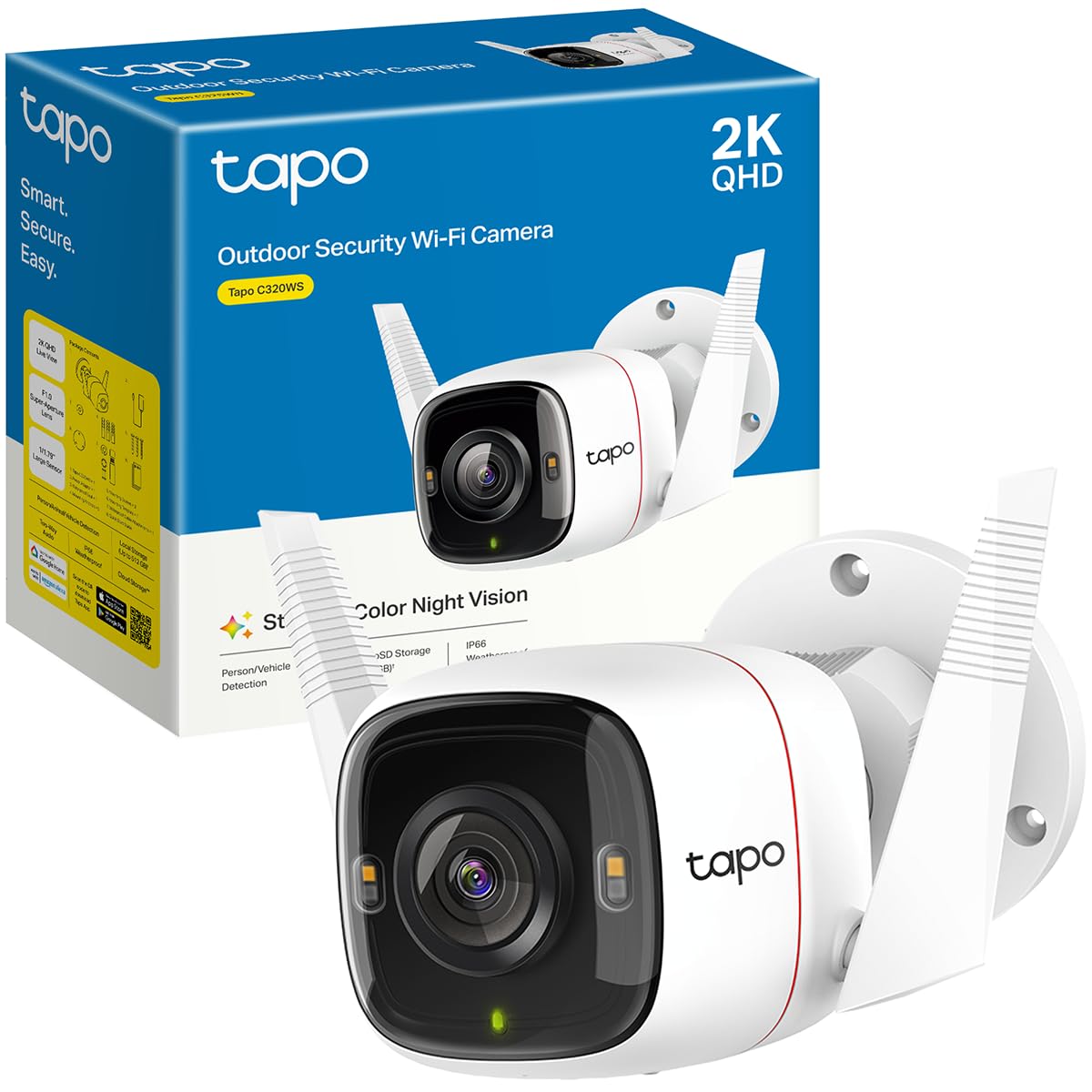
Tapo 2K+ Outdoor Wired Security Camera, C320WS, Works with Alexa 2K QHD
Más de 200 compradas el mes pasado
US$41.99
Precio en USD + envío por peso real. Llega en 5 a 10 días hábiles con Envi Express. Pagá en línea con tarjeta.
Más de 200 compradas el mes pasado
US$41.99
Precio en USD + envío por peso real. Llega en 5 a 10 días hábiles con Envi Express. Pagá en línea con tarjeta.
Designed and built for your family's safety and your convenience, the Tapo Smart Outdoor Security Wi-Fi Camera with 24/7 Recording C320WS will keep AI-enhanced watch over your outdoors. Featuring ultra-clear 2K 4MP QHD resolution video rest assured that no details of faces or objects will be missed. Even at night, the dual-integrated spotlights and starlight night sensor work together to provide high-resolution and full color night vision so nothing can hide in the dark, and an integrated IR sensor enables long distance night vision up to 98 feet away.
Crisp 2-way talk quality is accessible anytime at the push of a button, and you can also trigger the built-in speaker to play a siren to ward off intruders. Using advanced AI algorithms, get notifications that matter with person, pet, and vehicle detection, or create custom activity zones near vulnerable areas like windows to get immediately notified someone is there. Deploy the outdoor security with peace of mind because camera is truly weatherproof with its IP66 rating, protected from harsh rains and particles.
Compatible with Amazon Alexa and Google Assistant, you can stream using Echo Show or Google Chromecast. (2 year warranty). Compatible with RTSP/ONVIF for integration with your NVR system.
4,5
7.540 calificaciones
Las calificaciones provienen de Amazon.com.
ToddWisconsin
18 de abril de 2023
Another Great camera from Tapo
I bought the 2 pack Tapo security camera last month as a upgrade from a similar camera. On my review of that order, I noted that I planned to expand my system with more cameras in the future . About a month has gone by and my feelings for this system are still the same. I added this OUTDOOR camera to replace an older camera on my driveway. The COLOR night time view literally blew me away. At first , I started getting too many false alerts picking up cars on the road. I then made a "BOX" for the motion sensing that didn't include the road...Boom..No more false alerts.. I did notice if I enable the " AI "mode for vehicles..It still picks up the cars that I didn't include in my motion area I chose...it seems Like it overrides the box and looks at the whole screen. This was easily fixed by disabling the AI for AUTOs. Setup was a breeze , just adding it to my other 2 Tapo cameras . Details are clear and I can easily read a license plate anywhere in my driveway. Alerts are sent almost instantly , and I will probably activate the free trial on this camera for offline storage. Remember to buy the 256 gb SD card when you buy these cameras. 2 screws must be removed to put the SD card in , and they are tiny tiny screws. Once you insert the card , you will be good to go. The software will format the card , and you can choose 24/7 recording , or motion activated recording. Record the motion clips that you want , save them to memory , then go to memory and you can view , download , or delete the clips to your phone. You can do all of this without a subscription. It's a great addition to my security system , and I plan to add the Battery Powered cameras in time so I can view my backyard . Tapo has proven to be a great family of security cameras for all situations. Whether it a baby monitor , outdoor , wireless , battery powered, or motion tracking , this collection is great and all work together with one well written ,easy to use app. Keep up the great work Tapo !UPDATE : After a couple of months use , I thought I would add to this review. Now , someone user left a Lengthy review and 90 percent of it is user error. You can EASILY record video to your phone from the SD card without removing anything. If you get a notification ,So .... The way to save videos does actually vary between my indoor and outdoor cameras .The Indoor cameras have 3 dots after the clip , and if you select the 3 dots it gives you the option to DOWNLOAD the clip . Selecting this DOWNLOADS the clip to the MEMORY of your SD CARD ... Then if you look up toward the top of the screen .. You will be able to select " Memory " and all the clips you downloaded will be here .... Selecting the clip you want will give you the option to delete , view , or even Download this video to you phone .NOW ... the Outdoor camera has changed a little bit on how to do this without a subscription....When you are watching the selected video , you must press the little camera button while viewing the video , then press it again to stop the recording ... It will the save the clip you recorded to the " MEMORY " section of the SD CARD.. At this point you can click on the clip to view , delete , or DOWNLOAD it to your phone! It's 2 easy steps to save it on your phone...Once you know how to do it , it's very easy....Don't believe the users that say you can't save clips to your phone ..Now for an actual small issue I had . My outdoor camera has an occasional issue ...I attribute this to the distance from my router. Last week , the spotlight stayed on for a couple days???...I unplugged the unit..Rebooted it...multiple times and it was not working correctly... I will admit I was a little upset..but I decided to do a factory reset by pushing the reset button that's in the SD card cover...That was the best thing I could have done ..I reconnected it to my app ..And the camera is now working correct again.... No dropouts , Motion Spotlight works , and I am happy it was just a factory reset that it took to fix it .. It's been working good for 2 weeks straight now ...We did have a power outage a couple weeks ago , and I think that may have messed my outdoor camera up a bit ..Overall...I still think it's the best budget camera system you can get.. No monthly fees and still does everything I want it to do .After months of use, I came up with the following way to set my camera up as the best for my driveway ,and sidewalk . I DISABLED motion sensing , as ANY motion including trees , shadows , distant cars , would always trigger alerts , I disabled the vehicle sensing as it would alert me of all the cars on the road .. I set " Person " alert and this picks up all " people " riding or walking and works perfect ... The other setting I enabled was " Line crossing " and made a line that gives me a notification if anything crosses the middle of my driveway . The combo of Line crossing , and Person alert has made this system work the way I wanted it to .. I see my driveway , and the road but do not get alerts for the traffic on the road .. Only if they pull in my driveway ... The person detection seems to work great when a person is walking anywhere ... It took a little bit of playing to reduce false alerts ... But now that I have it tweaked out , it is an amazing system to have.
FTK
Best cameras on the market… And yes we have tried them all!
Hey guys!Don’t know if you heard but Amazon is shutting down their Cloud Cam service now that they own Blink and Ring >_<Sucks for us because cloud cam was a pretty decent cam, with good features, and was convenient to access. We tried their new Blink cams and it was hot garbage, felt and looked like a big step down in quality and features. Google cams were not any better, and we already knew from previous experience that Arlo is very unreliable. Ring is decent but can be quite a bit overpriced and doesn’t have live viewing for all cams or camera sharing to family members/house sitters, and in general are very bad for high traffic areas because they are battery powered. So we tried Tapo, a Brand that TP-Link owns and brought to the USA from EU just recently. These things have more features than I could imagine or need, and have AMAZING night vision and quality.We just finished swapping all our cams last night and are hugely impressed! They have so many customization features, if motion alerts don’t work for you because the traffic in my area is too high they have a amazing feature called lime crossing alerts where you can draw a line on the screen and it will only alert you if somebody or something crosses that line in the frame. Super convenient for high traffic areas!!! You can also customize how it alerts you and even have it send you a still frame image with the alert if it catches a person going into an area you have restricted. They have a much more powerful Wi-Fi signal than any camera I have ever used before and that’s probably due to the high-quality antennas installed on them, they are also weatherproof by design so I don’t have to go buy any third-party accessories to make them with resistant, or pay double the price for a weather resistant model like with Ring and Blink. You also have the option to wire them directly to an ethernet cable for a hardwire experience if your Wi-Fi is unreliable in your area. The cameras load very quickly and have a crystal clear image that blows all the other brands we have tried mentioned above out of the water. There’s simply is no contest. They even have a built-in siren and flashing lights that you can have set up as an alarm if someone goes into a restricted area you have set up. It’s not the loudest siren in the world but it will definitely get a would-be-thief’s attention and let them know they have been spotted, as well as get the attention of everyone else nearby. You also have the flexibility of setting those alarms on a schedule as well so you don’t have to worry about the mailman or something setting them off. I also enjoy the fact that you can live view multiple cameras at once, set up custom groups of cameras you want to see at the same time, share cameras with family friends and neighbors (they won’t be able to change any settings but they will be able to view the cameras and see alerts). And another amazing feature that it seems like every other brand is lacking you can put a SD memory card in the camera that lets you have a hard backup off the cloud. Or you could even use it as an offline camera and it will still record to the memory card and you can access your footage as long as you are on your local net work without any Internet access necessary (you only need Internet access for the initial set up). The memory card also allows you to run the cameras without needing the cloud service subscription !! Although you will lose certain premium features that rely on the cloud service in that mode operation. But the sheer flexibility of how they have set everything up shows that they have taken customer concerns and requests to heart, and actually acted on them! No other brand offers all of this. Did I also mention you can even access and manage your cameras from third-party software if you desire because they have that feature built-in as well!TP Link with their smart home devices has been known for quality and features for several years now, and I am very happy to say they continue to step up their game with this new Tapo line! They simply blow every other home camera system out of the water with quality and features m, there just is no comparison.
Juan
14 de julio de 2026
Small review.
Camera arrived with everything working, it's easy to install and configure using the Tapo app, If using it wireless I do recommend to first configure it wired next to router/switch, makes everything easier, when doing the setup it will also ask you for wireless setting.Bought this to replace a failing 10 year old camera, the camera resolution is great and, compared to my old camera, everything looks so clear even ar night.Lastly, it can be added to Alexa App and Samsung's SmartThings, it can also be used with other NVRs using ONVIF/RSTP (haven't tested this).
M2
31 de mayo de 2026
Super Great - Needs POE
I've bought 3 of these over the past 2 years, and we love them. 4 Stars because I really wish that they came with a POE adaptor. That's another 14$. My requirements were: great video recording, local storage, RTSP enabled, no subscription required, POE.