JJulaine
3 de abril de 2024
Wow! I'm in love. Plus and Update
I had thought about buying a robot vacuum but made the mistake of buying a cheaper one and I hated it. Years went by and I decided again. I have a Shark upright vacuum and am sold on Shark. After seeing that they now have a self cleaning attachment, I got excited because I know how little the actual unit will hold. So after days of reading reviews, I decided on one but it was pricey. So I saw that they had a used one for about half the price. I got it and whoever had it before never emptied it and it smelled bad. Sent that back and went review shopping again and found this one. It cost more for a new one but after the last experience I decided I didn't care. A new one it was.I am so pleased about getting this one and it being new. No one else's problems and no smell. I set it up on my phone, which I have little experience doing, by myself. I mapped out my rooms and did a test run that went well. The next day would be the big experiment because I had it scheduled.The first scheduled run started on time and it went through my entire condo going in areas I didn't see it going through during the test run. I followed it around like an idiot just amazed at how it knew where to go.I only have it scheduled for the first level of my condo because it can't go up the stairs. But I only have my loft up there anyway. I'm guessing it cleaned about 600 sq ft, which is my bedroom, bathroom, hallway, kitchen, living/dining area and my entryway. It went from my medium height carpet, down to my kitchen/bathroom linoleum floors with no problem. It also went up on my high shag rug by my bed and the high bath rug in the bathroom!After it was done, it went back to its dock and it only took about 5 seconds to suck all of the dirt/pet hair into the container, I saw that it had used about 50% of its power. So it could have done 1,200 sq ft before a charge if I had needed it to.I had it scheduled to vacuum every day but have changed that to every other day as it did so well. I should say I have two cats and a teenager living with me here.One thing that I make sure of is that everything is off the floor, which makes me keep the house nice. If there are things on the floor, it will go around them and you won't get the full vacuum you desire. Even make sure electrical cords are off the floor too. If you have high enough furniture, it will go under that as well, which is a treat.The instructions it comes with are not detailed instructions, but a look on the internet or YouTube on how to set it up are great.Thank God I gave the robot vacuum another chance. Love it!UPDATE: I have had this Shark for a little over 2 years now and still love it. It has become a member of the family. lol I just wanted to add how it is holding up. I have learned all of its little issues, like sometimes it doesn't go when scheduled only to find it didn't dock correctly and it didn't charge, or something gets stuck in the bar that I have to pull out. I decided to buy replacement filters for it. I have kept it the actual robot clean, but haven't thought much about the filters on the inside of the canister, the suction part of the machine. Let me say, you need to keep those filters clean! I didn't even realize there were filters in there until I bought replacements and saw all the different type of filters it used. I had to pull up a YouTube video to see where they all were. I was amazed how filthy everything was in spots I didn't know existed. Just wanted to give you all a heads up to make sure you realize there are filters on the inside of the canister that should be periodically replaced or cleaned. They sell on Amazon a package of everything you will need to keep all the removable parts replaced and clean.
BBrandon
25 de noviembre de 2022
All around great robot vacuum
TL;DR: This robot vacuum is awesome and worth every penny. Highly recommend this vacuum to everyone, my wife agrees! Happy wife, happy life! Might buy another for my upstairs. For a robot vacuum, it does what I expect and makes my life easier. I don't make it pick up large debris, robot vacuums seem to perform best with small debris. Large debris may get stuck or caught. Lidar works phenomenal, but with some hiccups when mapping house (mostly human error). Routing around obstacles works well, slows around objects and if anything is bumped it's so light and cushioned, it's not a problem. 5 stars overall. 4 stars deep cleaning and suction leaving room for improvement, it's a robot vacuum, what do you expect? Probably has Alexa integration, but I use Google assistant and it works great!---I ordered this back in July 2022 and got it end of the month. I waited some time to let the excitement die a little before posting a review, but it never really did. This is my first robot vacuum and one of the best purchase decisions I have made this year. When researching for the right robot vacuum, I found that most of the highly rated vacuums don't seem to make it past 6 months or a year when reading reviews. Also manufacturers seems to make new models every year, so finding something that is reliable and lasts longer than this timeframe is hard to find. Of course, I am only onto my 5th month of owning this vacuum.When I broke the vacuum out of the box, my first inclination was to take it out and get it started. But thinking about the other reviews I have read on this vacuum and others like it, I wanted to read the instructions first. This is not a regular vacuum that you plug in and push. It has lots of little parts that make it different and potentially not taking care of it properly could damage the device. So anybody reading this, read the instructions first. Understand how to properly take care of it and clean it. Also, comparing to other reviews, clean it regularly.Now for my somewhat long review:Is it quiet? Yes and no. It is a robot vacuum, how loud do you expect it to be? You're not doing the work, but it is. It is quieter than a regular vacuum, but no idea how quiet other robot vacuums are. If a robot vacuum is loud or quiet, who cares? What matters is that it can clean stuff.Can you watch tv while it runs? Yes you can watch tv. Just turn up the volume a little, no need to blast it like when running a normal push vacuum.Can it pick up everything? No, it's a robot vacuum. Don't put too much trust in it. What I typically do is remove all obstacles (cords, bags, blankets) from the ground and any larger debris that might get caught in the motors (cotton balls left from the dog, pieces left behind from chewed up toys, strings from rope toys).Dog hair? My dog constantly sheds, but has short hair. I run it twice per week on thin carpet and once per week on hard floors. I don't notice the dog hair until I see what the vacuum picked up and it does a great job! The majority of stuff this picks up is dog hair and a lot of it. For longer haired dogs or thicker haired dogs, I assume this will get the job done as long human hair doesn't get stuck at all like my regular vacuum does.Small leaves? It picks up small leaves and debris similar size, but may leaf some behind. It also might get caught in spinning brushes and make a slightly louder noise on hard floor. I waited for it to finish and then pulled the leaf out, no harm.Dog kibble? Ok this one was an accident, didn't see it against the brown colored floor before starting vacuum. Sounded like the robot was choking and about to die, literally. I had to stop it right away and retrieve the small rock sized (width of thumbnail) dog food from the vacuum.Can you run it when away from home? I read too many horror stories of vacuums cleaning pet poop, but it is not the reason I don't start it when I'm not home. Like the last two points, if something gets caught, you need to be there to fish it out. I may have spot checked the floor, but even that sometimes isn't good enough. Also, one time a week or two ago, it finally got confused and couldn't move past a futon leg. It kept spinning back and forth (maybe for 5 minutes) until I nudged the futon half an inch, then it broke free of its endless loop. This was the only time this ever happened since I got it. Every other time it does an excellent job of finding its way through, even finding its way through a jungle of table and chair legs.Lidar mapping floorplan? Simply amazing! I had it map 4 different rooms. The first time was great, but missed a few minor areas, of which was my fault. I left things on the floor and in the way of the robot when it mapped the floorplan. The second time, I removed the obstacles, but it didn't map another room properly. The third time, I removed a chair, which the robot vacuum had just enough clearance to fit under (1st time it went under, 2nd time it did not), so that it can map that area of the carpet and not count it as a wall.Lidar in general? It works great to avoid obstacles and get around legs of any sort. Only thing is if the leg is curved, like my kitchen table, it doesn't know when to properly maneuver around it. But no worries! The bumper is amazing! It lightly bumps in to obstacles and the vacuum does a minor adjustment to figure out how to go around it.Damaging furniture? Nope! Doesn't happen. The robot is so careful around obstacles and even when it does bump things, its lightly bumps it and doesn't scratch or anything. When it approaches obstacles (walls or furniture) it moves at a slower pace. This thing is intelligent.Suction? For a robot vacuum, it does everything it needs to and does it very well. There are different levels for suction in the app, I have only needed to use the normal section. The max suction I have never needed to use, but it is an option if things get too out of hand. There is also an ultra clean option, not tried it, but think it just spends more time going over stuff. If I ever try ultra clean option, maybe need to change deep clean star to a 5, but I'm making the assumption that it will never perform as well as a normal vacuum.Battery? I run two rooms per day I run it, but sometimes do all 4 rooms when I forget to run it. It lasts easily to finish all 4 rooms with charge left over. I'm guessing lowest percentage of battery life was 35% or 40% after doing all 4, this is a wild guess though, could've been higher. For 2 rooms it's usually at 60% after it's done, that I know for sure.Emptying? It has a bin that it empties to. If the robot either runs for too long (or not sure if it senses if it is full of junk) it may return to the docking station to empty itself. This system works great, but the bin needs to be cleaned out occasionally. There is also a filter in the bin system that needs to be cleaned, just like regular vacuums may have.App? No issues running it on my Android. Can select rooms and see the layout easily. Drawing rooms works great as well!Robotiness? It makes all the noises a robot vacuum should and it's awesome! Just thought you should know! Beep boop boop!Ratings: I give it 5 stars because as it is a robot vacuum, it meets all of my expectations. 4 stars on deep cleaning and suction because it isn't perfect, but is excellent as a robot vacuum. I haven't used my regular vacuum in the areas that this one runs because it seems to do such a great job. Integration with Google works great! I don't use Alexa with this one. Again, this is one of the best purchases I made this year. Definitely recommend this vacuum to everyone. Don't spend $1k on something else.
CCharlee, The (Mostly) Happy Shopper
4 de enero de 2023
Can you love a vacuum? Because I think I do. UPDATE: The love is gone. I think I hate it....
UPDATE: I've had this Shark vacuum for a little over a year now, which means I am no longer covered under the warranty. Figures, since it doesn't work anymore. It started throwing out codes because of the cliff sensors. A bit frustrating as it's only used on the main floor and there is no place, at all, where it could possibly fall. For some reason though, while sitting in the middle of a completely flat floor, it thinks there's a ledge it's going to tip off of. I googled and googled. I tried the tape trick, the paper trick, anything where you could try and fool the sensors. None of that worked. I reset it multiple times. Unplugged it for weeks. Deleted the robot and rebooted. Everything. It starts, gets a few feet into cleaning and then no matter what I do or where I set it, keeps telling me it's detected a cliff. There. Is. No. Cliff!! I have no idea why they don't include a feature where you can turn off those stupid sensors, but they really need to consider this as during my googling, I discovered I am far from the only one with this problem. I now have a robot vacuum that just sits there, unplugged, until we do our next dump run.Original review: We have an Anatolian Shepherd/Hound mix. Never in my life have I had a dog that sheds like he does. There is hair everywhere. I could sweep to my hearts content and all he has to do is walk by and it's like a hair storm. We already had a robot vacuum but it was an older one. There was no wifi or mapping capabilities and it definitely didn't have any way to self empty. Unless by self empty, you mean I did it. I mean, it worked well enough.....when it didn't get stuck in a corner, under the couch, in the bathroom, by the bed....I could go on. It also had preferences when it cleaned. By preferences I mean it would clean one area over and over while completely missing others. I needed something better. I decided to splurge and purchase this one after researching for weeks and reading all the reviews I could find. Now, before I go on I should note that we have no carpet anywhere in our house. Even our kitchen floor mats are made of PVC material so I can't say how well this would work if you have carpet.When it came to set up, it was a breeze. I downloaded the Shark app as instructed, set up an account and it connected to my wifi and Alexa with no issues. I didn't even think of coming up with a name so I just picked one that Shark suggested. The good thing is that you can change it later if you want. I let it charge and then started the mapping of our main floor. Our house isn't huge so it only took a little over an hour to complete. Once it mapped, I was able to add names to rooms via the Shark app. This comes in handy if you need a deep clean of one particular room or don't need the whole house done. I then let it loose to vacuum. It did a couple rooms before going back to the base and emptying and then went and finished the rest. It didn't get stuck anywhere and there was no going over the same spots while completely missing others. The whole process took about an hour and I was able to get other things done while that was going on. The best part is that it did a fantastic job of getting up the dog hair. We decided to set up a schedule for it to vacuum every morning. We are both at work so Mr. Steve McClean is on his own. I went into the app and just picked the days and times in which I wanted it to run. With this daily schedule, we have noticed less and less hair accumulation on the bottom of our socks. If that doesn't scream success, I don't know what does!If I have to give a negative, it would only be that I don't like how loud it is. If you are trying to watch TV or listen to music (without earbuds), you won't be able to hear well when it's in the room. Since we aren't home when it vacuums, it's not really an issue but still something to mention. It isn't quiet. Aside from that, I absolutely love this thing and couldn't be happier with its performance.
AAmazon Customer
8 de diciembre de 2024
Overall very happy with this product.
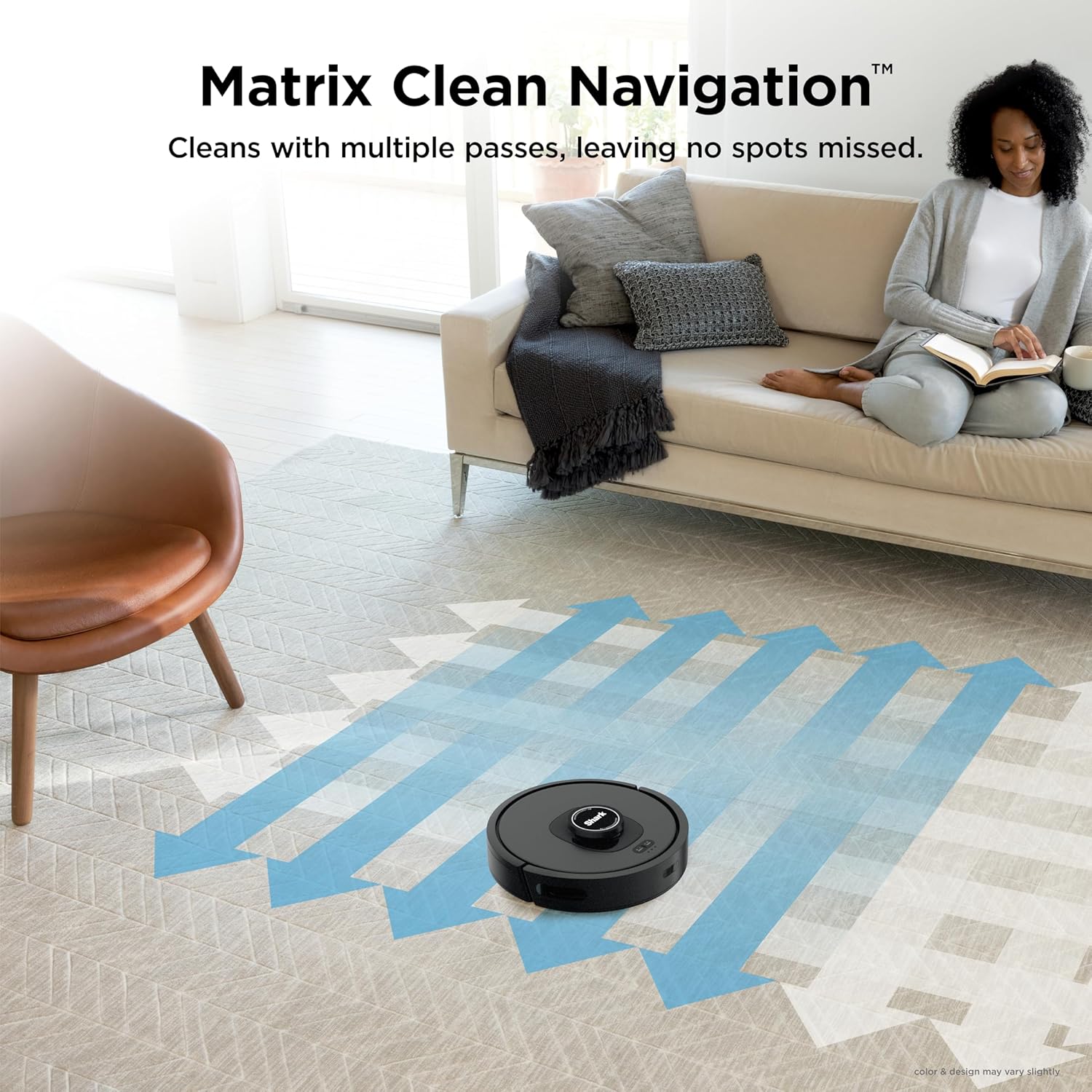
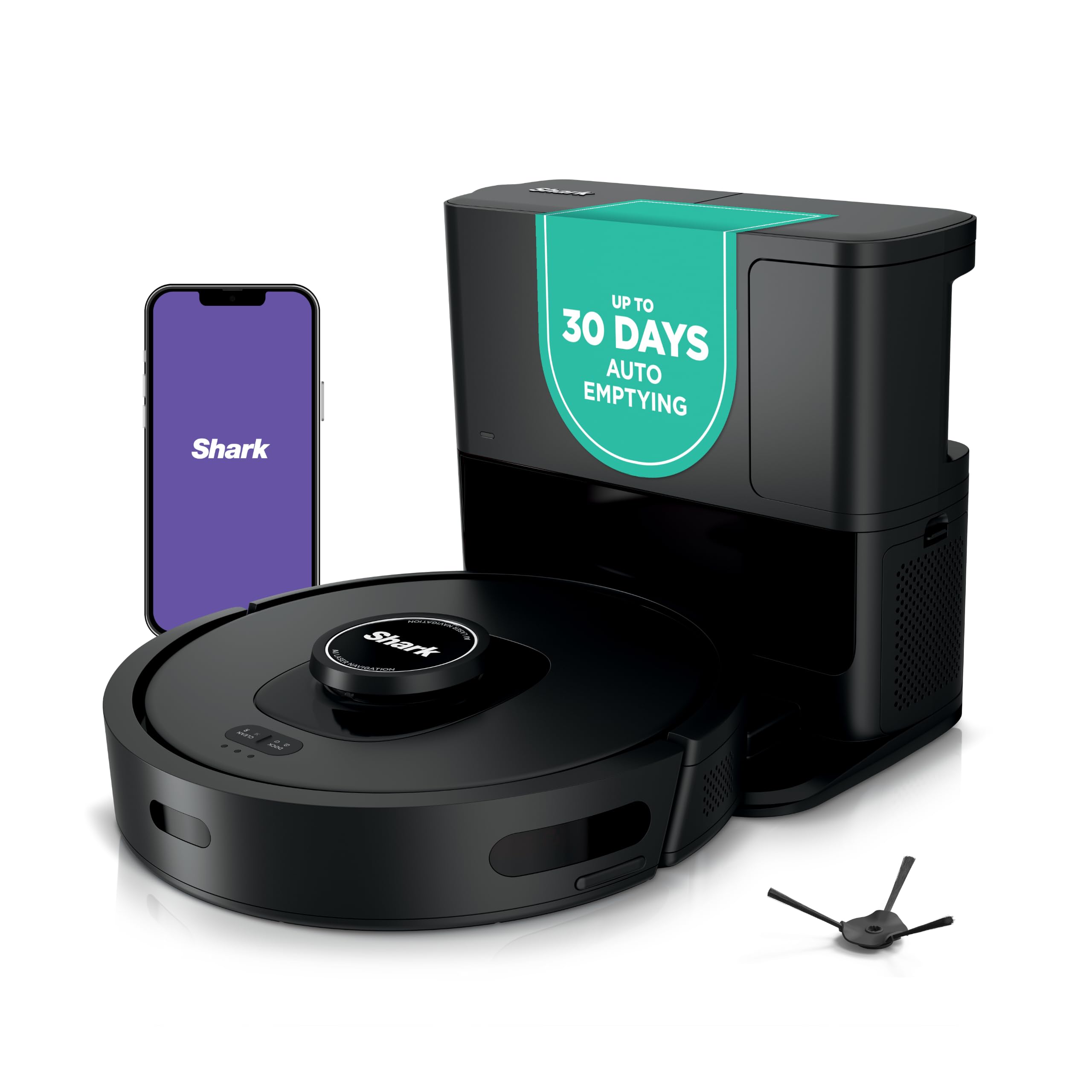
My Usage and Overall Comments:==============================Have had the Bot for 2-3 weeks now.Mostly used on 2nd floor (bedrooms/bathrooms/Loft area) which is 90% carpet. I mapped this floor only.Occasionally used on 1st floor, which is about 50% carpet. (Not mapped).Overall it seems to do a pretty good job, keeping in mind these Bot Vacs are not meant for DEEP cleaning carpets.Much quieter than my old Neato Botvac80!Cleans my 2nd floor on a single charge with BOOST cleaning, and recharging takes about 3 hours.Overall I feel it's a good Robot Vac, but wouldn't spend more than $300 for it.Floor Mapping Review:==============================- My 2nd floor is about 1,000sq ft and it takes about 10-12 mins to map it.- It's not the greatest at mapping. It will sometimes take 2-3 "Explore" runs for it to get it right because itoccasionally misses entire wall sections.- Adding/Changing/Removing Room Labels and No-Go Zones on the app is pretty easy.If you're older, it's easier to do it on a Tablet vs the phone.- I noticed that once it completes the entire cleaning run on the 2nd floor, it seems like it internally compares the resultswith the full map(??), and if it detects area's that it missed it will go back to them to clean them.When it does do that, it doesn't always clean them in the most efficient order, often running from one end of thehouse to the other to address these areas. I have also seen this behavior when tasked with cleaning a specific room.It's will sometimes bounce around in the room getting the spots it feels it missed.- There have been times where I've seen it do several clockwise/counter-clockwise spins in the same spot as if it's tryingto decide where to go next. Sometimes these crazy spins can last 30-40 seconds.- So far no problems with it finding the Base Unit and Docking with it.- Mapping is only required if you need to specify No-Go Zones or want the ability to vac a specific room(s) so you CANdo like in my case, map the most commonly vacuumed floor (ie: 2nd floor) then manually initiate a cleaning for the 1st floor.(see more about mapping in my "CONS" section).Detailed Review:==============================PROS:- It's fairly quiet. You can actually have a conversation standing next to it as it's cleaning.- Their SHARK CLEAN app is easy to use. Again, if you are older using it on a Tablet (larger screen0 will be a better experience.- The self-vacuuming / evacuation unit works well, typically removing 95% of the bot vac's contents.- So far have not had any issues with it getting stuck in a corner, going over room thresholds/transitions, etc.- Bump avoidance it pretty good as long as objects are high enough for the Lidar Sensor to see it.- No issues transitioning between carpet and hardwood/tile surfaces.- Although it may not take the most efficient paths on occasion, and sometimes re-cleans a section(s) 2-3 times during it's total run,it does appear to do a very through clean, cleaning all the places that it possibly can reach.- It does well respecting No-Go Zones.- Ledge detection works well also, but the fall-off is only detected after about 25% of the bot is hanging over the edge - depending on it's speed.It can be nerve wracking to watch near stairs!!- The Evacuate and Resume feature is nice to have. (After every 30 mins of cleaning, it will return to the Dock to empty its dust bin thenreturn to clean where it left off.- The Do Not Disturb Schedule works well.- The No-Go Zones work well.- Although I have not had a need for it as of yet, I'm confident the Recharge and Resume feature will work fine.FYI:- Initial WiFi Setup: I did have an issue trying to pair the Bot with my phone. I think after I rebooted my phone it finally worked.- Annoying - if you remove the Bot's dust bin while it's ON, it will complain stating it's dust bin needs to be replaced.- The foam roll filter in the Docking station gets VERY dirty real fast and needs to be cleaned every 2-3 runs.It's easy to clean, just tap over a garbage can to get the bulk off, then slide off the foam roll from it's base and rinse in a sink.Let dry completely before returning to docking station.- The Evacuation system will engage EVERY TIME you return the Bot to the dock. So if you pull the Bot off just to check the roller, as soon as youre-dock it, the evacuation system will turn on.- The Evacuation system is as loud as a typical upright vacuum, so keep that in mind when deciding on a location for it!!!- I have not tried the SCHEDULED Cleaning at all. I personally prefer to manually initiate when/where I want it to clean.CONS:- I was not able to Register the Bot via the app - kept saying "Something went wrong". Had to do it online.- The app could use some improvements/updating, like showing the current location of the BOT and what it's cleaned so far as it's running,estimated time of completion, etc.- Deleting your map when you want to do a "Re-explore" (ie: Re-Map) can take a minute or two to complete.- "Matrix" cleaning can only be performed on one room at a time. So if you have 3 kids bedrooms you want to Matrix clean you have to select one,do the cleaning, then send it out again to do the Matrix cleaning on the 2nd bedroom, etc.You might be able to work around this by setting up 3 Scheduled cleanings(??), one for each room.- The Mapping system could be MUCH better. I can understand it not mapping a shoe on the floor, but missing an entire 10-FOOT WALL SECTION???Would be nice to have Multi-Floor/Level mapping also.- I've run into an occasional issue where after doing a manual cleaning (via press of the CLEAN button) on the 1st floor (not mapped),then using the app to vac a specific room on the 2nd floor (mapped), it will clean the room, but then starts re-cleaning the last 3-foot sectionover-and-over until I manually stop it. Others also have reported odd issues jumping between "Mapped" cleaning and "non-Mapped" cleaning areas.The fix for me was to delete my map and have the bot do a re-explore to build it again (and hope it does it correctly on the 1st pass).If this issue continues, I'm toying with the idea of not doing any mapping at all and just letting the Bot figure it out as it goes regardless of the floor it's on.I'll loose the No-Go Zones and Specific Room Clean functions and it will likely take longer to run,but it might be worth it until the Mapping Logic is improved.CUSTOMER SUPPORT:==============================I did reach out to them when I had the "re-cleaning the same 3-foot section" issue after bouncing between a Mapped and Un-Mapped floor.This was during Black Friday weekend, and I only waited 5-10 minutes to speak with someone. They were OK, some easier to understand than others.I was eventually connected with one of their Technical Support staff and had to re-explain the issue. He asked if I could run the cleaning sessionagain (I was fine with that) and he wanted to video record the Bot in action, so he sent me a link for the video connection. I was unable to getthat working (Android phone issue??). He asked me to re-explain the issue to him again, and we got into a brief disagreement about how the MATRIX CLEANfunction worked - he claimed that was only for "Spot cleaning", which I told him was NOT true.He finally suggested I delete my floor map and re-run another mapping session then try to replicate the problem again.I was assigned a Ticket# to reference when I called them back with my findings.After re-doing the mapping, I haven't been able to replicate the problem yet, and I'm leaning towards assuming the Bot works best with Mapped areas only,and jumping between Mapped/Non-Mapped floors is not 100% supported (???)


 Marca: Shark