Especificaciones
- Conectividad
- wired
- Keyboard Description
- Gaming
- Usos recomendados
- Gaming
- Color
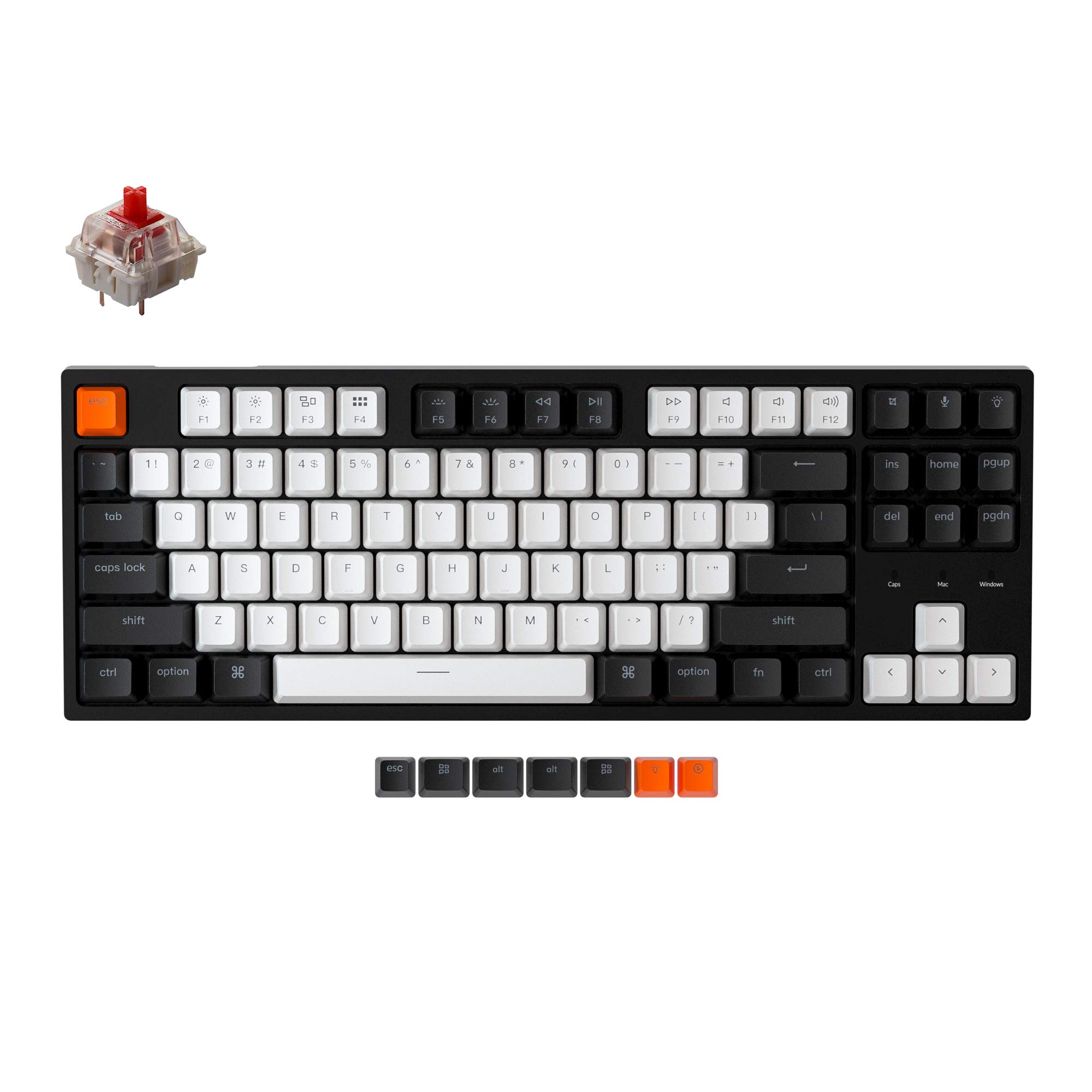
- Hot-swap Gateron G Pro Red Switch
- Keyboard backlighting color support
- Single Color
- Estilo
- Classic
- Material
- Acrylonitrile Butadiene Styrene
- Additional Features
- Backlit, Hot-Swappable
- Keyboard Backlighting Color Support
- Single Color
- Alimentación
- Corded Electric
- Switch Type
- Linear
- Keyboard Layout
- QWERTY
- Hand Orientation
- Ambidextrous
- Button Quantity
- 87
- Water Resistance Level
- Not Water Resistant
- Compatible Operating System Family
- MacOS, Windows
- Number of Keys
- 87
- Style Name
- Classic
- Theme
- Customizable Productivity
- Antenna Location
- Gaming
- Built-In Media
- USB Cable
- Model Number
- C1G1
- Unit Count
- 1 Count
- Fabricante
- Keychron
- Number of Packs
- 1
- Number of Items
- 1
- Enclosure Material
- Acrylonitrile Butadiene Styrene
Ver todas las especificacionesVer menos⌄
Calificaciones
Las calificaciones provienen de Amazon.com.
KKirk
17 de septiembre de 2023
Insane value!!!
This keyboard is incredible, its way better than my razer blackwidow keyboard which is almost 200 dollars and theres no competition. Its extremely solid and sturdy, the red gateron switches are thocky and the keycaps are solid. The white rgb is bright and has really cool settings that are easily accessible out of the box. I didn’t read the full description and see that its only white backlit which is a fault on my end but regardless i will still keep and use this keyboard as my main because it is ridiculously better than much higher priced products. If you’re looking for an amazing keyboard that looks clean and is a breeze to type on for any occasion then this is the one.
CChristopher
4 de junio de 2024
Great keyboard
Satisfying noise when typing, great red key switches. Easy and great to type on. Great quality for the price, compatible with anything that supports USB.
A no brainer for the price
I bought this because the only keyboard I’m truly comfortable with is my Keychron K8, and I didn’t want to keep switching it between my PC and MacBook. For the price, this keyboard really nails a similar typing feel.It’s barebones feature-wise, but it has exactly what you’d want from a gaming and everyday keyboard. It feels solid, types great, and doesn’t overcomplicate things.If you’ve never bought a Keychron before, definitely do some research on which switches to get. I personally like the reds because they don’t feel quite the same as reds on other keyboards. Once you get used to the sensitivity, it honestly feels like typing on silk.It’s also the perfect size for smaller desks. If you want Bluetooth, go with the K8. But if you want one of the best values you can get in a keyboard, go with the C1.
Almost perfect white backlit tenkeyless keyboard!
I had worn the letter decals off my old Dell full keyboard and was in the market for a tenkeyless white backlit keyboard. The RGB versions are a bit flashy for me, all I want is to be able to see the keys in the dark should I want to game or type in the dark.After searching and comparing products I settled on this Keychron model. It was shipped as soon as it was available, and arrived safely in its shipping packaging. The retail packaging the keyboard came in was professional, nice box with graphics sealed in plastic. After opening the box I found the following:* Keychron C1 Tenkeyless Mechanical Keyboard in a special plastic sleeve* Type-C cable WITH Type-A adapter* 2 tools, 1 keycap extractor, 1 switch extractor* Extra keycaps set (2ea Win and Alt, 3 other misc keycaps)* Manual* Quick start guide* Switch replacement best practices cardThe keyboard arrives set up for Mac/iOS. I am a Linux/Android user so the first step was to set the switch to Win/Android and then replace the appropriate keys on the keyboard. This was my first experience replacing keycaps so I was unfamiliar with the process and the usage of the supplied tools. The manual and quick start guide clearly show which keycaps should be replaced but unfortunately do not describe the process of using the tools supplied.I surmised that the tool with the wire loops was to be used for extracting the keycaps, so I used it to carefully extract the keycap perpendicular to the surface of the keyboard. After gently pressing the replacement keycaps in, the replacement was done.Although my current board has a Type-C connector available, Keychron provides a Type-A adapter on the end of the cable in case the users motherboard does not have a Type-C connector. I thought this was a professional touch.After plugging the keyboard in and using it, these are my observations:* It has a wonderful clicky noise and feels great to type on* The product generally feels very solid and professionally manufactured, attention to details!* The manufacturing process of the black keycaps makes it difficult to view the F1-F12 keycaps, particularly the F5-F8 keycaps (see the attached picture) in the darkThe Dell keyboard I replaced had switches similar to what is now a Blue switch (tactile bump feedback) so I am learning how to properly use a Red switch. This is basically just not resting my fingers as heavily on the switches as I was used to in the past, otherwise I make extra keystrokes inadvertently. This is not a problem with the product at all.In summary, having used the keyboard for a couple weeks, I enjoy using it and would purchase it again! I gave it 5-stars on all the features, but only a 4-star overall rating due to the difficulty reading the F1-F12 keycap names (particularly F5-F8).


 Marca: Keychron