Especificaciones
- Color
- Gray
- Hardware Interface
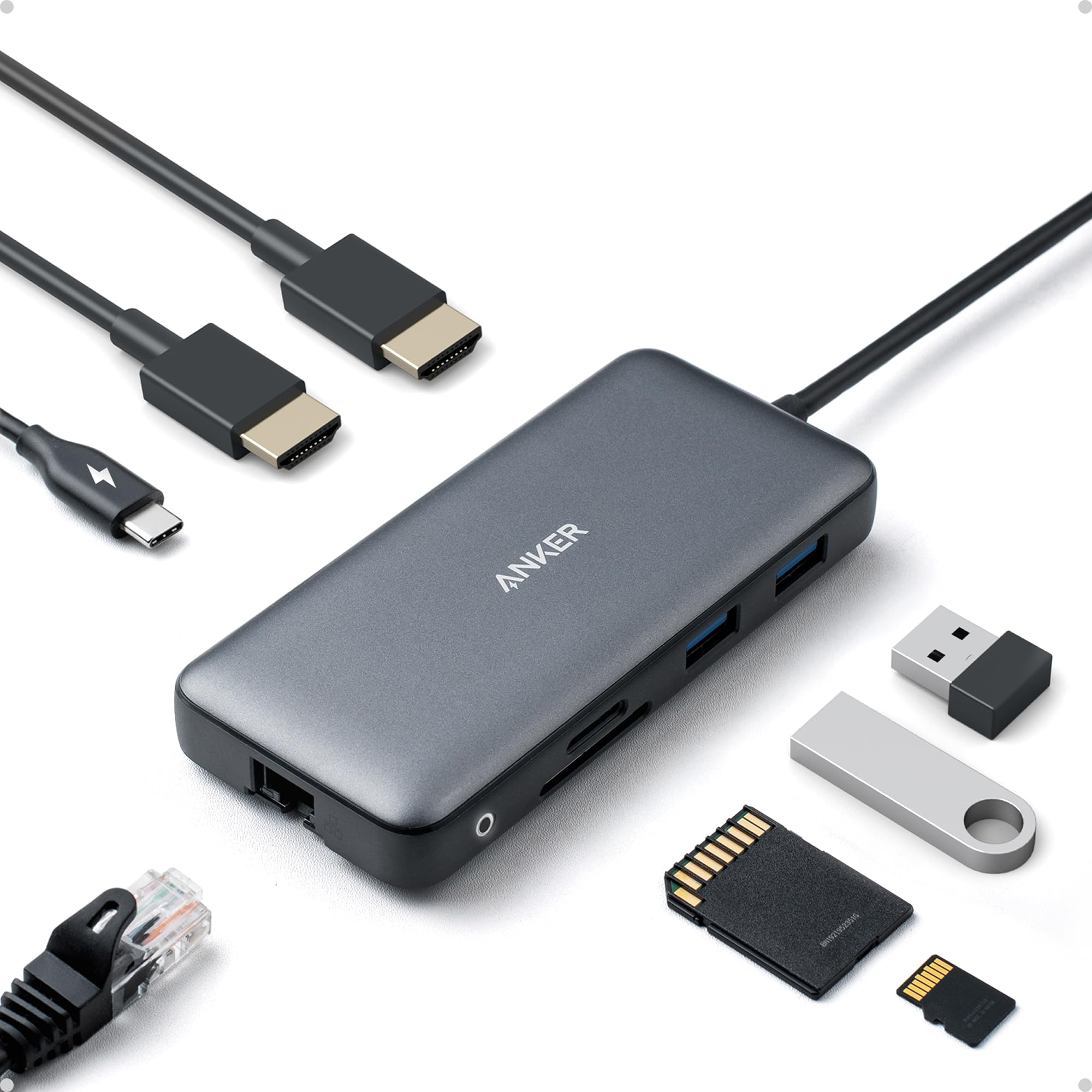
- Ethernet, HDMI, MicroSD, USB 3.0
- Additional Features
- HDMI™️, Powered
- Total Usb Ports
- 3
- Data Transfer Rate
- 5120 megabytes_per_second
- Number of Ports
- 8
- Minimum Required Operating System Version
- Windows 10
- Sistema operativo
- Windows 10
- Enclosure Material
- Aluminum
- Item Dimensions L x W x H
- 4.65"L x 2.01"W x 0.69"H
- Peso
- 3.2 ounces
- Fabricante
- Anker
- Number of Items
- 1
- Unit Count
- 1 Count
- Model Number
- A83800A1
- Mfr Part Number
- A83800A1
- Garantía
- 18 months
Ver todas las especificacionesVer menos⌄
Calificaciones
4,3
★★★★★6.631 calificaciones
Las calificaciones provienen de Amazon.com.
Great All-in-One Hub, With Few Limits
This is a solid USB-C hub if you need to expand your laptop’s ports. It covers all the basics—dual HDMI, USB ports, Ethernet, and SD card slots—all in a compact design. Setup is plug-and-play, and it’s been reliable for everyday use. The dual monitor support is a big plus, but keep in mind on Mac, both screens will mirror instead of extend. Downsides: it can get a little warm with heavy use, and you’ll need your own power adapter to get full charging performance.Bottom line: Great value and functionality for most users—just know the limitations depending on your device.
RRandi Spivey
27 de junio de 2026
Works great
Switched jobs had to send back docking port previous company provided couldnt get all three of my monitors to talk or work right went on youtube the man in video said he used anker but it was an older model went on Amazon found this one works perfectly 5 stars. Im using a work Dell pro laptop and using two monitors so now I have three different images one on the laptop one on my left monitor and one on my right at first I wasn't going to use the ethernet port on anker was going to keep it directly connected to the laptop but without doing so i notice a glitch very minor glitch on my right mointor but immediately after i connected the internet ethernet cable into the port that stopped and still fast quick and seamless. Came fast within 8hrs of ordering it. Took it straight out the box plugged it into the laptop connected the two hdmi cables went to windows to display detected the 3 monitors set it in the direction i want things to go and went right back to making money!
AArthur
16 de marzo de 2026
Reliable Dual-Monitor Hub That Adds Useful Ports Without Extra Bulk
Anker PowerExpand 8-in-1 USB-C PD Media Hub Dock is a very practical docking option if you want dual-monitor support without moving to a full desktop dock. The dual HDMI outputs make multi-screen setups easy, the extra USB ports handle everyday accessories well, and pass-through charging helps keep a laptop powered through a single connection. It is compact enough for travel but still feels sturdy for daily desk use. One important advantage is that setup is usually straightforward, though Mac users should know dual external displays may mirror instead of extend because of macOS limitations. Overall it offers strong value for productivity, home office use, and clean cable management.
JJuan
5 de diciembre de 2025
Really solid docking station
I’ve been using this Anker 8-in-1 docking station for a little while now, and honestly, it’s been a great upgrade for my setup. The dual HDMI ports work perfectly with my two monitors, and both displays look sharp in 4K. Plug-and-play was super easy — my laptop recognized everything right away.The hub itself feels sturdy and well-made, and it doesn’t take up much space on my desk. I also like that it has all the essential ports I need, so I’m not constantly unplugging and replugging things.My only small complaints are that it gets a bit warm when I’m running both monitors for a long time, and I wish the USB ports were spaced out a little more. Not huge issues, but worth mentioning.Overall, if you want a simple, reliable docking station for dual monitors, this one is a great choice. I’m happy with it and would definitely recommend it.


 Marca: Anker