Especificaciones
- Color
- Grey
- Hardware Interface
- USB Type C
- Additional Features
- Lightweight
- Total Usb Ports
- 3
- Data Transfer Rate
- 5 gigabits_per_second
- Number of Ports
- 6
- Minimum Required Operating System Version
- Mac OS 12 Monterey
- Sistema operativo
- macOS
- Enclosure Material
- Aluminum
- Item Dimensions L x W x H
- 4.72"L x 1.37"W x 0.48"H
- Peso
- 0.07 kg
- Number of Packs
- 1
- Item Highlight
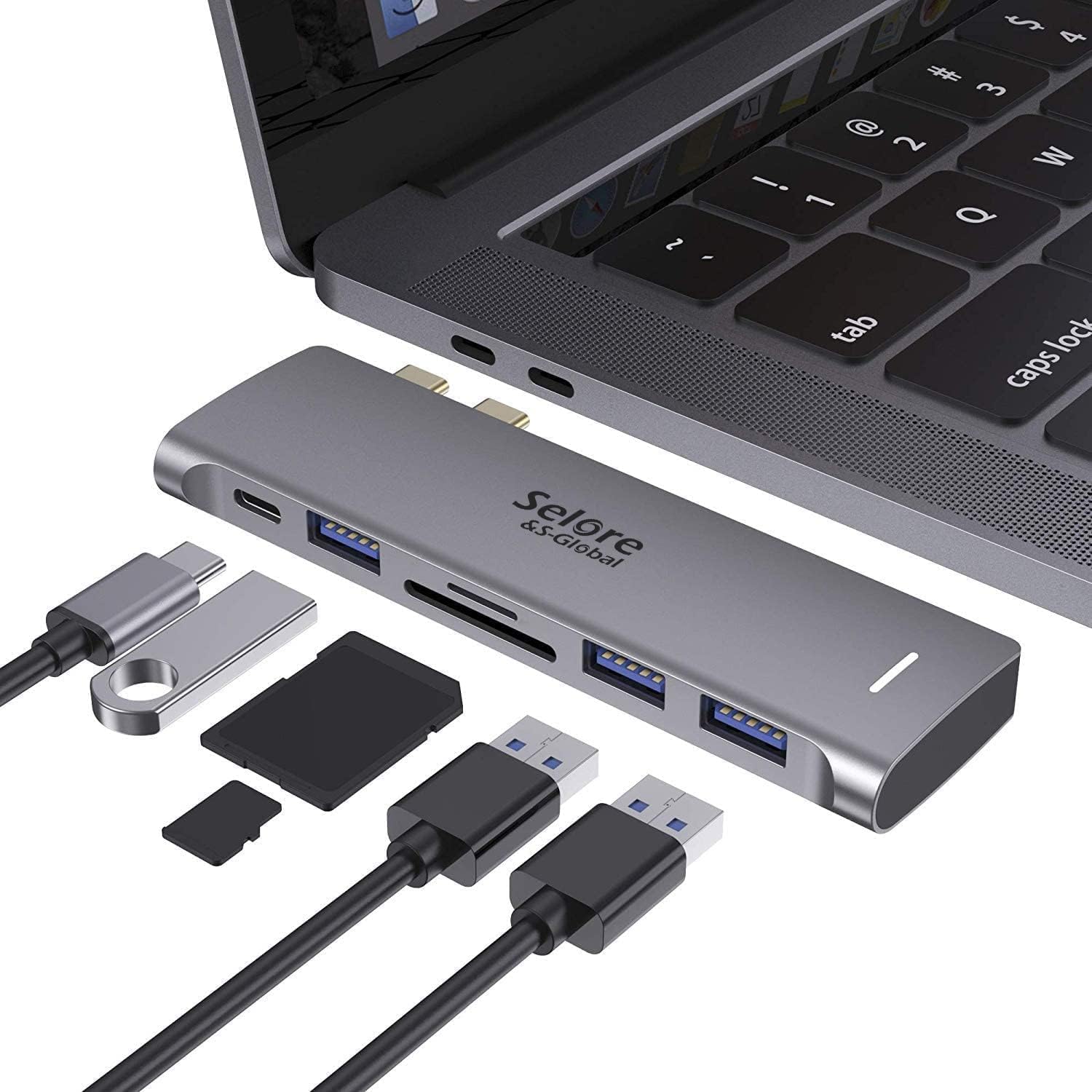
- 6 in 1 USB-C Hub, MacBook Accessories Dongle 3 USB 3.0 Ports, USB C to microSD/SD Card Reader, 100W Thunderbolt 3 PD Port
- Fabricante
- Selore&S-Global
- Number of Items
- 1
- Global Trade Identification Number
- 00791306859682
- Unit Count
- 1 Count
- Model Number
- UC2205
- Mfr Part Number
- SEUC2205-DE-1
- Garantía
- At SELORE we offer 1-year defective product refund/replacement and friendly customer service.
Ver todas las especificacionesVer menos⌄
Calificaciones
4,4
★★★★★22.207 calificaciones
Las calificaciones provienen de Amazon.com.
BBlind_Identity
14 de septiembre de 2026
Modern Tech has too many choices. This simplifies them.
Needed a hub and this has all the connections I needed. Glad to be able to take my laptop away from office easily with just one plug.
MMagnumMan
6 de febrero de 2025
Works Just as Well as the More Expensive Counterparts
Love my MacBook but hate the fact it has just a couple USB-C ports on each side and no SD card or standard USB slots.I’ve had dongles before that increased the MacBook’s capacity but they were attached with USB-C cords that dangled and tangled. In the long run, you sacrificed portability for convenience.This unit plugs into the 2 USB-C ports on the side and adds a variety of USB and memory card functions to the mix.In my case, I attached it to the right side ports so it technically faces upside-down. Even though I can’t see the power-on light, I know it’s working because I can see the green glow of the power light shining down on my desktop.And it’s designed to look like it came with the MacBook (unless you have the newer, colored versions) and even fits nearly flush to the side.One thing to keep in mind, though, is that this is a hub/dongle and merely plugs into the USB-C slots on your MacBook. It provides no power on its own unless you plug in a power source.To that end, it has a pass-through charger port (it’s the first USB-C port available) so if you’re attempting to power yet another port off of this dongle be aware of that.Worth noting, this will NOT work if you have a cover on your MacBook. Covers that come up the side will interfere with plugging this in.As for pricing, it was the lowest priced one I could find at the time and works just as well as the more expensive ones I’ve used in the past (these were originally $100 or more at one time).
upgrade your Mac easily
This adapter is a real bargain. It is easy to use and has extra ports so I can do more jobs at once. I can back up and charge. It is the best deal, I really am happy with this purchase.
It's okay. A bit too big to be attached to the side of the laptop.
Considering the size of this hub I wouldn't want to have it attached to the side of my laptop for long periods of time, especially when my laptop is on a stand and the weight of the device is being supported by the two USB C ports. You can tell that they are being pulled a bit and it makes me worry that over time it would damage the ports. I bought this to connect two external monitors to my macbook but I received a variant that only has one hdmi port so it's sort of useless to me. If you're curious, you can use one of the USB C ports to connect an external monitor while also using the HDMI port, which does allow you to have two external screens using this hub but it looks a bit janky to have an adapter plugged into a hub hanging off the side of your tiny laptop.If you only need a single HDMI port then it works fine.


 Marca: Selore&S-Global