Wanted to Turn my Note Pro (12.2") into a little more than a toy
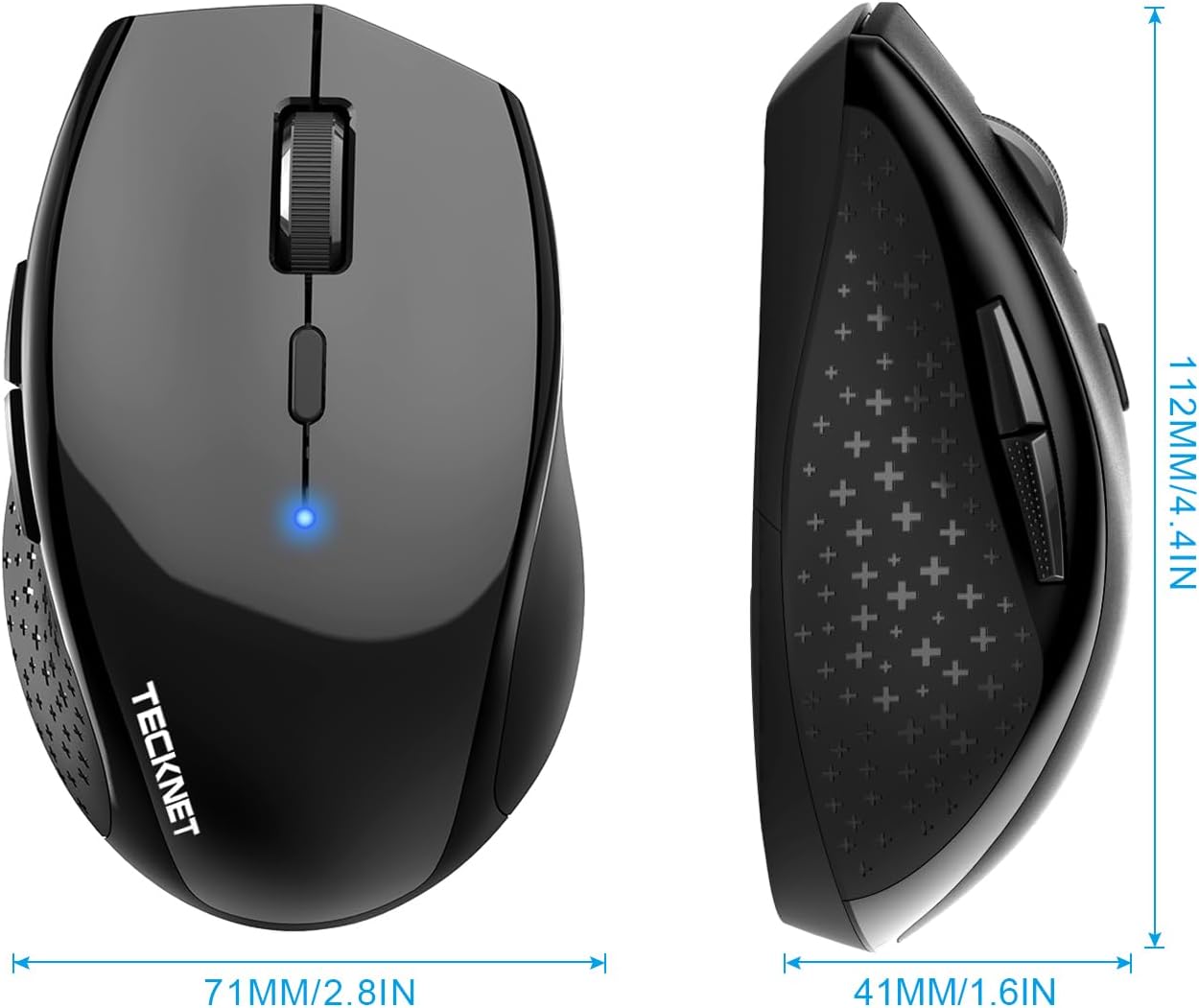
The price is what sold me on it, but it was the size I was worried about. I don't have big hands, but I don't have small hands either (they're in that annoying in between stage of bigger than average, but smaller than large for an adult male). This mouse is great, though was a pain to pair with android, and I thought it was busted. I ended up testing it on my Windows 8 PC and it worked just fine, then I later figured out how to get it to work on my Android Tablet without any issue. I'll go into that a little later.Pros:-Not that small, just slightly smaller than my favorite M510 Logitech mouse. It's the large hump near it's rear that makes it decent fit for my hands without having to change my grip to something uncomfortable and unusable.-On windows, all the buttons work and did something, again I'll go into that later.Cons:-None really, the android connection issue is an Android issue that I solved. If I had to pick one, it would be that the printed manual says it has an 8 month battery life as to the 18 that this page claims, kind of a huge difference in time.Android Connection Fix:1st: Connect the device like you would any other. Go into Settings > Bluetooth > Turn it on > Scan. On initial turn on of the mouse it should go into search mode where it should then be discovered by your tablet/phone. If not press the connect button (top middle) on the underside of the device.2nd: Notice how janky the cursor is, that seems to happen every time you pair this mouse for the first time. Turn off your bluetooth, and then on again to kill the connection with the mouse.3rd: When bluetooth is back on, press "Bluetooth 3.0 Mouse" to initiate re-pairing, and on the bottom of the mouse press the connect button to re-establish a link to the tablet. You should notice now that the cursor is smooth and working as it should.Mouse Buttons Functions (Windows):-Orange side buttons = back and forth (top = forward, bottom = back)-Everything else works like it should, right click, scroll wheel/middle click, left click. Works just fine and is very responsive.Mouse Buttons (Android):-Orange (top): seems to not do anything for me-Orange (bottom) and Left Click: acts as an Android "back" button-Right Click: acts like a one finger touch-Scroll Wheel: scrolls between home screens and drawers in launcher, and then normally in apps like Photo Gallery, and Browser-Middle Button: acts like "home" takes you to your launcher, you can also activate the long press "home" feature (which on my Note Pro launches Google Now)Since I'm writing this on my Tablet using/testing a keyboard I don't know if I can upload pictures from Amazon's Android App. I'll do that when I reconnect with my PC and maybe correct any spelling mistakes I might have made but using an external keyboard doesn't pick up. With that said, I can't be more pleased with my purchase, after solving that Android Mouse issue. It's one of those purchases that luckily doesn't cost much and for me is worth the risk. The manual was in proper English and was rather informative.
GGreg Moore
15 de octubre de 2023
Who would have thought....
I'm a hard core fan of Logitech mice. My primary mouse is an MX Master 3 and I love it. On my gaming laptop I was using a Targus bluetooth 'travel' mouse, I've had it for many years and its worked well but the clip on back top of the mouse slides back for the batteries access, broke. So I needed a new mouse.Since I wanted an inexpensive mouse that I could use on any of the devices I have that use bluetooth and I wanted it battery powered. How many of you have had a rechargeable device fail when you needed it and then had to wait, sometimes hours, for whatever to recharge when it would have taken seconds to replace the batteries. So I saw this mouse, it was very inexpensive (compared to Logitech or other name brands) and it had a LOT of reviews and had all the things I wanted, so I bought it.So here's the good:- I have large hands and while a little smaller than a full size mouse it's a nice size in my opinion. Not as small as the Targus but not as big as the MX Master 3.- it was very easy to pair with Windows 11 (games only) and my MacBook Pro (mostly work)- the dpi is very easy to adjust and easy to see the effect.- the scroll button work well and is quiet but there is tactile feed back.- the mouse buttons are easy to press and quiet.- the sleep mode works well and I don't know if I'll get 24 months.- 36 month warranty on a $14 mouse. impressive.The maybe not so good:- There is no mouse software for the device. This is good and maybe not so good. I haven't really decided but to be honest I usually don't use it much when it is provided.- The top shell is all one piece and there is a slit cut for the right and left buttons and space for the scroll wheel. I'm not sure if this is good or bad but it is different from every other mouse I have. I guess time will tell.The Bad & the Ugly:- I have not experienced anything that I would label as such.Other observations:- The battery compartment is on the bottom of the mouse.- it had a nice weight. there are no weight adjustments like I've seen on gaming mice but I've never owned a mouse that like that so....- Its worked well for the Steam games that I've played.- The purple is a nice shade and beats the heck out of yet another dark gray/gray/silver mouse.This is a far far better mouse than I ever expected. I would recommend this to anyone with the caveat that these are initial impressions after only a few hours of use and my opinions, over time, may vary.
Great buy for home office/student; or on-the-go travel mouse.
Great little mouse for use on the go or for non-detail oriented usage (such as web browsing, email, etc...). I bought this as a replacement for a Microsoft Wireless Mouse 5000 that had started going bad after about ten years. My primary use of a mouse on this computer is audio and video editing, and some light-weight games from time to time.I found that this was not the mouse for me for daily usage, but is great as my backpack/travel mouse. It's gets almost daily usage as my on the go mouse at lunch.Overall- This is a great little mouse for everyday usage. If you are using it for your work (web/email/spreadsheets/etc...) or on a student computer it is a great buy. If you are using it for heavily detailed work (such as photo/video/audio editing) I would suggest going with something a little sturdier. I don't mean this as a knock on this mouse, but as general advice. This is a great mouse for its price point and target.Pros- Nice build quality at the price point- Works out of the box without hassle- Excellent travel mouse- Excellent customer service from the seller. They seem to genuinely care about their customers, which is getting to be a very rare thing these days.Cons- Battery life is shorter than expected. I am a heavy mouse user, and use Duracell Pro-Cell batteries. I am used to a set of batteries lasting 6+ months; but found that these were going dead in under 2 months. To be noted: I am a heavy user, and do not turn the mouse 'off' unless it is in a backpack. I am also used to using a wireless mouse instead of bluetooth, and this may just be a difference- A little shorter (length) and taller (height) than I like (subjective) from an 'ergo' shaped mouse. It felt a little cramped in my hands during longer use sessions.- A small delay/stutter from time to time. Doesn't happen much, and would never be noticeable doing daily tasks like browsing/email/spreadsheets etc.Misc- I found that this does work with OSX. It is currently being used with a MacBook Pro running High Sierra. The only issue I have seen is that it will disconnect/reconnect from time to time.
JJayDubya
25 de noviembre de 2014
Where have you been all my life?
I bought three of these units to use in place of the mouse pads on my machines. On Vista and Windows 7 they are working great - I like the feel and the resolution which makes them so fast that it took some time to adjust to it. I like the single AA battery also. The only negative other than going to sleep too quickly (have to click on a button to wake them up) has been on Windows 8 where it keeps losing connection. I don't use bluetooth on the Windows 8 machine so I had to use an old bluetooth radio and it might not be functioning correctly on the newer machine. But I really like them on my workhorse Windows 7 laptop.Update 2/26/2015: I use one of the three on my Dell - I use it a lot since I really dislike the pad. I should have mentioned that the old bluetooth mouse I had died and that it had never worked very reliably. This one goes to sleep too soon so that I have to awaken it often - even if I am using it. It appears to have a time limit of use. This mouse has already gone through one battery in the 3 months that I used it.I have also noticed that it will go into gyrations - that is, I suddenly am unable to get it to stop moving. I move it a fine amount and it keeps going so I bring it back and it goes over the opposite direction too far. I think that all I need to do is shut it off and on again to stop that. The neat thing is that it is possible for me to move it that fine amount most of the time. It also will sometimes say that it is connected, but the mouse pointer does not move.I have noticed that when it is moved too far away from the machine (or the machine moved away from it), the link is lost - quickest and surest fix is to cycle its power. It is unnecessary to re-install it - I have found that most of the troubles I have had with the unit are due to something that I do - like drop it or move it too far away or something like that. Just POR and it works again. And it hooks up quickly - just remember to push on the right button before you expect it to move - it falls asleep fast.All in all I find it to be very good and won't change its 5 stars to 4 even though it is pretty close to that.





 Marca: TECKNET