RRonald in the South
20 de agosto de 2017
Easy to Set-up & Connect
After logging into NetGears Setup Page and making a password and 2 security questions I found it fairly simple and quick to get the AC1200 WiFi Range Extender to lock into my router. I live in a mobile home and the WiFi connection in the living room where the router is located is fine but when you take your laptop or Ipad down to the other end of the trailer, in the bedrooms you lose quite a bit. On a lot of sites you would get a lot of buffering. Once I put AC1200 in the back bedroom it was like having the router in the room. Plus there are no cord connections, just plug it in the wall socket. If I want to use an Ethernet Cable with my laptop in the bedroom there is an Ethernet Port on the side of the AC1200 Extender to plug into. Some Extenders I reviewed before buying this one don't have that feature. You can't go wrong with this model. Works great. And if your a member of Amazon Prime you'll get it in 2 days. I did.After logging into NetGears Setup Page and making a password and 2 security questions I found it fairly simple and quick to get the AC1200 WiFi Range Extender to lock into my router. I live in a mobile home and the WiFi connection in the living room where the router is located is fine but when you take your laptop or Ipad down to the other end of the trailer, in the bedrooms you lose quite a bit. On a lot of sites you would get a lot of buffering. Once I put AC1200 in the back bedroom it was like having the router in the room. Plus there are no cord connections, just plug it in the wall socket. If I want to use an Ethernet Cable with my laptop in the bedroom there is an Ethernet Port on the side of the AC1200 Extender to plug into. Some Extenders I reviewed before buying this one don't have that feature. You can't go wrong with this model. Works great. And if your a member of Amazon Prime you'll get it in 2 days. I did.After logging into NetGears Setup Page and making a password and 2 security questions I found it fairly simple and quick to get the AC1200 WiFi Range Extender to lock into my router. I live in a mobile home and the WiFi connection in the living room where the router is located is fine but when you take your laptop or Ipad down to the other end of the trailer, in the bedrooms you lose quite a bit. On a lot of sites you would get a lot of buffering. Once I put AC1200 in the back bedroom it was like having the router in the room. Plus there are no cord connections, just plug it in the wall socket. If I want to use an Ethernet Cable with my laptop in the bedroom there is an Ethernet Port on the side of the AC1200 Extender to plug into. Some Extenders I reviewed before buying this one don't have that feature. You can't go wrong with this model. Works great. And if your a member of Amazon Prime you'll get it in 2 days. I did.After logging into NetGears Setup Page and making a password and 2 security questions I found it fairly simple and quick to get the AC1200 WiFi Range Extender to lock into my router. I live in a mobile home and the WiFi connection in the living room where the router is located is fine but when you take your laptop or Ipad down to the other end of the trailer, in the bedrooms you lose quite a bit. On a lot of sites you would get a lot of buffering. Once I put AC1200 in the back bedroom it was like having the router in the room. Plus there are no cord connections, just plug it in the wall socket. If I want to use an Ethernet Cable with my laptop in the bedroom there is an Ethernet Port on the side of the AC1200 Extender to plug into. Some Extenders I reviewed before buying this one don't have that feature. You can't go wrong with this model. Works great. And if your a member of Amazon Prime you'll get it in 2 days. I did.After logging into NetGears Setup Page and making a password and 2 security questions I found it fairly simple and quick to get the AC1200 WiFi Range Extender to lock into my router. I live in a mobile home and the WiFi connection in the living room where the router is located is fine but when you take your laptop or Ipad down to the other end of the trailer, in the bedrooms you lose quite a bit. On a lot of sites you would get a lot of buffering. Once I put AC1200 in the back bedroom it was like having the router in the room. Plus there are no cord connections, just plug it in the wall socket. If I want to use an Ethernet Cable with my laptop in the bedroom there is an Ethernet Port on the side of the AC1200 Extender to plug into. Some Extenders I reviewed before buying this one don't have that feature. You can't go wrong with this model. Works great. And if your a member of Amazon Prime you'll get it in 2 days. I did.After logging into NetGears Setup Page and making a password and 2 security questions I found it fairly simple and quick to get the AC1200 WiFi Range Extender to lock into my router. I live in a mobile home and the WiFi connection in the living room where the router is located is fine but when you take your laptop or Ipad down to the other end of the trailer, in the bedrooms you lose quite a bit. On a lot of sites you would get a lot of buffering. Once I put AC1200 in the back bedroom it was like having the router in the room. Plus there are no cord connections, just plug it in the wall socket. If I want to use an Ethernet Cable with my laptop in the bedroom there is an Ethernet Port on the side of the AC1200 Extender to plug into. Some Extenders I reviewed before buying this one don't have that feature. You can't go wrong with this model. Works great. And if your a member of Amazon Prime you'll get it in 2 days. I did.After logging into NetGears Setup Page and making a password and 2 security questions I found it fairly simple and quick to get the AC1200 WiFi Range Extender to lock into my router. I live in a mobile home and the WiFi connection in the living room where the router is located is fine but when you take your laptop or Ipad down to the other end of the trailer, in the bedrooms you lose quite a bit. On a lot of sites you would get a lot of buffering. Once I put AC1200 in the back bedroom it was like having the router in the room. Plus there are no cord connections, just plug it in the wall socket. If I want to use an Ethernet Cable with my laptop in the bedroom there is an Ethernet Port on the side of the AC1200 Extender to plug into. Some Extenders I reviewed before buying this one don't have that feature. You can't go wrong with this model. Works great. And if your a member of Amazon Prime you'll get it in 2 days. I did.After logging into NetGears Setup Page and making a password and 2 security questions I found it fairly simple and quick to get the AC1200 WiFi Range Extender to lock into my router. I live in a mobile home and the WiFi connection in the living room where the router is located is fine but when you take your laptop or Ipad down to the other end of the trailer, in the bedrooms you lose quite a bit. On a lot of sites you would get a lot of buffering. Once I put AC1200 in the back bedroom it was like having the router in the room. Plus there are no cord connections, just plug it in the wall socket. If I want to use an Ethernet Cable with my laptop in the bedroom there is an Ethernet Port on the side of the AC1200 Extender to plug into. Some Extenders I reviewed before buying this one don't have that feature. You can't go wrong with this model. Works great. And if your a member of Amazon Prime you'll get it in 2 days. I did.After logging into NetGears Setup Page and making a password and 2 security questions I found it fairly simple and quick to get the AC1200 WiFi Range Extender to lock into my router. I live in a mobile home and the WiFi connection in the living room where the router is located is fine but when you take your laptop or Ipad down to the other end of the trailer, in the bedrooms you lose quite a bit. On a lot of sites you would get a lot of buffering. Once I put AC1200 in the back bedroom it was like having the router in the room. Plus there are no cord connections, just plug it in the wall socket. If I want to use an Ethernet Cable with my laptop in the bedroom there is an Ethernet Port on the side of the AC1200 Extender to plug into. Some Extenders I reviewed before buying this one don't have that feature. You can't go wrong with this model. Works great. And if your a member of Amazon Prime you'll get it in 2 days. I did.After logging into NetGears Setup Page and making a password and 2 security questions I found it fairly simple and quick to get the AC1200 WiFi Range Extender to lock into my router. I live in a mobile home and the WiFi connection in the living room where the router is located is fine but when you take your laptop or Ipad down to the other end of the trailer, in the bedrooms you lose quite a bit. On a lot of sites you would get a lot of buffering. Once I put AC1200 in the back bedroom it was like having the router in the room. Plus there are no cord connections, just plug it in the wall socket. If I want to use an Ethernet Cable with my laptop in the bedroom there is an Ethernet Port on the side of the AC1200 Extender to plug into. Some Extenders I reviewed before buying this one don't have that feature. You can't go wrong with this model. Works great. And if your a member of Amazon Prime you'll get it in 2 days. I did.After logging into NetGears Setup Page and making a password and 2 security questions I found it fairly simple and quick to get the AC1200 WiFi Range Extender to lock into my router. I live in a mobile home and the WiFi connection in the living room where the router is located is fine but when you take your laptop or Ipad down to the other end of the trailer, in the bedrooms you lose quite a bit. On a lot of sites you would get a lot of buffering. Once I put AC1200 in the back bedroom it was like having the router in the room. Plus there are no cord connections, just plug it in the wall socket. If I want to use an Ethernet Cable with my laptop in the bedroom there is an Ethernet Port on the side of the AC1200 Extender to plug into. Some Extenders I reviewed before buying this one don't have that feature. You can't go wrong with this model. Works great. And if your a member of Amazon Prime you'll get it in 2 days. I did.After logging into NetGears Setup Page and making a password and 2 security questions I found it fairly simple and quick to get the AC1200 WiFi Range Extender to lock into my router. I live in a mobile home and the WiFi connection in the living room where the router is located is fine but when you take your laptop or Ipad down to the other end of the trailer, in the bedrooms you lose quite a bit. On a lot of sites you would get a lot of buffering. Once I put AC1200 in the back bedroom it was like having the router in the room. Plus there are no cord connections, just plug it in the wall socket. If I want to use an Ethernet Cable with my laptop in the bedroom there is an Ethernet Port on the side of the AC1200 Extender to plug into. Some Extenders I reviewed before buying this one don't have that feature. You can't go wrong with this model. Works great. And if your a member of Amazon Prime you'll get it in 2 days. I did.After logging into NetGears Setup Page and making a password and 2 security questions I found it fairly simple and quick to get the AC1200 WiFi Range Extender to lock into my router. I live in a mobile home and the WiFi connection in the living room where the router is located is fine but when you take your laptop or Ipad down to the other end of the trailer, in the bedrooms you lose quite a bit. On a lot of sites you would get a lot of buffering. Once I put AC1200 in the back bedroom it was like having the router in the room. Plus there are no cord connections, just plug it in the wall socket. If I want to use an Ethernet Cable with my laptop in the bedroom there is an Ethernet Port on the side of the AC1200 Extender to plug into. Some Extenders I reviewed before buying this one don't have that feature. You can't go wrong with this model. Works great. And if your a member of Amazon Prime you'll get it in 2 days. I did.
Very affordable bargain to extend your WiFi...at least
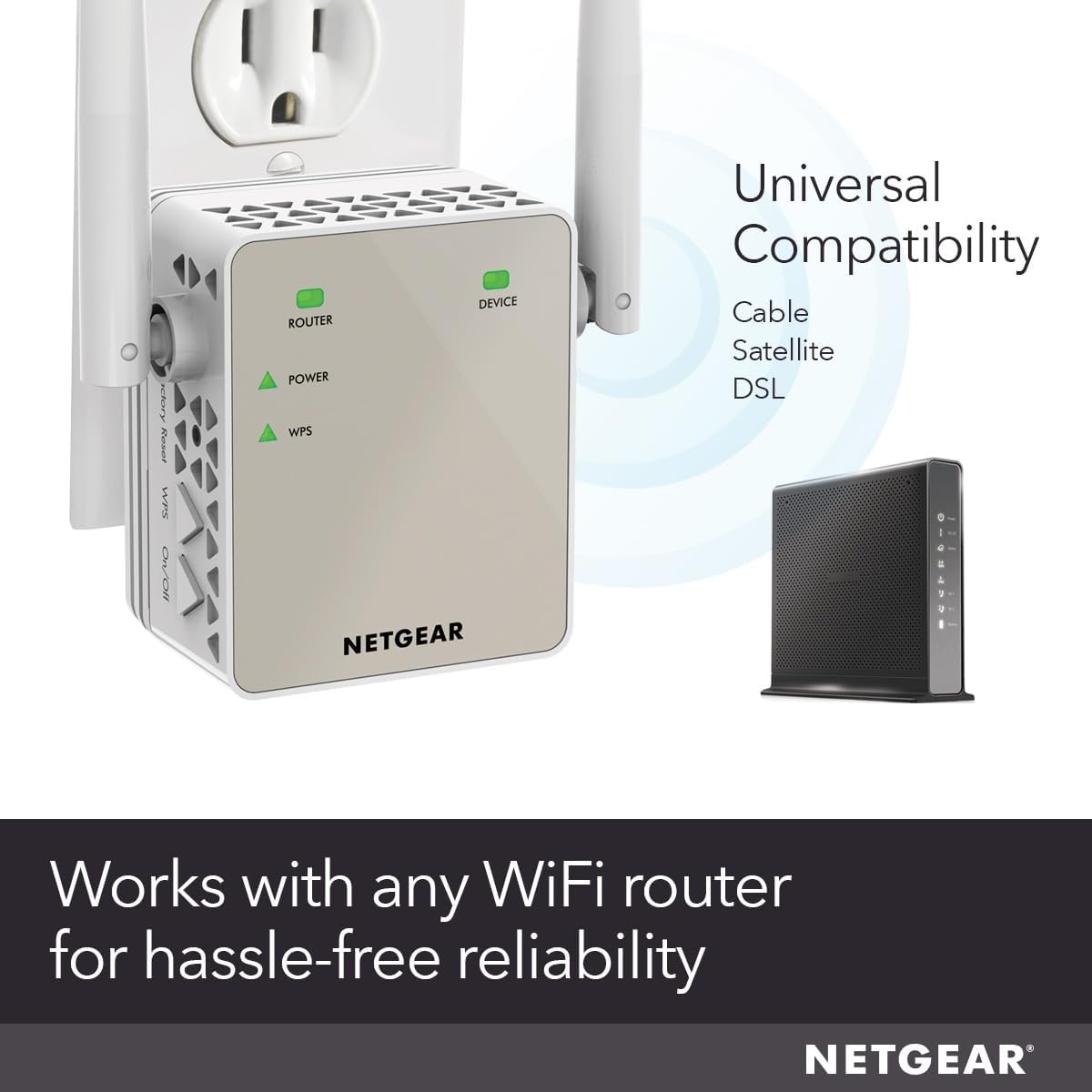
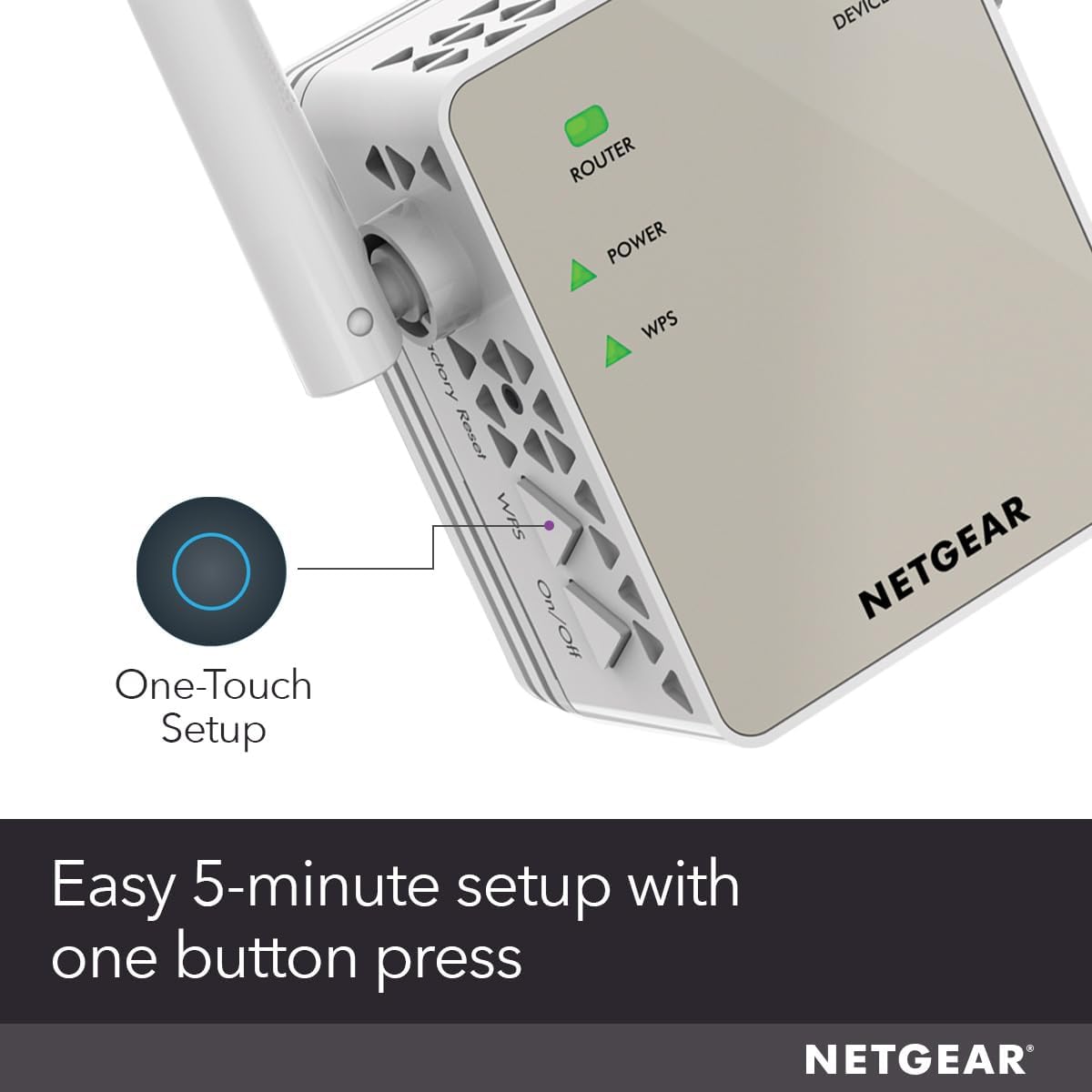
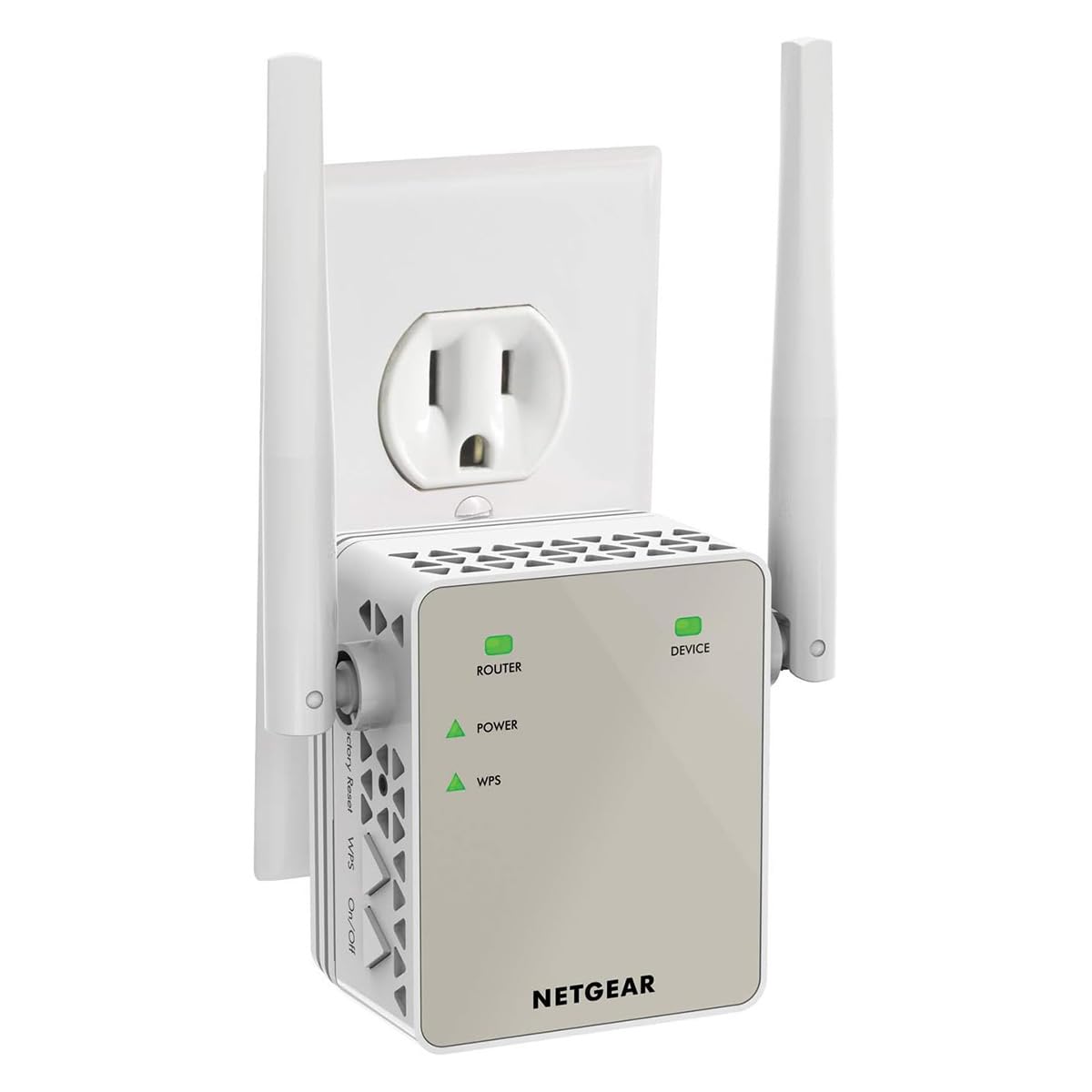
NETGEAR WiFi Range Extender EX6120 with AC1200 Dual Band Wireless Signal Booster & RepeaterProsAffordable and handy alternative a $40 totalEasy to setupWorks as advertised with WiFiConsDo not exceed wireless devices connected to itSame data speeds as the router that transmits to itThe Ethernet port failed in my sampleThe NETGEAR EX6120 WiFi Extender is a nice and compact piece of communications hardware that can be beneficial in homes or large apartments where the main Router / Gateway has difficulty to reach the farthest corner of your place or you insist to keep your main Router hidden, weakening its signals.Having used an earlier technology NETGEAR router in the past I was counting on an easy and smooth installation experience: I was well pleased about this one. For the newbie, it is as easy as plugging the extender to an AC outlet, pressing the WPS button in your main router and another WPS button on the extender. But, yes: there are some tech heads among us that demand to get “under the hood” of any gadget. Guess what? You can login to the extender via your web browser of choice to tweak things – or just presume that you know how they work. At any rate, both ways of setting it up are user friendly for each kind of audience. And its 2 antennas can be rotated 180 degrees each, just in case you are as obsessive with catching your main router's WiFi signal as I am with Digital TV antennas to get the strongest signal with the most channels.Do you have in a far corner of your home a computer, game console or video disk player that won't connect to your network unless it can connect with an Ethernet cable? No problem! The EX6120bWiFi Extender has one Ethernet port. So, you can have WiFi AND Ethernet in a place 'far, far away' from your main router within your house. I tried it with a desktop PC connected by Ethernet, several WiFi devices and it ran a windows update download, rebooted and then... the Ethernet port stopped working! Tryouts with other PC and cable didn't work: the Ethernet port failed.Now, don't try playing wise guy or wise girl by trying to connect via WiFi more devices that it is recommended to support, specially if you use one of those devices for teleconferencing (“ZOOM, TEAMS, anyone, anyone?”). This device won't make your WiFi network run faster or better if your main router and / or internet provider's service level subscription has limitations (remember the last time your favorite interstate highway suddenly got all lanes jammed and you though that the next exit will take you to your place faster?). So, if you see a “internet connection is unstable” message during teleconferencing with an application like ZOOM, you may need to compromise between dining out weekly each month or paying for an upgrade to your internet service that allows at least 20 MBPS. A WiFi extender won't make the cut.Sometimes, you may convince your significant other to relocate your main router in a better location to broadcast your WiFi or may get a Router upgrade that can actually extend the signal reach out. But, for those of us who can't, the NETGEAR EX6120 is a good alternative with an extensive WiFi reach.All photos (c) 2021 by reviewer.
GGrumpy Gramps
17 de febrero de 2019
Great Product, Works as Advertised -- Did have a Problem Setting Up -- UPDATED SETUP INSTRUCTIONS
UPDATED - See New Setup Instructions Below:Overall this extender works as advertised. I was able to extend our router signal to the opposite side of our house with a strong signal (our Fire TV Stick always responds with a "Very Strong" wireless signal). Our wifi Blink Outside Cameras at the opposite of the side of the house also work great. Note: the Extender is picking up signal thru 3 walls.I did have an issue with initial setup -- the app to perform setup (mywifiext.net) could not be found when setting up with my desktop (Windows 10, Chrome, Edge or Firefox). I tried clearing cache several times and never got it working with any of these browsers.So I tried setting up with my iPhone and it worked great. I did a factory reset on the Netgear Extender, turned on Wifi on my iPhone and "Bam" their was the Extender App ready for setup!Very happy with the product and will purchase another soon for another part of our house.-----------------------------------------------------------------------------------------------------------Purchased an N300 in November 2019 and read the instructions. Much easier setup:New Setup Instructions:Much easier setup (took the time to read the instructions). Per the documentation included with the extenders:Connect with WPS:Plug the WIFI extender into an outlet as close to your modem (router) as possible.Wait for the WIFI extender Power Light to turn Solid Green (takes a few seconds).Press the WPS button on the side panel of the WIFI extender. The WPS LED blinks.Within two minutes, press the WPS button on your modem (router) or access point. When the WIFI extender connects to your network, the WPS LED on the WIFI extender lights solid green and your router Link LED lights. If it doesn’t work, try it again.Unplug the WIFI extender and move it to a location that is about halfway between your router and the area with poor WIFI signal.Plugin the WIFI extender and wait for the Green Power LED and Router LED to light. If the Router LED doesn’t light Amber or Green, plug the WIFI extender into an outlet closer to the router and try again.On your computer or WIFI device, find and connect to the new extended WIFI network.It’s that simple!
NNot My Real Name
15 de junio de 2026
Netgear website needed to make product functional kept timing out without getting the job done.
This review is for NETGEAR WiFi Range Extender (EX6120) - Add up to 1,500 sq. ft., 25 Devices - AC1200 Dual Band Wireless Signal Extender (Up to 1.2 Gbps Speed), Compact Wall Plug Design – Free Expert HelpThe product itself might be functional but the Netgear website required to make it functional failed me over and over.Per their nice instructions, there are either of two ways to get the product to talk to your router:1) Pairing them by using the WPS buttons, one on the device and one on your router.2) Using their web interface which requires a PC or other computer as a temporary setup interface to connect to the extender’s temporary configuration network, all to connect the extender to the router. Whew, got that?Well, I could not get my router and the extender to pair using WPS buttons. Got continual failed WPS handshakes. Don't know why.So, I tried the web interface. Using their manual, it's an easy 13-step process. Easy, if you pay attention to what each step says. So don't skim over it, thinking you know what they said. Read it mindfully. Especially Step 10.Step 3 asked me to visit a webpage that was to be the NEW EXTENDER SETUP page but instead it told me I was not connected to my extender's wifi network (duh! It's only Step 3!) and only by arbitrarily clicking on a link there did it take me to a bunch of trouble-shooting ideas where buried among them was a simple statement to visit one of their other URLs. That URL brought me to a page saying NEW EXTENDER SETUP. Ok, soldiering on...I got all the way to Step 11 where, after hitting the Continue button, it should have been easy. I was to see a message displayed, confirming that the extender is connected to the existing WiFi network. Here's where their website failed me.After clicking Continue in that Step 11 and waiting only about 5 seconds, the screen blanks out, ALWAYS going to the message saying "The connection has timed out. The server is taking too long to respond." And, you know how it offers you a "Try Again" button to click on.Clicking the Try Again button did not change away from that screen. All I could do was manually reset the extender to factory settings. That was the only way to get back to their screen but it makes you start over from Step 1.I must have tried this nearly 15 times, resetting the device, but always timing out at Step 11. I'm fed up. I've had it.In case you wonder if the unit really did connect to my router in spite of no on-screen confirmation, Nope. Its "Device Link LED" stayed dark always, which means "No Connection". The Amazon listing says Free Expert Help but I am not the one who needs help. Their interface needs help. What I need is another product having online help that works.So, I am returning this device to Amazon. Maybe the next purchaser will have better luck with the Netgear website.