TT. Nelson
2 de agosto de 2026
Simple, affordable out-of-box solution for better video-calls.
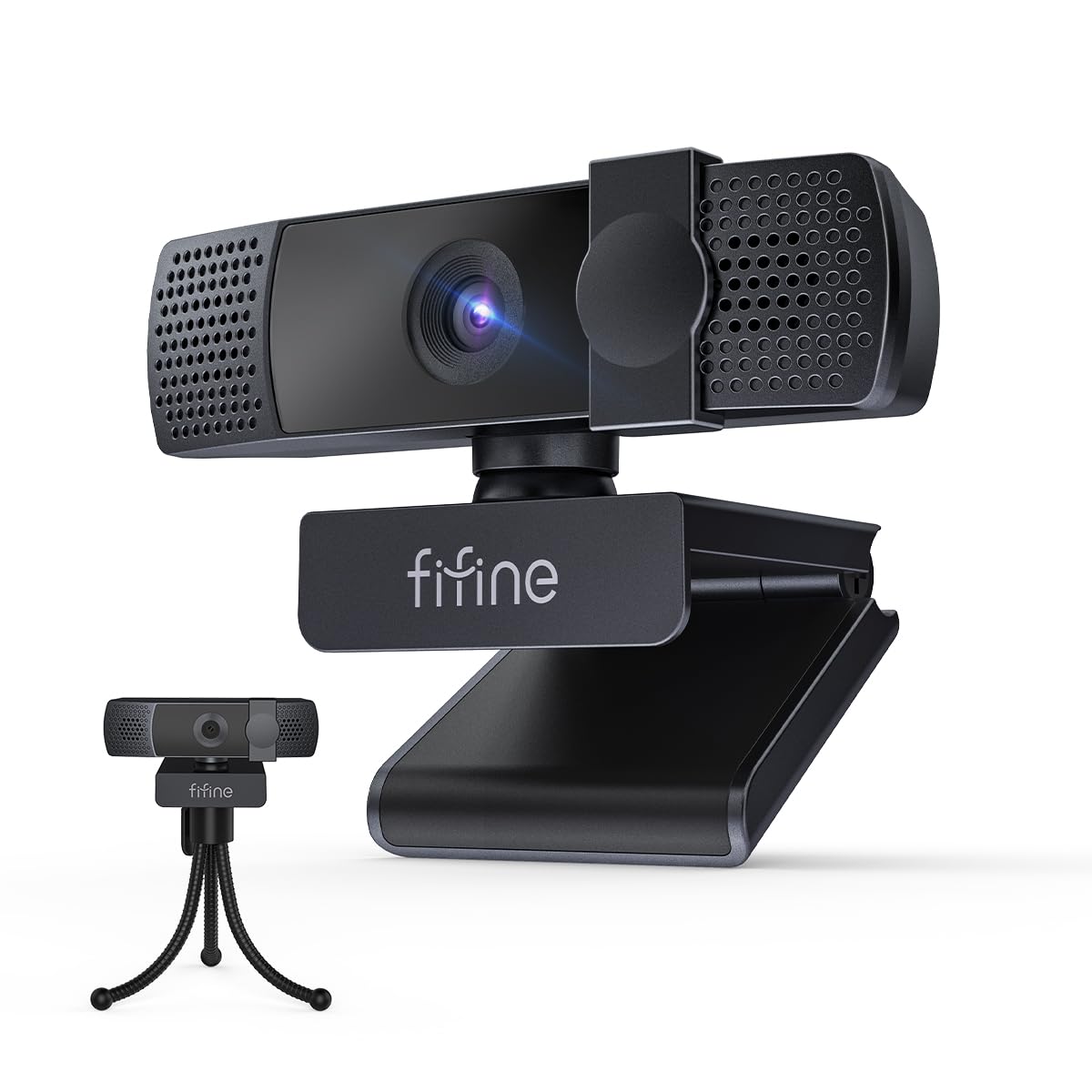
Like a lot of people, I still jump on regular Zoom or Teams calls for work, family, and the occasional remote check-in while at the cabin. The built-in laptop camera has always been adequate but never great—soft, washed out in mixed indoor light, and the mic picks up every background noise. I picked up the FIFINE K438 4K webcam looking for a simple plug-and-play upgrade that would look sharper without needing a complicated setup.Setup was genuinely easy. Plug it into a USB port on the desktop or laptop, and Windows (and my Mac when I tested it) recognized it immediately—no drivers required. The clip mounts solidly on a monitor, and the privacy cover slides closed when the camera isn’t in use, which I appreciate for peace of mind. Additionally there is a flexible tri-pod included. I use this at home when I want more options to frame my background that what’s available by having to clip the camera to my monitor or top of my laptop.Image and focus: The 4K resolution delivers a noticeably cleaner picture than the typical 1080p laptop camera. Detail is better, colors look more natural, and the 6P lens with 76.3° field of view frames a single person well without excessive fish-eye distortion. Auto-focus locks on quickly when I sit down or lean in; it stays reasonably stable during normal head movement. In typical home office lighting it performs solidly. In lower light it still works but benefits from a desk lamp the way most webcams do.Microphone: The built-in noise-reduction mic is a practical plus for everyday calls. It cuts keyboard clicks and light background noise better than the laptop mic, and voices come through clearly enough that I haven’t needed a separate headset mic for standard meetings. For more serious podcasting or streaming it wouldn’t replace a dedicated mic, but for business casual calls and family chats it does the job.I’ve used it for regular meetings, a couple of informal video calls while at the cabin, and brief test streams. The picture stays consistent once focused, and the overall package feels sturdy for the price range. It’s not a high-end studio camera with advanced AI framing or 60 fps 4K, but for clear, reliable video without extra software or complicated mounts it hits the mark.A couple of practical notes: the cable length is adequate for desk setups, and the privacy shutter is simple and effective. If you’re already using a good external mic and lights, this is mainly an image upgrade. For most people moving from a built-in laptop camera, the combination of 4K detail, auto-focus, usable mic, and plug-and-play convenience is a worthwhile step up.I give this camera 5 of 5 stars. Overall the FIFINE K438 delivers what it promises—sharper video, cleaner audio than a laptop mic, and easy daily use for meetings, streaming, or podcasts at a reasonable price. It’s become the default camera on my main desk and travels easily when needed. Recommended if you want a no-fuss 4K webcam that improves everyday video calls without overcomplicating things.
Easy to Install
This webcam is easy to setup and easy to use. My 11 year old installed this without my help. I know what you are thinking, he is usually is not comfortable with things like this. I was pleased he wired it and configured it in Windows without asking his 14 year old brother to help. It is a little on the pricey side but seems to have excellent resolution. It is easy to adjust and I love the physical cover. The auto focus is a very nice feature too.
An excellent webcam for work meetings!
The webcam comes well packaged, and includes a desk stand, which is a nice bonus! I have quite a tall monitor, but the cord is very long, so I had no issues running it to my USB hub. On the bottom is a fairly standard screw mount, so you can use this with the included stand or various other standard mounts. There is also a privacy shutter built in which is great, especially if you have it hooked up to a work computer where the expectation of privacy is… lower.The video quality is quite good. You could use this as a broadcast camera for streaming in a pinch, but I think this excels more for Zoom-style meetings. Despite being about 3ft from my face, it frames me well, has an excellent field of view, and the mics pick up my voice *much* better than my previous webcam. It also seems to be quite durable; I’m managed to butter fingers it while installing it on my monitor and it hit my desk and didn’t suffer for it at all.Speaking of, the fold out mount and front plastic tab make it easy to mount to the top of the monitor securely. The camera itself is on a tilting base, so you can tilt it back, forward, and side to side. My monitor is 55 inches, but I had no problem tilting it forward far enough to center myself in the frame.Given the price versus some of its competition (like the very common Logitech C920), you get better resolution, mic pick up, and a free stand. Recommended!
EEthan Carpenter
18 de julio de 2026
Awesome 4K Webcam, Clear Picture and Solid Stand
I got this 4K webcam to upgrade my desktop video setup, and it is absolutely fantastic right out of the box. The initial image quality is incredibly sharp, capturing crisp details and vibrant colors without any grainy distortion. Getting it positioned was completely straightforward, and the overall build quality of the camera body feels rugged and durable.The actual performance and hardware versatility make a massive difference for daily video calls and streaming. It functions perfectly across different applications, offering a true plug-and-play experience with absolutely no compatibility issues on my operating system. The coolest feature is the included desktop stand, which is surprisingly solid and lets you easily adjust the camera angle to get the perfect frame. The integrated privacy cover slides smoothly, providing a reliable physical security layout when the camera is not in use.The lens captures a great wide field of view while the built-in noise-reduction microphone keeps the audio output clear. Getting this level of high-resolution video and a dedicated physical stand in one package is a massive value win. It completely solved my low-quality video problem, working exactly as a premium computer camera should while being incredibly easy to manage.


 Marca: FIFINE