Give yourself time to adjust to it and I think you'll like this vertical mouse! (Update)
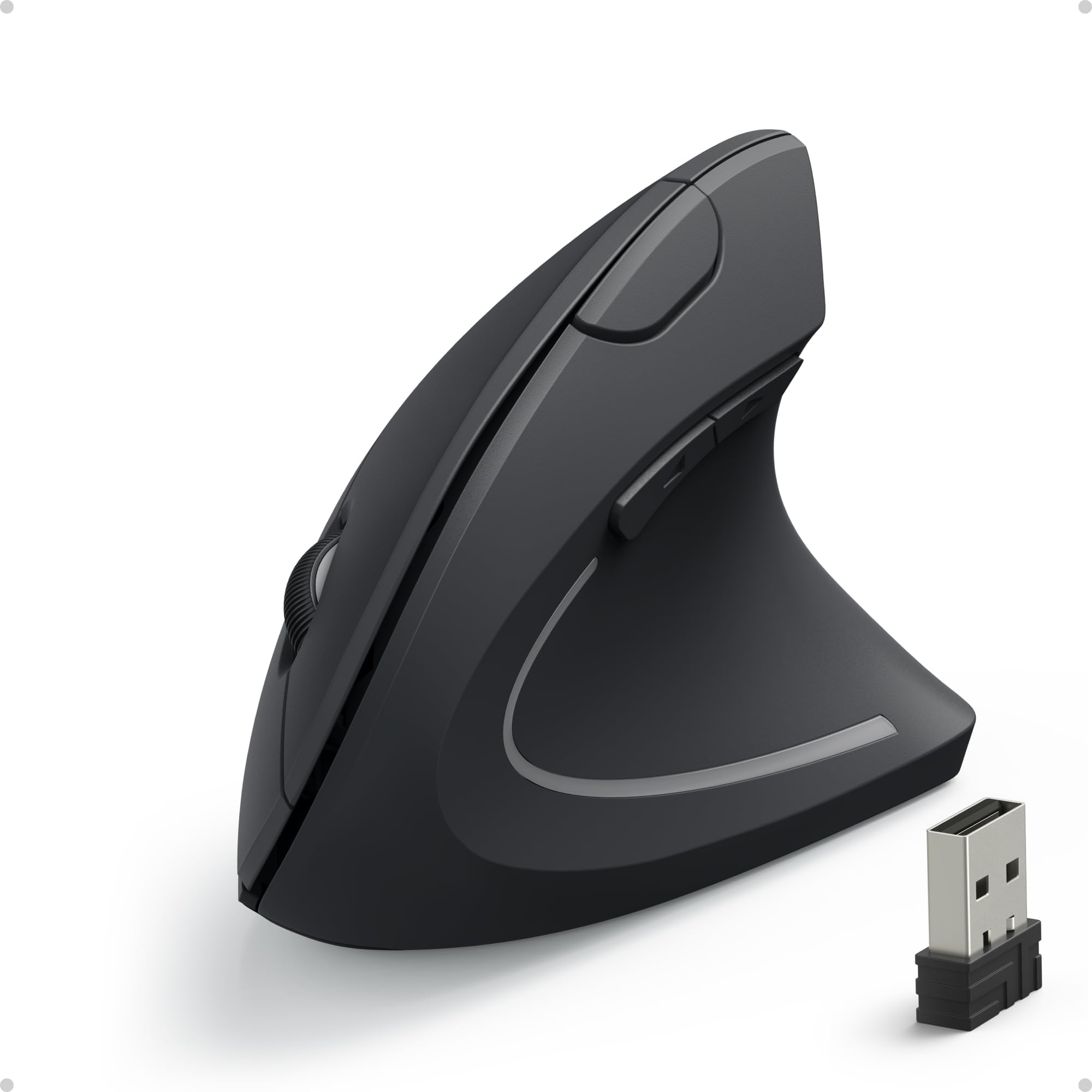
At first, I wasn't sure I was going to like this Wireless Vertical Ergonomic mouse by Anker. I'd never heard about vertical mice before, but my other (regular) wireless mouse quit working properly, so I went looking for a new mouse. My plan was to buy something similar to what I already had and then I saw this optical vertical mouse that intrigued me. I have carpal tunnel problems and arthritis in my hands. This mouse was just under 20 bucks and PRIME and after reading some reviews, I decided to give it a try. Right out of the box, I liked the smooth feel of the mouse, but have to admit it was different in looks and it felt different because of the way one has to hold it to use it. I plugged the USB receiver into a USB port, opened the battery slot and put in two "AAA" batteries (which were not included) and it was ready to go.From the onset it had an unusual feel to it as far as making it work. It wasn't a bad thing, just different. It did move very nicely on the new Anker mouse pad I'd purchased to use with it. I noticed on the side of the box the way one's hand, arm, wrist normally move with a regular mouse versus the difference (shown on the diagram) there would be with the vertical mouse. Since I also have problems with my thumbs, I still wasn't sure it was going to work for me.As I used it that first day, it didn't take too many hours before I realized it was probably going to help the normal pain that comes from grabbing a regular mouse when you have hand and wrist difficulties, but it was going to take time to get used to. The hand and the brain have to learn how to use the new equipment properly. However, I wasn't real satisfied in regards to my thumb having problems. On the second day, I began to observe I was actually trying to grip the mouse too far up with my entire hand. For me, I learned if I could touch the wheel with my middle finger and scroll, that was far enough up with my grip. As my grip lessened and I allowed the middle finger to use the scroll things became easier. The left and right mouse buttons were easy to work once I got used to the different position of my hand. I then began using the buttons up from the thumb to make the pages go left and right which is a nice feature, but one of the features I seem to easily forget is available to me. It took me until about the third day of working with it to realize my thumb just had some new muscles it was working that it had to get used to and then the pain there began to ease. Now, things are working quite well. I'm days down the road with the new vertical mouse and I'm pretty much used to it. There is much less pain in my hand than with the old mouse and the ache in the thumb seems to have dissipated by learning to use the new muscles it has to use. There has been a learning curve for me with it due to the pain I have in my hands, but I'm glad I stuck with it because I think overall it's going to be much better for me ergonomically. If you try it and you hurt, give it some time before you give up. Like I mentioned earlier, I think it's a matter of both the hand and the brain getting used to a totally different feel and movement to the mouse.UPDATE: This vertical mouse has been such a great device for me with wrist and hand problems. The ache is less, numbness is also much less. A year after using it, it is second nature to use, comfortable and is in great condition. I really like it and the relief it has brought to my hand, fingers and arm as it has been used for over a year now and works like it is new. I really really like it.
Anker vs Evoluent. Anker wins hands down!
What a fantastic product! I started looking into the world of vertical mice after experiencing some wrist discomfort from the use of a traditional mouse. Of course, the first search hit was Evoluent Vertical Mouse. They were the first to market with a product like this, plus they have the whole University of California academic cachet behind them. For YEARS Evoluent was the ONLY player on the vertical mouse market without competition. As a result, the technology and finish of their product is still stuck in the past. Think those ugly white Microsoft optical mice we all used in the late 90s when optical mice were a novelty. The Evoluent mice have the exact same feel, and even worse tracking capability! In Evoluent's defense, their product does relieve wrist strain, but so does Anker vertical mouse...... for only $20!So let's compare the two products side by side, Evoluent vs Anker. Note that I am just over 7 inches from my wrist crease to the tip of my middle finger. This puts me right on the border for Evoluent between normal and small versions. If you are in the same boat, go the smaller size with Evoluent, provided you don't opt for the Anker.1. SizeEvoluent (standard size) felt a bit too big for my hands. The cheap plastic is also very slippery, making it difficult to pick up the mouse and move it if you are at the edge of the mouse pad (and you do need a mouse pad with Evoluent). Anker fits my hand perfectly. I simply LOVE holding the mouse. It has a really nice rubbery matte finish that prevents your hand from slipping.2. Hand PositionBoth Anker and Evoluent offer the handshake position. I would say that Evoluent hand position is about 80 degrees between table top and your wrist. For comparison, regular mouse would have your wrist at 0 degrees. Anker holds your wrist at about 65 degrees. It is debatable whether 80 or 65 degrees is better. With both mice I felt immediate relief of wrist tension. Going back to 0 degree traditional mouse position feels immediately awkward. It is a toss up between the Anker and Evoluent with a slight edge given to Evoluent, just because they have a bit of science in their product marketing.3. UsabilityThis is personal, but for me Anker wins hands down in this category. Anker feels intuitive right out the box. You click with left finger and right click with the right. The back/forward thumb buttons were also very intuitive for me. This is similar to most Logitech mice. Mouse buttons on Anker have nice rigidity to them. Evoluent, on the other hand, takes some getting used to. It is a big clunky thing that slips out of your hand. Left finger does the left click. But it is, by default, you pinkie and ring-finger that do the right clicking. You can also reassign right click to the middle mouse button, but somehow it feels awkward and you keep pressing the default right click button anyway. Also, it is EXTREMELY easy to accidentally click on Evoluent. Buttons are cheap and plastic, and the scroll wheel is a complete joke. Granted, Anker's mouse wheel is not stellar, but it works well. I must have the newer batch, as I cannot relate to any of the scroll wheel problems mentioned in review. Don't forget Evoluent's back/forward mouse buttons. They are awkward to use at first, but you get accustomed to the arrangement. Matter of preference here.4. TrackingEvoluent tracking is ABSOLUTELY TERRIBLE. I have a black Ikea Galant desk. It's not shiny, just wood with black matte veneer. Everything tracks on it....... except the Evoluent mouse. So you HAVE to get a mouse pad. And be careful, you won't get tracking on every mouse pad, even if it is matte black. This is on a $100+ mouse!!! On the other end of the spectrum, Anker tracks on everything except glass. This is a $20 mouse.In summary, there is not much to chose from in the vertical mouse arena. So get the Anker vertical mouse, get rid of wrist strain... and save Evoluent for the fanboys.
Bbrian garland
20 de febrero de 2026
Overall, it's good.
I really like this mouse, overall. It helps with my wrist pain, certainly much better than traditional mice, in this context... It feels good, only took a day or 2 to get used to when I first got one. Battery life is great, I change batteries maybe once a month and I'm gaming probably 4-6 hours a day on average. However...You are essentially buying E-waste if you're a gamer who needs the scroll wheel. I have bought 3 of these over the last few years and the scroll wheel will scroll up and down pretty much randomly when you try to scroll, after some time. It works reliably for less than a year and then it just jumps around constantly when trying to use it. Never had one last reliably for long.I would spend 100+ bucks on a sharkfin mouse that lasted years and years but as far as I can tell, this is the "best" or close to it. Same thing happened with my last corsair keyboard volume wheel. Thanks communist china and US regulations/inflation!If the scroll wheel doesn't matter to you, this is excellent value. I just can't go back to the flat traditional mice.(I am not a greasy kid who can't wash his hands after eating/snacking, I'm a middle aged combat veteran)
My mouse of choice for over a decade
I used to have bad carpel tunnel in my wrist and purchased at least a dozen mice. This vertical mouse by Anker has been my mouse of choice for over a decade starting with the wired version and moving to the wireless version. I've purchased multiple for myself at home and work and also for my wife at home and work. Feels good in my hand and works well. My only wish would be more colors and and option for the Bluetooth, wireless, USB-C triple connection that some of these newer mice have. The battery life is great but I've love the option to go USB in an emergency.


 Marca: Anker