SStormJH1
24 de julio de 2015
Not a keyboard, not a sample pad, but a good, portable marriage of the two for on-the-go sketching
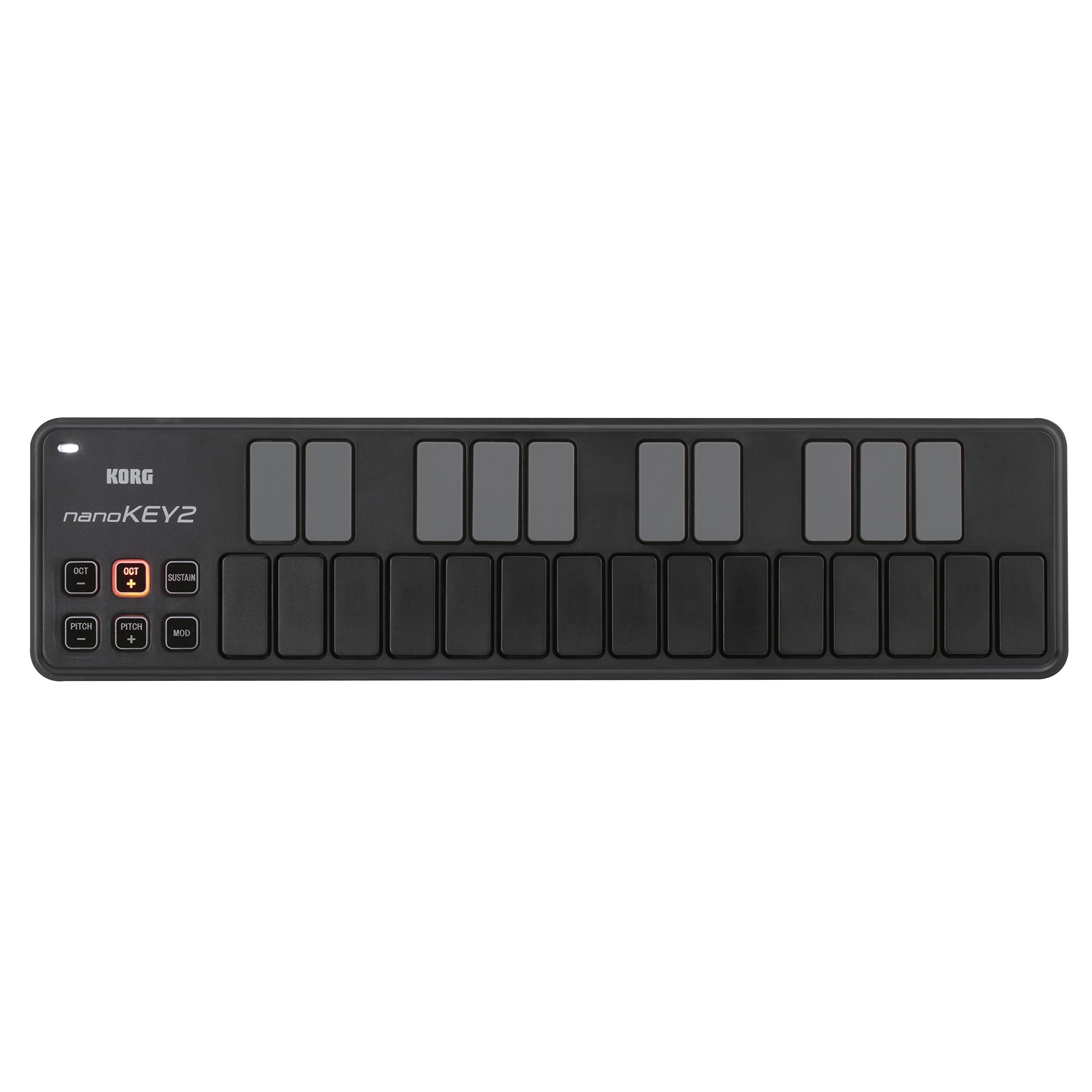
Lots of reviews already for the Korg nanoKey2, so I will try to keep it short... This is my second MIDI controller - my first is the excellent Akai MPK25 (version 1). If you are primarily a keyboard player and are okay with the fact that the MPK25 is literally twice the size of the nanoKey2, then I think the Akai is a better option for a more traditional feeling keyboard and sample pad pairing. (Note: it's also more expensive, retailing around $100, so perhaps not a fair comparison).But I like the nanoKey2 as the ultimate portable option for capturing ideas on-the-go on my iPhone and/or iPad. Since it's smaller than a USB computer keyboard, you can slip it into a laptop case with the USB Camera Connection kit and the (included) USB cable, and you have everything you need.This does not have the traditional feel of a synthesizer keyboard. The buttons are velocity-sensitive, but they do not have any real travel or "spring" to them. They are more similar to a computer keyboard response. The downside of this is that if you are a traditional piano player and accustomed to playing complicated passages knowing exactly where the keys should fall under your fingers, you may struggle to do that here. But there are definite advantages to Korg's design choice as well. First of which is that buttons can be pressed in rapid succession, unlike some piano keys. So if you are planning to use this keyboard to tap out rhythms, it's capable of hitting 16th notes or triplets in quick succession, arguably better than a traditional keyboard. Also, some reviewers remarked that they actually found it easier to play the black keys (sharps and flats on the upper row) with this type of slimline keyboard, versus a shrunken-down version of a traditional keyboard. There may be some truth to that - it's nice that all of the keys are of uniform size and feel.At the end of the day, I think the nanoKey2 is well suited to do an adequate job across a variety of needs, ranging from simple monophonic passages, playing simple chords (and recording them as MIDI data), and tapping out beats. It's not going to be the best tool at any of those things, but certainly an improvement on a small touchscreen device. MIDI data editing and quantinization should also help to clean up some of the minor errors you commit using this type of input device. And, best of all, it's extremely affordable and about as small and lightweight as you could expect. The best controller you have is the one that you actually have with you when you need it, and Korg has made a device here that is actually practical enough to carry with you just about anywhere.
RRobert Grupe
17 de noviembre de 2019
Love, Love, Love: Mobile Practice
This product is fantastic and the only option for highly portable keyboarding practice!Just connect the USB cord, and you are ready to play with a smartphone, tablet, or computer without the need for any further power source connection!I have been looking for a portable keyboard that I could use to practice anywhere: sitting on the couch, on airplane flights, waiting around somewhere, outdoors, etc.I wanted something that would fit in my computer bag, and would with my mobile phone so I couldn't need to wrestle with the extra room needed for my laptop.THE PROBLEM WITH MOST OTHER SMALL MIDI KEYBOARD CONTROLLERSThey have mushy plastic keys that are prone to snapping off over time (do a web search to see repair problems. * I didn't want the frustration and cost of trying to fix or replace every few months.* They also require powered USB connections; which, for some laptops and tablets, and any smartphones, requires an additional USB powered hub connected to an electrical outlet or battery pack. I didn't want to have a snarl of wires and a third box to balance on my lap.AWESOME REVOLUTIONARY KEYBOARD LAYOUTIf you aren't already fluent in playing scales and cords with correct fingering, this is a fantastic training aide.At first I found the layout difficult to play in certain scales and chords, but then it slowly dawned on me that it was due to my incorrect fingering (e.g. trying to use my thumb to play black keys). When I tried using correct scale fingering, then problem solved![If you don't know the correct hand fingering to use for each scale, do a web search 'piano scale fingering'.]Practicing with the nanoKEY, it will force me to break my bad lazy habits for melody lines, runs, riffs, and chord inversions.THE KEYS ARE QUIETI had seen some review comments that they keys were noisy and therefore would be distracting to others in quiet settings.I decided to take the risk of ordering it anyways, and I am very glad that I did because I found that this is not the case.People sitting next to me in normal ambient environments will not hear anything from the nonKEY2. It is same noise level as my touch typing on a MacBook Air laptop computer- or quieter; it all depends on how aggressively or smoothly someone hits the keys.If you like to bang away your keys, then yes, you will annoy others in very quite places. But really, do everyone around you a favor and just STOP IT ALREADY! Learn to play (and type) with finesse and skill instead.TIPS FOR SUCCESS* Understand that any midi devices may need some system setting adjustments on your smartphone, tablet, or computer. If you've never used a midi keyboard before with your device, it might not just plug-in and work right away until you enable midi via USB.* Understand that the music software you want to use needs to be configured to use a midi connected keyboard. So you will need to check user the help and settings.* If your music software device doesn't have a full-sized USB port, you will need to an adapter.* When playing along with other software (e.g. Spotify, Worship Team, etc.), you may need to turn your midi music software instrument (ORG 2020, etc.) volumes to maximum.WHAT'S MISSING?* Foot pedal input for sustainThis would be important for actual two handed playing performances or recording, but not necessary for highly portable practice or composing.To use a foot pedal would required another item to be transported and stable floor space to use it.Instead, get and use a separate tabletop midi keyboard that has full size, velocity sensitive, weighted keys.* Korg software bundles for AndroidNo specific software isn't needed to use the nanoKey, but many new-player potential customers may not realize that. In the box is a license code that can be used for limited version of software for iPad/iPad, Windows, and Mac, but nothing for Android.Korg is really missing a large market opportunity by not addressing and promoting to Android users.MY SETUPS WITH nanoKEY2* Smartphone: Motorola X4 running Android v9 + Android music apps (free versions of ORG 2020, Caustic, Perfect Piano, SymprezFM) + USB C adapter* Laptop: MacBook Air + Garage Band
MMichael G. Matrix
20 de agosto de 2024
I should have read all the reviews
I am not a serious musician and just make GarageBand tunes to amuse myself, so this issue could be a “me” thing, but the keys on this controller just wobble too much! I was expecting rubber keys, but these are just unstable plastic.It is really a great looking device and seems cool other than the use of a mini-USB connector from last century. Where did Korg get those from?I was lured in by the description of the keys as being advanced, but what they are not is music keyboard like. I have never felt keys move laterally before, it’s distracting. Also they are not a quiet as some people have said, they are not noisy but can be heard easily.It does function well and connected directly to my iPhone with a USB to lightning adapter. It works with GarageBand out of the box! The smaller buttons on the left light up and are multicolored. If you wanted to not look like you were making music this would work great.
SStephanie
25 de octubre de 2024
Awesome little midi controller
I bought this device as a way to avoid dropping thousands upon thousands of dollars on a Moog device to run synth bass in church. Instead, I purchased this controller and ran it through Ableton running a simple sub patch. It worked just as expected. It's super portable, and I had no problems with any dead keys. The board feels great and it works plug and play. It sits perfectly on top of the laptop keyboard and I never noticed any misinputs. Mighty little controller!


 Marca: KORG